2004 Ford F150 Radio Wiring Diagram: Troubleshooting 2026

The 2004 Ford F-150 radio harness uses a 24-pin main connector. The constant +12V hot wire is Light Green/Violet (Pin 1), switched ignition is Yellow/Black (Pin 2), and the chassis ground wire is Black/Light Green (Pin 13). Front left speaker positive is Orange/Light Green, and negative is Light Blue/White.
📌 Key Takeaways
- Main connector utilizes a 24-pin layout operating on standard 12V DC automotive circuitry.
- Constant power (+12V hot wire) is Light Green/Violet, while accessory power is Yellow/Black.
- Ensure solid contact to chassis ground wire (Black/Light Green) to prevent ground loop audio whine.
- Reversing speaker polarity (positive and negative audio pairs) causes phase cancellation and weak bass.
- Seek a professional car audio installer if factory amplifier bypass or CAN-bus integration is required.
Accurate electrical troubleshooting and audio system integration on the eleventh-generation Ford truck platform require an exact 2004 ford f150 radio wiring diagram. Ford engineered significant structural and electronic revisions midway through the 2004 production run, introducing distinct bus topologies, mutated connector footprints, and variable accessory-delay logic circuits. Whether you are replacing a non-functional factory head unit, integrating an aftermarket digital media receiver, or tracing parasitic battery drain within the entertainment circuits, this technical guide provides complete pin assignments, wire gauge ratings, terminal block data, and operating voltages across all factory audio configurations.
2004 Ford F150 Radio Wiring Diagram: Heritage vs New Body Style


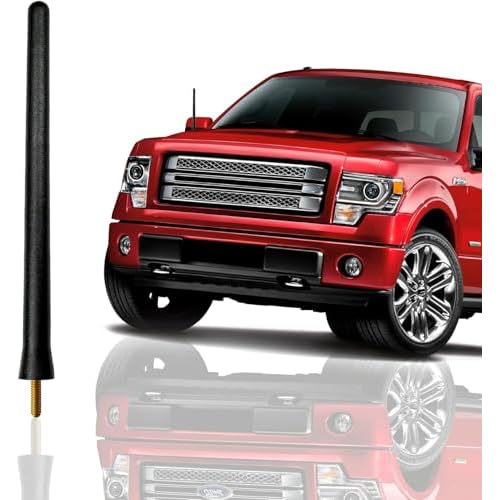

The 2004 model year represents a major platform transition for Ford light-duty trucks. Ford produced the carryover tenth-generation platform under the “Heritage” nameplate while launching the completely redesigned eleventh-generation “New Body Style” F-150. These two trucks share virtually no entertainment or harness infrastructure. Diagnosing circuits or ordering an aftermarket wiring adapter without first verifying the body generation will lead to harness mismatches, blown terminal pins, or instrument cluster communication faults.


The 2004 Ford F-150 Heritage Edition relies on Ford’s legacy Phase II connector scheme. This interface utilizes dual rectangular gray and black plastic harness plugs (commonly interfaced using a Metra 70-1771 or similar harness adapter). In contrast, the New Body Style 2004 F-150 introduced Ford’s 24-pin micro-pack main radio harness connector, accompanied by an auxiliary 8-pin or 16-pin terminal block depending on the factory trim, rear-seat entertainment (RSE), and premium audio options. When consulting a 2004 ford f150 radio wiring diagram, identifying this split is the critical initial milestone.
| Feature / Specification | 2004 F-150 Heritage (10th Gen) | 2004 F-150 New Body Style (11th Gen) |
|---|---|---|
| Main Harness Connector | Dual rectangular plugs (Phase II, 16-pin power + 8-pin speaker) | Single 24-pin hybrid micro-pack block (Ford C290a) |
| Subwoofer / Aux Connector | Separate circular CD-changer din or small 6-pin auxiliary | 8-pin Audiophile block (C290b) and/or 16-pin CAN/AUX plug |
| Constant 12V Circuit Supply | Central Junction Box Fuse 8 (5A) / Fuse 1 (25A) | Central Junction Box Fuse 22 (20A) via Light Green/Violet wire |
| Switched Accessory Supply | Ignition switch direct run via Black/Pink wire | Delayed Accessory Relay via Fuse 31 (5A) / Pink/Yellow wire |
| Mounting Form Factor | Standard Ford DIN-and-a-half with front spring-clips | Double-DIN recessed structural chassis with 7mm hex front fasteners |
Before testing individual pinouts, verify the physical dashboard layout. If your radio is held in place by two snap-in spring clips requiring specialized U-shaped DIN removal tools, you are servicing a Heritage Edition. If your head unit is concealed beneath a snap-off dash bezel and secured to the inner dashboard framework with four 7mm hex-head bolts, your truck is the New Body Style platform requiring the 24-pin harness topology documented below.
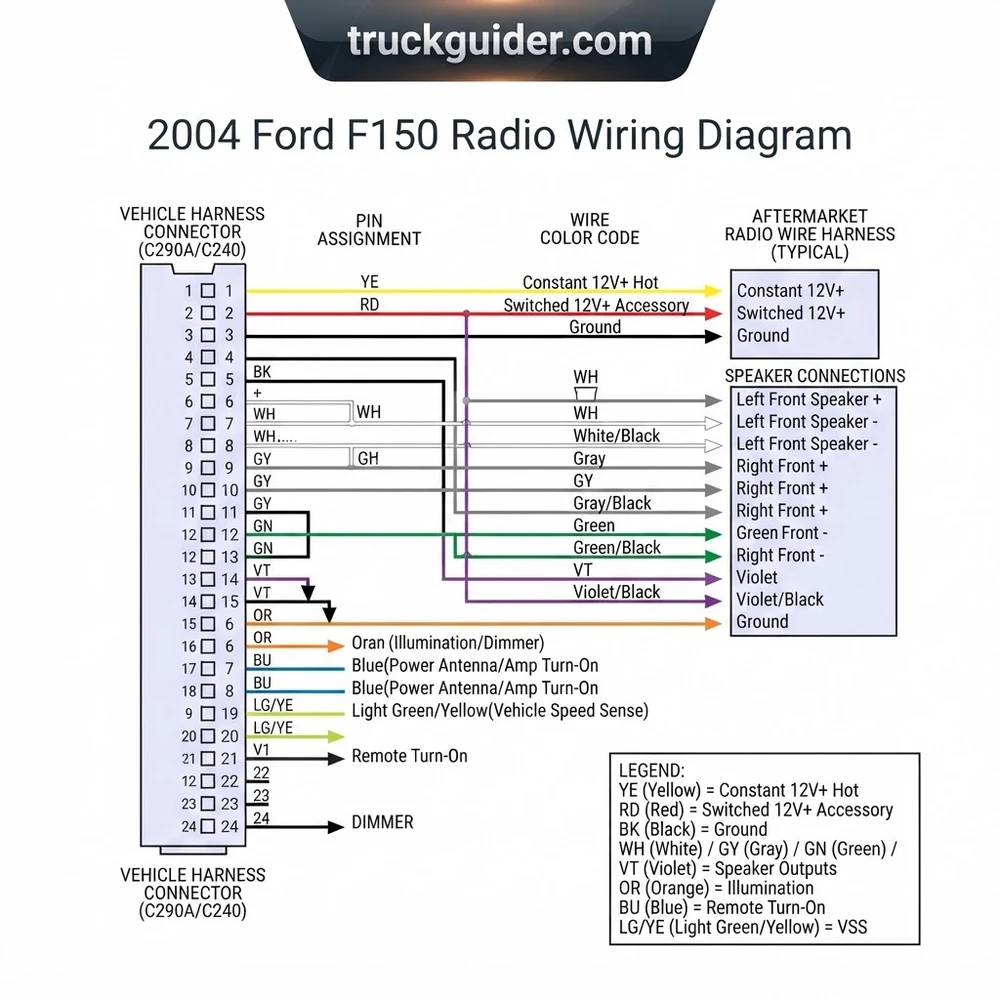
2004 Ford F150 Radio Wire Color Code and Pin Assignment Guide


The core of the 2004 New Body Style entertainment harness is connector C290a. This 24-pin terminal block controls nominal system voltage distribution, chassis ground, illumination dimming references, and the four full-range audio channels routed to the doors. Manufacturer specs indicate that wire gauge choices across this harness vary between 18 AWG for standard signal and speaker lines and 14–16 AWG for high-current ground wire and primary hot wire feeds.
Always disconnect the negative terminal of the primary battery before probing or slicing factory wiring. Shorting the Light Green/Violet hot wire to adjacent logic-level wiring will instantly blow Central Junction Box Fuse 22 and risks damaging the instrument cluster micro-controller.
Below is the complete factory wire color code, functional circuit designation, wire gauge, and pin assignment schedule for the primary C290a radio terminal block. Viewing orientation is taken from the wire-insertion (rear) side of the plug with the locking tab oriented upward.


| Pin # | Wire Color Code | Circuit Function | Gauge | Operating Voltage |
|---|---|---|---|---|
| 1 | Light Green / Violet | Constant 12V / Battery (+) Hot Wire (Fuse 22) | 16 AWG | +12.0V to +14.4V DC continuous |
| 2 | Pink / Yellow | Switched 12V / Accessory (+) Hot Wire (Fuse 31) | 18 AWG | +12.0V to +14.4V in ACC / RUN only |
| 3 | Red / Black | Illumination / Variable Instrument Panel Dimmer | 20 AWG | 0V to +12.0V PWM variable |
| 4 | Not Used / Open | Unpopulated Cavity | — | — |
| 5 | Not Used / Open | Unpopulated Cavity | — | — |
| 6 | Not Used / Open | Unpopulated Cavity | — | — |
| 7 | Not Used / Open | Unpopulated Cavity | — | — |
| 8 | Orange / Light Green | Left Front Door Speaker Positive (+) | 18 AWG | 4V to 8V AC audio signal |
| 9 | Light Blue / White | Left Front Door Speaker Negative (-) | 18 AWG | 4V to 8V AC audio signal |
| 10 | White / Light Green | Right Front Door Speaker Positive (+) | 18 AWG | 4V to 8V AC audio signal |
| 11 | Dark Green / Orange | Right Front Door Speaker Negative (-) | 18 AWG | 4V to 8V AC audio signal |
| 12 | Gray / Light Blue | Left Rear Door Speaker Positive (+) | 18 AWG | 4V to 8V AC audio signal |
| 13 | Black / Light Green | Primary Chassis Ground Wire | 16 AWG | 0.00V (to ground reference) |
| 14 | Black / Light Green | Secondary Ground / Shield Return Wire | 16 AWG | 0.00V (to ground reference) |
| 15 | Not Used / Open | Unpopulated Cavity | — | — |
| 16 | Not Used / Open | Unpopulated Cavity | — | — |
| 17 | Not Used / Open | Unpopulated Cavity | — | — |
| 18 | Not Used / Open | Unpopulated Cavity | — | — |
| 19 | Not Used / Open | Unpopulated Cavity | — | — |
| 20 | Not Used / Open | Unpopulated Cavity | — | — |
| 21 | Tan / Orange | Left Rear Door Speaker Negative (-) | 18 AWG | 4V to 8V AC audio signal |
| 22 | Orange / Red | Right Rear Door Speaker Positive (+) | 18 AWG | 4V to 8V AC audio signal |
| 23 | Brown / Pink | Right Rear Door Speaker Negative (-) | 18 AWG | 4V to 8V AC audio signal |
| 24 | Not Used / Open | Unpopulated Cavity | — | — |
Note regarding automotive circuit nomenclature: Direct-current (DC) vehicle architectures do not utilize an alternating-current neutral wire. The vehicle’s sheet metal serves as the ground return circuit back to the battery negative post. When referencing older schematics that label a “neutral wire” on utility upfitter terminal blocks, remember that in 12V DC systems, this refers strictly to the isolated chassis ground wire return. If you need to upgrade door transducers simultaneously, cross-reference our Ford F-150 speaker upgrade guide to confirm proper phase alignment and mounting depth.
Audiophile Subwoofer Pin Assignment and 5V Voltage Regulator Wiring


Higher-tier 2004 F-150 trim levels (Lariat, FX4, and King Ranch) were frequently ordered with the factory Ford Audiophile Sound System. This system features an auxiliary self-amplified 8-inch subwoofer enclosure mounted underneath the driver-side rear seat. Signal and activation controls are managed through a secondary 8-pin harness connector, designated as C290b, located directly alongside the 24-pin main terminal block.
| C290b Pin # | Wire Color Code | Circuit Function | Signal Type / Nominal Voltage |
|---|---|---|---|
| Pin 1 | Dark Green / Violet | Subwoofer Low-Level Audio (+) | 0.5V – 2.0V Preamp Line Level AC |
| Pin 2 | Light Blue / Red | Subwoofer Low-Level Audio (-) | Preamp Common Line Ground |
| Pin 3 | Bare / Drain Foil | Outer Braided Cable Shield | RF Noise Drain to Chassis Ground |
| Pin 4 | Dark Blue / Light Green | Subwoofer Remote Turn-On Trigger | +5.0V DC Logic Signal ONLY |
| Pins 5–8 | Open / Unpopulated | No Factory Connection | — |
The factory amplifier module inside the Ford Audiophile subwoofer enclosure utilizes a 5-volt TTL logic trigger on Pin 4. Standard aftermarket head units output a +12V DC remote turn-on signal. Splicing +12V directly to Pin 4 causes severe audio transducer popping on ignition cycle and permanently degrades the amplifier input differential stage.
To retain the factory Audiophile subwoofer with an aftermarket stereo without inducing the notorious “sub thump,” integrate a 12V-to-5V step-down voltage regulator (such as an LM7805 solid-state linear regulator or a pre-assembled 12V-to-5V buck converter module) between the aftermarket receiver and Pin 4:


- Connect the Input terminal of the 5V regulator to the blue/white (+12V remote turn-on) lead of your aftermarket head unit.
- Connect the Ground pin of the 5V regulator to the radio harness main ground wire (Pin 13 or 14).
- Connect the Regulated 5V Output pin of the device to Pin 4 (Dark Blue/Light Green) of the C290b 8-pin harness connector.
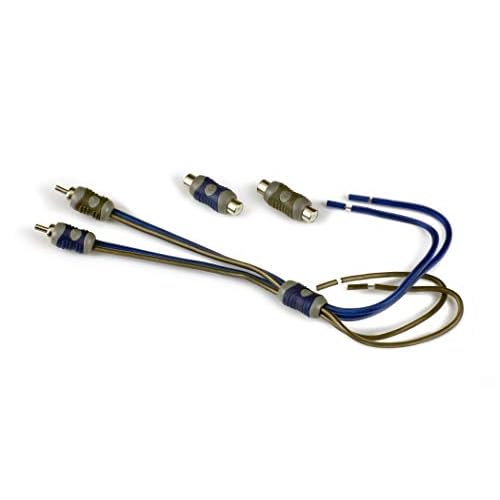
- Splice an RCA male terminal block connector to Pin 1 (center conductor, positive) and Pin 2 (outer collar shield, negative) and plug it into the aftermarket head unit’s Subwoofer Preamp Output jack.
Installing an Aftermarket Stereo with the 2004 Ford F150 Radio Diagram


Executing an aftermarket stereo installation on the 2004 F-150 platform does not require cutting into factory harness looms. Performing harness modifications directly on the truck wiring degrades resale value and introduces potential resistance faults into the factory harness. The industry standard procedure relies on a vehicle-specific mating interface (such as the Metra 70-5520 for standard audio or Metra 70-5521 for Audiophile systems) wired on an external electronics bench.
Never rely on twist-and-tape wiring joints in automotive applications. Thermal expansion and mechanical cab vibration cause electrical tape to unravel, leading to short circuits against the dash frame. Use heat-shrink marine-grade crimp butt connectors or solder connections sealed with polyolefin heat-shrink tubing.
Step 1: Bench Assembly of the Adapter Harness



Lay out the aftermarket stereo’s pigtail alongside the 24-pin adapter harness on your workspace. Strip each conductor end back by approximately 3/8 inch. Using the 2004 ford f150 radio wiring diagram as your guide, correlate the color-coded aftermarket wires with the adapter harness leads:
- Connect the aftermarket Yellow wire (+12V Battery Constant) to the adapter Yellow lead (interfaces with Pin 1, Light Green/Violet).
- Connect the aftermarket Red wire (+12V Switched Accessory) to the adapter Red lead (interfaces with Pin 2, Pink/Yellow).
- Connect the aftermarket Black wire (Chassis Ground) to the adapter Black lead (interfaces with Pin 13, Black/Light Green).
- Connect the aftermarket Orange/White wire to the adapter Orange lead (interfaces with Pin 3 dimmer circuit, if the receiver features auto-dimming display functionality; otherwise cap off and isolate this wire).
- Match all eight speaker lines following the CEA-2006 standard: White and White/Black (Front Left), Gray and Gray/Black (Front Right), Green and Green/Black (Rear Left), and Violet and Violet/Black (Rear Right).
Step 2: Dashboard Trim Disassembly
Ensure the parking brake is firmly set. Turn the ignition key to the ON position (without cranking engine), step on the brake pedal, and shift the gear selector into the lowest position to give yourself mechanical clearance. Using a non-marring nylon panel tool, carefully pry around the outer circumference of the main instrument finish bezel surrounding the radio and HVAC controls. Unsnap the trim bezel, disconnect the passenger airbag indicator lamp plug, and set the trim panel aside. Remove the four 7mm hex screws securing the factory head unit to the mounting sub-frame and pull the radio outward.
Step 3: Harness Interconnection and Antenna Seating
Unlatch the factory 24-pin connector C290a (and C290b if equipped) by depressing the central thumb tabs. Pull the Motorola-style factory AM/FM antenna cable out of the rear receiver chassis. If installing on select 2004 revisions equipped with the deep-set OEM antenna socket, verify whether an antenna adapter (Metra 40-CR10 or standard Motorola male-to-female) is needed. Snap the pre-wired aftermarket harness assembly into the truck’s factory harness blocks until an audible tactile click confirms pin retention.



Step 4: Final Mechanical Fitment and Functional Verification


Temporarily reconnect the vehicle’s battery negative cable. Turn the ignition cylinder to ACC: verify that the new unit powers on and retains station memory when the key is toggled OFF. Balance and fade the audio between all four speakers to verify that no channels are cross-wired out of phase. Once functional validation is complete, install the receiver into an aftermarket double-DIN or single-DIN dash kit, secure the structural 7mm hardware, and press the outer dash bezel back into its retention clips.
Troubleshooting 2004 Ford F150 Audio Wiring and Ground Wire Faults
Post-installation malfunctions or electrical failures within the factory 2004 F-150 audio system typically trace back to grounding deficiencies, blown passenger-compartment fuses, or erroneous dimming circuit interactions. Follow this systematic troubleshooting protocol using a calibrated Digital Multimeter (DMM) to diagnose audio circuit problems:
- Radio Fails to Power On Entirely: Use your DMM to verify operating voltage directly at the harness connector terminals. Probe Pin 1 (Light Green/Violet) to an unpainted metal dash bracket; you must measure between +12.2V and +12.8V continuous battery voltage. If 0V is read, inspect Fuse 22 (20A) in the passenger-side Central Junction Box. Next, probe Pin 2 (Pink/Yellow) with the key turned to ACC or RUN. If voltage reads 0V, verify Fuse 31 (5A) and check our Ford central junction box fuse panel diagram to confirm proper Delayed Accessory Relay seating.
- Ground Circuit Resistance and Continuity Faults: An elevated-resistance ground wire path generates severe alternator whine, ground loop feedback, or random radio resets during engine crank. Set your DMM to the lowest resistance (ohms) scale. Measure between Pin 13 (Black/Light Green) and the bare steel steering column support brace. Resistance must not exceed 0.2 ohms. If resistance exceeds 0.5 ohms, trace the ground wire to its primary eyelet terminal block on the lower cab kick-panel sheet metal, remove corrosion, and torque the retention fastener to 9 Nm.
- Dashboard Interior Dimmer Causes Blown Fuses or Smoke: A common installation error on eleventh-generation Fords is cross-connecting the aftermarket stereo’s solid orange (illumination) or orange/black (dimmer ground) wire to the truck’s factory Pin 3 (Red/Black). Ford uses a pulse-width modulated (PWM) positive voltage signal to vary panel lighting. If your aftermarket head unit is designed for an analog resistive dimmer or features an internal ground switch, this cross-connection creates a dead short to ground across the instrument cluster rheostat. If your cluster fuse blows immediately upon activating parking lamps, disconnect and cap off Pin 3 immediately.
- Reversed Speaker Polarity / Hollow Acoustic Performance: If the newly installed system lacks bass response or sounds hollow and unfocused, one or more speaker channels are operating out of electrical phase. Using a standard 9V alkaline battery, momentarily touch the positive and negative leads of a single disconnected speaker pair on the harness adapter. Listen for the speaker cone to deflect outwardly (positive polarity) or inwardly (negative polarity). Ensure all four doors exhibit identical outward cone excursion when matching wire colors to the 2004 ford f150 radio wiring diagram specifications.
- Engine Whine / Alternator RPM Feedback: If high-pitched whining increases linearly with engine RPM through an integrated Audiophile subwoofer or aftermarket amplifier, suspect an unresolved ground offset. Refer to our guide on automotive ground loop isolator installation to balance line-level input impedances, or hard-wire a direct 14 AWG auxiliary ground strap from the aftermarket radio chassis directly to the primary cab structural ground terminal.
2004 Ford F150 Radio Wiring Diagram Technical FAQ
What fuse controls the radio circuit on a 2004 Ford F-150?
On the New Body Style 2004 F-150, two separate fuses protect the radio circuits within the Central Junction Box (located behind the kick panel on the passenger side). Fuse 22 (20-amp, Mini-fuse) supplies continuous constant 12V hot wire battery power to Pin 1 for memory retention and high-current amplifier draw. Fuse 31 (5-amp, Mini-fuse) supplies switched 12V accessory power to Pin 2 via the Delayed Accessory Relay circuit. On the 2004 Heritage Edition, check Fuse 8 (5A) and Fuse 1 (25A).
Can I connect the factory subwoofer directly to an aftermarket head unit?
Yes, but you must not supply the factory remote turn-on wire (Pin 4 on the 8-pin auxiliary harness C290b) with standard 12-volt accessory power. The factory Audiophile amplifier requires a 5-volt logic-level input to trigger ON. Connecting a 12V wire will produce an objectionable low-frequency thump and ultimately burn out the OEM amplifier module. You must drop the head unit’s +12V remote lead down using a 12V-to-5V step-down regulator or inline resistor network before connecting to factory Pin 4.
What wire is the illumination lead in a 2004 Ford F-150?
In the factory 24-pin radio harness C290a, Pin 3 is the illumination/dimmer control wire and is color-coded Red with a Black stripe. This wire carries a pulse-width modulated (PWM) variable DC voltage from the main lighting switch. When wiring an aftermarket head unit that only accepts traditional analog dimming (+12V switched with headlights), verify receiver compatibility; otherwise, cap off Pin 3 on the adapter harness to prevent damaging the instrument cluster lighting control circuit.
Why does my aftermarket radio lose clock memory every time the truck turns off?


Losing memory, clock time, or EQ presets indicates that the constant battery hot wire and the switched accessory hot wire have been reversed at the adapter harness. Confirm that the aftermarket head unit’s Yellow wire is tied to Pin 1 (Light Green/Violet, constant +12V) and the aftermarket Red wire is tied to Pin 2 (Pink/Yellow, switched +12V). Using a digital multimeter, ensure that Pin 1 maintains at least +12.0 volts continuously even when the ignition key is removed from the cylinder.
Where is the factory audio chassis ground located on the 2004 Ford F-150?
The primary ground wires for the audio system originate at Pins 13 and 14 (Black with a Light Green stripe) within connector C290a. These conductors join the vehicle’s main interior harness and terminate at ground location G200, which is an eyelet terminal block bolted directly to the metal structure behind the driver-side lower kick panel. A secondary chassis bonding ground strap is located beneath the hood, running from the rear passenger-side cylinder head directly to the firewall sheet metal.
Step-by-Step Guide to Understanding the 2004 Ford F150 Radio Wiring Diagram
Identify – Determine your truck’s trim level and whether it features the base 24-pin audio setup or the premium audiophile system with an external subwoofer.
Locate – Disconnect the negative battery terminal and locate the factory radio connectors behind the dashboard center bezel after removing the instrument trim.
Reference – Cross-check wire color code markings and pin assignment numbers against the 2004 Ford F-150 wiring chart before cutting or splicing wires.
Connect/Route – Splice the aftermarket adapter harness using solder and heat-shrink tubing, matching each speaker pair, constant hot wire, and chassis ground wire.
Verify – Reconnect the battery, power on the head unit, verify audio fader and balance controls, and check for parasitic battery draw with ignition off.
Troubleshoot – If the unit fails to power on, test voltage at Pin 1 and Pin 2 with a multimeter and inspect fuses 7 and 18 in the passenger kick panel.