Dodge Key Fob Battery Replacement: Easy DIY Guide [2026]

Most Dodge key fobs require a CR2032 or CR2025 3-volt lithium battery to function correctly. By using a small flathead screwdriver and the emergency key as a lever, you can safely swap the battery without losing your remote’s programming.
🎯 Key Takeaways
- Takeaway 1:Confirm if your fob uses CR2032 or CR2025 before purchasing.
- Takeaway 2:Use the physical emergency key to help pry the casing open.
- Takeaway 3:Battery replacement does not require the fob to be reprogrammed.
- Takeaway 4:Ensure the positive (+) side faces the correct direction during installation.
- Takeaway 5:Clean internal metal contacts if the fob remains unresponsive after replacement.
Replacing your Dodge key fob battery is a straightforward five-minute task that requires exactly one tool and a three-dollar battery. Most modern Dodge models, including the Charger, Challenger, Durango, and Ram trucks, utilize a CR2032 3V lithium coin cell. If your buttons are becoming unresponsive or you have to stand right next to the driver’s door to unlock the vehicle, the battery is likely reaching the end of its life. Swapping it yourself prevents you from being stranded and saves you the fifty-dollar “service fee” typically charged at a local dealership.


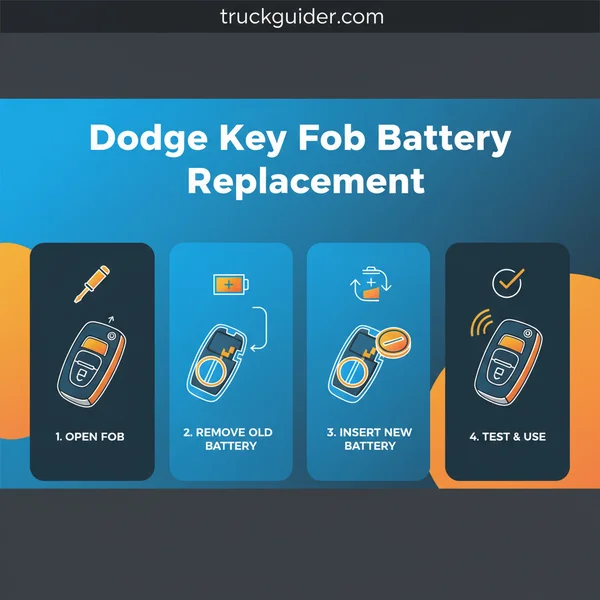
The primary goal is to gain access to the internal circuit board without snapping the plastic retention clips or damaging the delicate silicone water seal. Because Dodge has updated their key designs several times over the last decade, the method of entry varies slightly depending on whether you have a traditional flip-key or a modern proximity “Smart Key.” Regardless of your specific model year, the process focuses on mechanical separation of the fob housing to expose the power cell. This guide ensures you use the right pressure points to pop the casing open safely.
Identifying Dodge Key Fob Styles and Battery Requirements
Before you begin prying at the plastic, you must identify which generation of key fob you are holding. Dodge fobs generally fall into three categories, and while the CR2032 is the most common battery, some older or slimmer variants might require a CR2025. Using the wrong battery thickness can cause the case to bulge or lead to poor electrical contact, so verification is essential before you purchase your replacement.
The Three Main Dodge Fob Variations
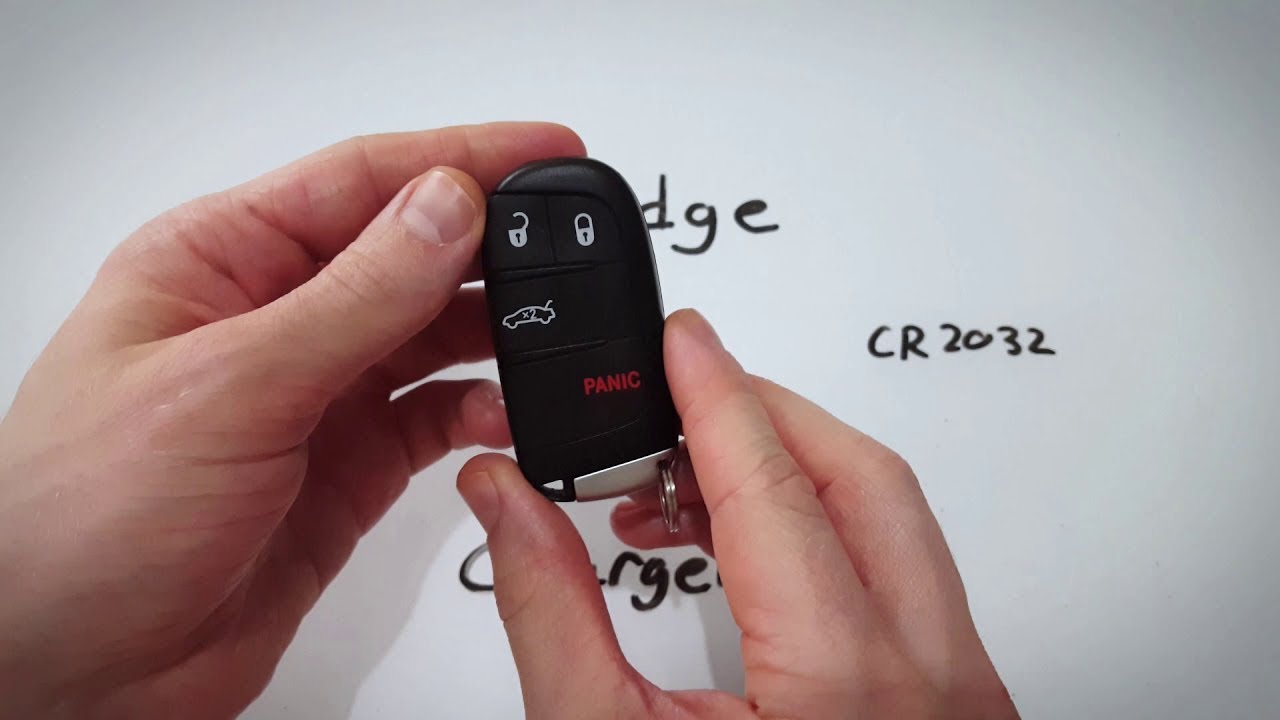
- The Smart Key Proximity Fob (2014–Present): Used in most push-to-start vehicles like the Charger, Challenger, and Durango. These are teardrop-shaped with no visible metal key. They almost exclusively use a CR2032 battery.
- The Fobik Key (2008–2013): This is a rectangular “brick” style key that you insert into a dashboard slot and turn. While it looks chunky, it is surprisingly fragile. It typically utilizes a CR2032 battery.
- The Integrated Flip Key: Common on older Dodge Darts and some Journey models. This fob features a metal key blade that flips out at the press of a button. These often use a CR2032, though some aftermarket versions may require a CR2025.
Battery Comparison Data
While both the CR2032 and CR2025 are 3-volt lithium batteries, the CR2032 is 3.2mm thick, while the CR2025 is only 2.5mm thick. If your fob feels “rattly” after a replacement, check to see if you accidentally installed the thinner 2025 version. Always check the engraving on the back of your original battery before discarding it. Pro tip: Stick with name-brand batteries like Duracell, Energizer, or Panasonic. Generic “no-name” coin cells often have lower milliamp-hour ratings and may die within a few months of installation.
Dodge Key Fob Replacement Made Easy: Your Essential Action Plan
There is nothing quite as frustrating as walking up to your Dodge Charger, RAM truck, or Durango and realizing the keyless entry isn’t responding. While modern Dodge vehicles are packed with advanced technology, they still rely on a simple coin-cell battery to power the transmitter. This guide covers everything you need to know to replace that battery yourself, saving you a costly trip to the dealership and ensuring you aren’t left stranded. Whether you have the classic rectangular fob or the newer sleek proximity remote, following these steps will help you restore full functionality to your device in under five minutes.
Step 1: Identify Your Fob Type and Purchase the Correct Battery
What you need: Your current key fob and a replacement battery (typically a CR2032 or CR2025 3V lithium coin cell).
Instructions: Before you begin the physical disassembly, you must identify which battery your specific Dodge model requires. Most modern Dodge fobs from 2011 to the present (including those for the Challenger, Journey, and Grand Caravan) utilize a CR2032 battery. This is a 3-volt lithium battery roughly the size of a nickel. You can find this information in your owner’s manual, or by looking at the back of the fob where the model number is often etched in tiny text. It is highly recommended to purchase a high-quality brand-name battery rather than a generic one, as cheap batteries often have lower voltage consistency, which can lead to “Low Battery” warnings on your dashboard even after replacement.
Pro Tip: Check the “Use By” date on the battery packaging. Lithium batteries have a long shelf life, but using a fresh one ensures the strongest signal range for your remote start and lock functions.
Step 2: Prepare a Clean Workspace and Gather Tools
What you need: A flat, well-lit surface, a small flathead screwdriver (precision size), and a microfiber cloth.
Instructions: Key fobs contain sensitive electronic components and a silicone button membrane that can easily attract dust or pet hair. Set up your workspace on a clean table or desk. Avoid working over deep-pile carpets where a dropped screw or small plastic clip could be lost forever. Lay down a microfiber cloth to prevent scratching the plastic casing of your fob while you apply pressure. Having a precision flathead screwdriver—the kind used for eyeglasses—is ideal for prying open the casing without marring the edges. If you don’t have a screwdriver, the physical emergency key hidden inside the fob can sometimes be used, but a dedicated tool offers much better control and prevents accidental damage to the plastic notches.
Pro Tip: Work over a tray or a bowl to catch any small parts that might fall out if the fob housing separates more quickly than expected.
Step 3: Release and Remove the Emergency Key
What you need: The key fob and your fingernail or a small tool to slide the release switch.
Instructions: On the back or side of your Dodge key fob, you will find a small sliding mechanical switch. This switch holds the physical emergency ignition/door key in place. Use your thumbnail to slide this switch in the direction of the arrow (usually towards the side of the fob). While holding the switch open, pull the silver keyring attachment loop away from the fob body. The internal metal key should slide out smoothly. Set this key aside. Removing this key is a mandatory first step because it exposes the hidden access notch used to split the two halves of the fob housing. Without removing this key, the internal locking mechanism will prevent the casing from opening, and attempting to force it will break the plastic tabs.
Pro Tip: Take this opportunity to wipe any pocket lint or debris off the metal key using your microfiber cloth to ensure it slides back in easily later.


Step 4: Separate the Fob Housing Halves
What you need: A small flathead screwdriver or the tip of the emergency key.
Instructions: Look inside the slot where the emergency key was just removed. You will see a small indentation or a “seam” where the two halves of the plastic casing meet. Insert the tip of your flathead screwdriver (or the flat tip of the emergency key) into this notch. Apply gentle but firm pressure and twist the tool like a key. You should hear a distinct “click” as the internal plastic clips disengage. Once a small gap appears, slide your tool along the seam toward the top of the fob to continue prying the halves apart. Do not pull the halves apart with your bare hands until the clips are mostly released, as uneven pressure can snap the delicate hinge points at the top of the remote.
Pro Tip: If the casing feels stuck, do not force it. Move your tool to a different spot along the seam to find where the tension is holding and apply pressure there instead.
Step 5: Remove the Depleted Battery
What you need: A precision screwdriver or a non-conductive plastic pry tool.
Instructions: Once the fob is open, you will see the green circuit board on one side and the round coin-cell battery seated in the other. Note the orientation of the battery before removing it—usually, the positive (+) side with the writing faces downward into the housing. Carefully use your small screwdriver to get under the edge of the battery and pop it out of its circular compartment. Be extremely careful not to touch the metal contact tabs located underneath the battery with too much force, as bending these will prevent the new battery from making a proper electrical connection. If you see any white powdery residue (corrosion), wipe it away gently with a dry Q-tip before proceeding to the next step.
Pro Tip: Avoid touching the circuit board with your bare fingers if possible; static electricity or oils from your skin can occasionally interfere with the sensitive electronics.
Step 6: Install the New Battery
What you need: A new CR2032 (or relevant) battery and a clean cloth.
Instructions: Take your new battery out of the packaging. It is best to handle the new battery with a cloth or by the edges only. Oils from your skin can create a film on the flat surfaces of the battery, increasing electrical resistance and shortening its lifespan. Place the battery into the circular slot in the same orientation as the old one. For almost all Dodge fobs, this means the side with the “+” sign and the text should be facing down. Press down firmly until the battery clicks into place under the small plastic retaining tabs. The battery should sit perfectly flat; if it is tilted or loose, it is likely not seated correctly under the tabs, which will cause the fob to fail during the testing phase.
Pro Tip: If you accidentally touched the flat surfaces of the battery, give it a quick wipe with a bit of rubbing alcohol on a cloth and let it dry before finishing the assembly.
Step 7: Reassemble the Casing and Reinsert the Key
What you need: The two halves of the fob housing and the emergency key.
Instructions: Align the two halves of the key fob housing, ensuring the rubber button membrane is seated correctly and hasn’t shifted during the battery change. Start by pressing the top end (the end furthest from the key slot) together first. Once the top is aligned, work your way down the sides, squeezing the halves together firmly. You should hear a series of snaps as the perimeter clips lock back into place. Ensure there are no visible gaps along the seam. Finally, take your metal emergency key and slide it back into its slot until you hear the release switch click shut. Give the key a small tug to make sure it is securely locked and won’t fall out in your pocket.
Pro Tip: Before snapping it completely shut, look through the side gap to make sure no wires or silicone edges are being pinched between the plastic shells.
Step 8: Test the Fob Functionality
What you need: Your vehicle within signal range.
Instructions: Walk to your vehicle and stand about 10 feet away. Press the “Lock” button. You should see the lights flash or hear the horn honk, depending on your vehicle’s settings. Follow this by testing the “Unlock” button and the trunk release (if applicable). If your vehicle features a “Push to Start” ignition, step inside the cabin and attempt to start the engine. If the dashboard displays “Key Fob Not Detected,” the battery may be upside down or the contact tabs may need a slight adjustment. Finally, test the range of the remote; a fresh battery should allow you to lock or unlock the vehicle from a significantly greater distance than the dying battery did. If everything works, your DIY maintenance is complete!


Pro Tip: If the buttons feel “mushy” or don’t click, the internal silicone membrane might have shifted during Step 7. You may need to pop the fob open one more time to realign it.
✅ Final Checklist
- Confirm the battery type matches the manufacturer’s specification (usually CR2032).
- Verify the battery polarity is correct (positive side usually faces down).
- Check that the plastic housing is snapped shut completely with no visible gaps.
- Ensure the emergency key is locked securely back into the fob body.
- Test all buttons (Lock, Unlock, Panic, Remote Start) for immediate responsiveness.
Important Notes:
- Safety: Keep small coin-cell batteries away from children and pets, as they are a severe choking and chemical burn hazard if swallowed.
- Professional Help: If the fob still doesn’t work after a battery change, the internal circuit board may be damaged or the fob may need to be “re-paired” to the vehicle by a locksmith or dealer.
- Estimated Time: 5 minutes.
- Cost Range: $5.00 – $10.00 (the price of a high-quality battery pack).
Essential Tools and Component Safety Precautions
You do not need a specialized automotive kit to open a Dodge key fob, but using the wrong tools can permanently mar the plastic casing. Many DIYers make the mistake of using a kitchen knife or a large flathead screwdriver, which can slip and slice the internal circuit board or the rubber button membrane. Having the correct, small-scale tools on hand makes the separation of the two halves effortless and prevents “gouging” the seam of the fob.
Recommended Tool List
- Small Flathead Screwdriver: An eyeglass repair screwdriver or a 2.0mm jeweler’s screwdriver is ideal for the initial pry.
- The Emergency Key: In most 2014+ fobs, the internal emergency valet key is actually the best tool for opening the case.
- Microfiber Cloth: Use this to wrap the tip of your screwdriver to prevent scratching the finish on premium fobs.
- Non-Conductive Tweezers: These are helpful for lifting the battery out without touching the metal contacts with your fingers.
Handling Internal Components Safely
Once you open the fob, you are exposing the Printed Circuit Board (PCB). This component is sensitive to Electrostatic Discharge (ESD). Before touching the inside of the fob, touch a grounded metal object to discharge any static electricity from your body. Furthermore, avoid touching the flat faces of the new battery with your bare fingers. Skin oils can create a resistive film on the lithium cell, which might lead to intermittent connectivity. Hold the battery by its edges or use a clean cloth during the installation process.
Pay close attention to the silicone gasket found inside most Dodge fobs. This gasket is what makes your key water-resistant. If it falls out or shifts during the battery swap, ensure it is perfectly seated in its channel before snapping the case back together. A misaligned seal will let moisture in, which can corrode the board and lead to an expensive replacement. Always work over a flat, clean surface like a desk so that small springs or buttons don’t bounce away if the fob opens suddenly.
Troubleshooting Connectivity and Range Issues Post-Replacement
You’ve popped in the new battery, but the doors still aren’t unlocking from a distance. Don’t panic just yet. Sometimes, a fresh power source isn’t the only thing your Dodge remote needs to get back to peak performance. Connectivity issues are common and usually easy to solve without a trip to the mechanic.
Checking Internal Contact Points
One of the most frequent culprits for a “dead” fob after a battery swap is poor contact. Over years of use, the small metal tabs inside the remote can become slightly bent or coated in a thin layer of grime. If the battery isn’t making a solid connection, the remote won’t send a signal to your Charger, Durango, or Ram.
- The “Gentle Bend” Trick: If the metal tabs look flat, use a small tool to very slightly lift them so they press more firmly against the battery surface.
- Cleaning with Alcohol: Use a cotton swab dipped in a tiny amount of rubbing alcohol to wipe away dust or oils from the metal contact points.
- Check Battery Orientation: It sounds simple, but double-check that the positive (+) side is facing the correct direction according to the diagram inside the plastic casing.
Signal Interference and Synchronization
In some cases, your Dodge vehicle might need a moment to “recognize” the refreshed remote. If the range seems shorter than usual or the response is delayed, consider your surroundings. External factors often play a bigger role in signal strength than the battery itself.
- Proximity to Electronics: Large metal objects, high-powered electronics, or even cell phone towers can cause signal interference. Try testing the fob in a different location.
- The “Lock-Unlock” Cycle: Occasionally, cycling the locks manually or using the physical key to start the ignition helps the security system re-sync with the remote’s updated frequency.
- Verify the Battery Type: Ensure you haven’t used a “low-drain” version of the battery, which might not provide enough burst power for long-range signaling.
Cost Analysis: DIY vs. Dealership Battery Services
Deciding whether to handle a Dodge key fob battery replacement yourself or take it to a professional often comes down to a balance of time and money. While the convenience of a dealership is tempting, the price tag associated with such a simple task can be surprisingly high.
The Dealership Premium
When you walk into a dealership for a battery change, you aren’t just paying for the hardware. You are paying for the service department’s overhead and the technician’s time. A job that takes you two minutes at your kitchen table might cost you significantly more at the service desk.
- Labor Charges: Many dealerships have a minimum labor fee or a “convenience fee,” which can turn a $5 battery into a $30 to $50 service appointment.
- Marked-Up Parts: Dealerships often sell individual batteries at a much higher price point than local hardware stores or online retailers.
- The Wait Time: Beyond the money, you have to account for the time spent driving to the dealership and waiting in the lounge for a technician to become available.
The DIY Advantage
Taking the DIY route is almost always the smarter financial move for a Dodge owner. It’s one of the easiest maintenance tasks you can perform, requiring no specialized automotive knowledge. By handling it yourself, you regain control over both your schedule and your wallet.
- Bulk Buying: You can often buy a 2-pack or 4-pack of CR2032 or CR2450 batteries for less than $10, ensuring you have a spare for the future at a fraction of the cost.
- Immediate Results: You can fix a dying remote the moment you notice the range dropping, rather than waiting for a scheduled appointment.
- Self-Reliance: Knowing how to open and maintain your fob prevents you from being stranded or overpaying if the battery dies unexpectedly while you’re on a road trip.
Wrapping Up Your Key Fob Maintenance
Keeping your Dodge key fob in top shape doesn’t have to be a chore or a major expense. By understanding how to troubleshoot minor connectivity issues and choosing the DIY path over the dealership, you save time and money while ensuring you’re never locked out of your vehicle. It is a simple, high-reward maintenance task that every driver should master to keep their vehicle experience seamless.
Next Steps: First, check your owner’s manual or current battery type so you can buy a spare today. Second, keep a small flathead screwdriver in your glovebox just in case of emergencies. Don’t wait for the “Low Battery” warning to appear on your dashboard—stay ahead of the curve and keep your Dodge ready for the road!



❓ Frequently Asked Questions
How can I tell which battery my specific Dodge model requires?
You can find the battery type (usually CR2032 or CR2025) printed on the old battery or embossed inside the plastic housing of the fob once it is opened.
Will my Dodge lose its settings if the key fob battery stays dead for too long?
No, your vehicle’s pairing data is stored on a non-volatile chip that doesn’t require power. The car will recognize the key immediately once the new battery is installed.
What should I do if the plastic clips on my fob snap during opening?
If the housing no longer seals, you can purchase an inexpensive replacement shell online and simply move your internal circuit board into the new casing.
Is there a difference between ‘Smart Key’ and ‘Fobik’ battery replacements?
Yes, Fobik styles (teardrop shape) often split down the side, while rectangular Smart Keys require removing the emergency key first to access the hidden pry slot.
How long does a typical Dodge key fob battery last?
Under normal usage, a high-quality lithium coin cell battery should last between three to four years before the signal strength begins to diminish.
Can a weak battery cause the ‘Key Fob Not Detected’ error?
Absolutely; a dying battery weakens the signal, which often results in intermittent detection errors or requiring you to touch the fob directly to the start button.