Tacoma TPMS Reset by Year: Button and Menu Steps 2005-2026


A Tacoma TPMS reset starts with checking the tire pressure and using the correct procedure for your model year. Most older Toyota Tacomas use a physical reset switch, while 2024–2026 models use settings on the Multi-Information Display (MID). A reset is not a substitute for repairing a low or damaged tire.
For a 2016–2023 Tacoma, the familiar method is to hold the TPMS SET switch until the warning light flashes three times. On a fourth-generation Tacoma, you instead select the TPWS pressure-setting function through the instrument-cluster menus. The exact menu navigation also depends on the display fitted to your truck.


Match your truck to the correct control. Start with the tire pressure, not the reset button.
Do: With correct pressure and ignition ON, hold the switch until the light blinks 3 times.
Do: Hold SET until 3 slow flashes. Allow the initialization drive specified by your manual.
Do: Start initialization using the steering-wheel controls.
The reset command was acknowledged. Sensor learning or the specified drive may still be needed.
Possible TPMS malfunction. Check sensor communication and registration; arrange diagnosis.
What to Check Before Resetting Your Tacoma TPMS



The Tire Pressure Monitoring System (TPMS), called the Tire Pressure Warning System (TPWS) in Toyota menus, uses tire-mounted transmitters to detect low pressure. Before initializing it, make sure the tires are actually inflated correctly.
- Park on level ground and inspect the tires. Look for punctures, sidewall damage, a visibly flat tire, or a valve-stem leak. Repair a damaged tire before attempting a reset.
- Measure pressure while the tires are cold. For the usual cold-pressure check, park for at least three hours or drive no more than about one mile.
- Use the driver-door placard. The Tire and Loading Information label, not the maximum PSI stamped on the sidewall, gives the vehicle’s specified inflation pressures.
- Check the spare when applicable. Some older Tacomas, including the documented 2007 model, monitor a sensor-equipped spare. Do not assume every newer spare has a sensor.
- Recognize the warning pattern. A steady tire-pressure light generally calls for a pressure check. A light that flashes for roughly one minute and then stays on points toward a TPMS fault.
If you need the specifications for your tire size and trim, consult the Toyota Tacoma tire pressure chart by year, then confirm the final value against your truck’s placard. Do not initialize the system using temporarily reduced off-road pressures.
Which Tacoma TPMS Reset Method Fits Your Model Year


Toyota changed the controls across Tacoma generations. Choose the method that matches the controls installed in your truck, rather than assuming a universal reset-button location.Tacoma model year Main reset control Where to look 2005–2015, TPMS-equipped Tire-pressure reset switch Lower driver-side instrument panel; verify against that year’s manual 2016–2023 Physical SET switch Lower dashboard around the driver’s knee area 2024–2026 TPWS pressure-setting menu Steering-wheel controls and instrument-cluster MID
The second-generation instructions below are supported by the 2007 Tacoma owner’s manual. Equipment and switch placement on an individual 2005 or other early-production truck should be checked in its own manual.


How to Reset Tacoma TPMS on 2005 to 2015 Models



On second-generation Tacomas equipped with the factory tire-pressure warning system, Toyota’s documented reset procedure uses a physical switch. The 2007 manual identifies the switch on the lower portion of the driver-side instrument panel. Your instrument-panel layout may differ by cab and production year.
- Park and switch off the ignition. Choose a safe, stationary location.
- Set all monitored tires to their specified cold pressures. On a 2007 Tacoma, this includes the sensor-equipped spare. Check the spare’s equipment on other years.
- Turn the ignition key to ON. You do not need to drive or move the truck while activating the switch.
- Press and hold the tire-pressure reset switch. Watch for the tire-pressure warning indicator to blink slowly three times.
- Leave the ignition ON for a few minutes. Then turn it off, as directed by the 2007 manual.
What success looks like: If the indicator does not flash three times, recheck the setup and repeat once. Persistent failure requires TPMS diagnosis.
Important: On these older systems, correcting a genuinely low tire often turns off the steady warning by itself. Toyota specifically warns that the reset switch should not be used simply to conceal a low-pressure warning.


How to Reset Tacoma TPMS on 2016 to 2023 Models


Third-generation Tacomas use a physical SET switch rather than the fourth-generation dashboard procedure. Toyota’s 2023 Tacoma Quick Reference Guide confirms the following steps.
- Set the correct cold tire pressures. Use your own door-jamb label, particularly after changing wheels or tires.
- Turn the Tacoma on while parked. Do not try to begin the reset while driving.
- Locate the SET switch. Look below the steering wheel around the lower dashboard on a factory-equipped truck. Its symbol depicts a tire cross-section and exclamation point.
- Press and hold SET. Release it once the tire-pressure warning indicator flashes three times.
- Allow the truck to sit for a few minutes. Toyota then specifies driving at approximately 25 mph (40 km/h) or faster for about 10 minutes to finish initialization on the 2023 Tacoma.
- Check the warning light and pressure display. Tire pressures can be displayed on the MID on select grades.
What success looks like: The system accepts the reset, then resumes normal pressure monitoring once initialization completes. A light that flashes for a full minute and stays illuminated is a fault indication, not the same as the three confirmation flashes.
The 2023 procedure is verified directly. Earlier 2016–2022 trucks follow the older switch-based architecture, but consult the corresponding owner’s manual for exact switch illustrations or model-year instructions before assuming that every control position is identical.
How to Reset Tacoma TPMS on 2024 to 2026 Models
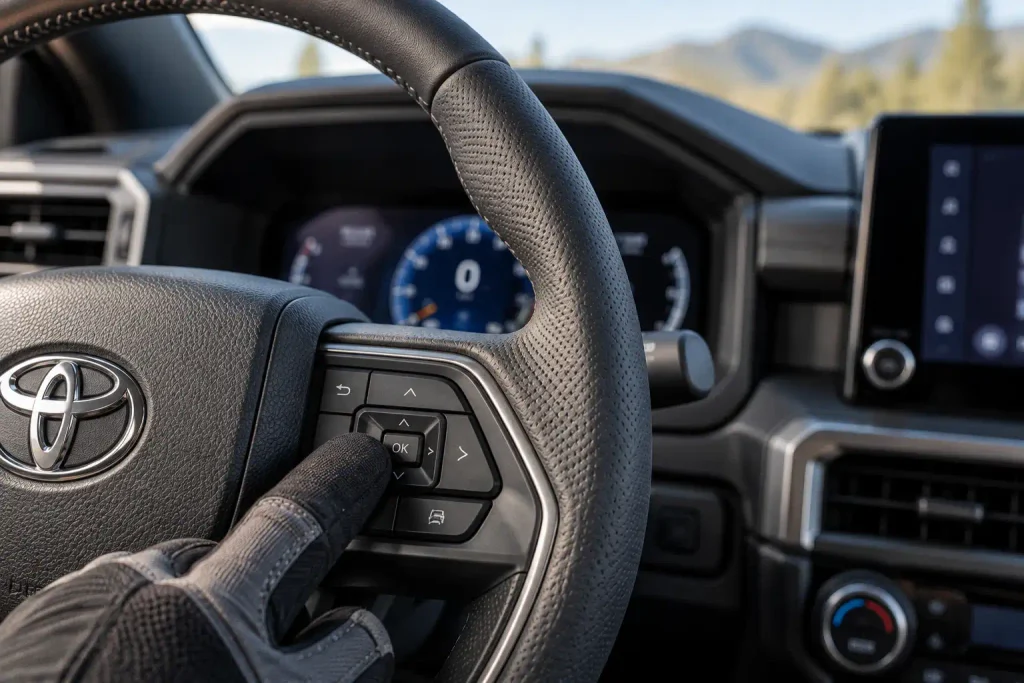
The fourth-generation Tacoma uses steering-wheel controls and the instrument-cluster Multi-Information Display, not the older dashboard SET switch. The Toyota 2024 Tacoma Quick Reference Guide documents the TPWS menu-based initialization process.


Tacoma TPMS Reset With a 7-Inch Display


- Park and check all cold tire pressures. On the documented 2025 system, turn the ignition off and wait at least 20 minutes before starting with the ignition ON.
- Select the Settings gear icon using the steering-wheel meter controls.
- Open Vehicle Settings. On the 7-inch setup, hold OK where prompted to enter the submenu.
- Select TPWS. On the newer menus, this is the tire-pressure warning system entry.
- Choose Setting Pressure. Press and hold OK until the warning indicator flashes three times and an initialization message appears.
- Drive to finish initialization. On the documented 2025-style system, Toyota specifies approximately 25 mph (40 km/h) or more for 10–30 minutes, with occasional gentle turns. Individual tire readings appear when learning is complete.
Tacoma TPMS Reset With a 12.3-Inch Display
- Stop safely and correct the cold tire pressures. On the documented 2025 system, wait at least 20 minutes with the ignition off before turning it ON.
- Activate the center display cursor. Press and hold the applicable steering-wheel OK control if the large MID requires it.
- Open Settings, then Vehicle Settings. Use the steering-wheel arrows to highlight the menu and hold OK when prompted.
- Select TPWS setting. Some quick-reference materials abbreviate this entry as TPWS.
- Select Setting Pressure. Hold OK to start initialization. A message should acknowledge the request, with temporary dashes replacing tire readings during learning.
- Allow the system to learn tire positions. Drive under suitable conditions until the tire-pressure values return to the MID.
Menu wording and steering-control directions can differ between the 2024, 2025, and 2026 guides. The Toyota 2026 Tacoma owner’s manual is the final reference for the equipment installed in a 2026 truck. Do not use a menu command labeled for sensor registration, wheel identification, or wheel-set switching as a substitute for pressure initialization.
What success looks like: You receive the initialization acknowledgement, any temporary dashes in the pressure display eventually change back to actual readings, and the system no longer reports a pressure or system fault. If the tires are still low, resetting will not repair them.
How to Confirm Your Tacoma TPMS Reset Worked
The confirmation differs from a completed repair. Three slow warning-light flashes show that the truck recognized the reset command. They do not necessarily mean the tire-pressure sensors have finished communicating with the system.
On a 2023 Tacoma, the quick guide specifies a short wait followed by roughly 10 minutes of driving at or above 25 mph. On newer MID-equipped Tacomas, learning can take around 10–30 minutes under the conditions specified for that display. Expect longer times in traffic or when sensor identification is delayed.
On models displaying individual tire pressures, compare the screen to the actual readings after the display updates. Small temperature-related differences are possible, but a missing reading after the prescribed process deserves further attention.
Never drive simply to clear a warning if a tire is visibly flat, losing air quickly, or showing damage. Repair the tire first.
When Tacoma TPMS Needs Relearning After Tire Changes
Pressure initialization and sensor-ID registration are different procedures. A reset saves an inflation-pressure reference. Registration tells the Tacoma which physical transmitters are installed.
If tires are rotated but the original sensors remain installed, follow your model’s tire-rotation and initialization requirements. Replacing only the rubber tires while retaining functioning, registered sensors usually does not require programming completely new transmitter IDs. However, Toyota may still call for initialization or wheel-position learning.
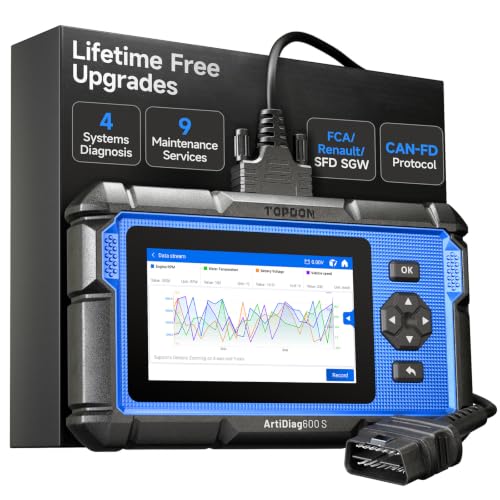
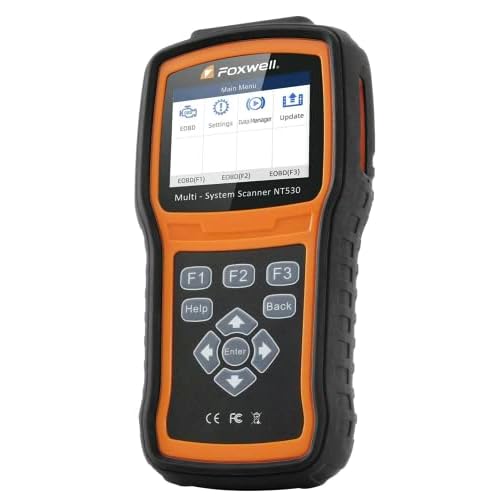
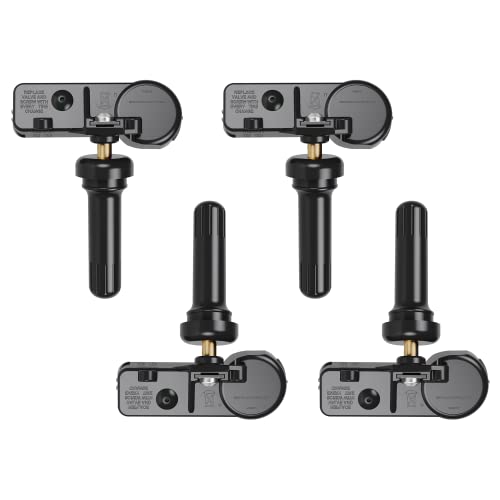
Installing new sensor-equipped wheels is different. Older Tacomas commonly need a compatible TPMS diagnostic tool or Toyota service equipment to write the new sensor IDs into the TPMS computer. Some newer systems provide additional dashboard registration functions, but the available functions and completion procedure are model-specific.
After a tire shop visit, confirm whether sensors were reused or replaced. The TPMS sensor after tire change guide explains the broader checks after tire service. If new sensors were installed and the warning flashes for a minute before staying on, seek sensor-registration or fault-code diagnosis rather than repeatedly pressing reset.
Why Your Tacoma TPMS Light Will Not Reset
First identify what the warning does. A steady light after cold-weather driving often points to actual pressure loss. A light that flashes for about one minute and then remains on indicates a malfunction that requires investigation.Symptom Likely explanation Best next action Steady light after adding air One or more tires still below specification, or the display has not updated Measure all relevant tires cold and allow the system to refresh Three confirmation flashes but warning returns Incorrect inflation benchmark or a continuing pressure problem Check the door placard and look for a slow leak No three-flash acknowledgement Wrong ignition mode, wrong switch/menu, or initialization fault Recheck the procedure for the exact year Light flashes for one minute, then stays on TPMS sensor, receiver, registration, or communication fault Have the system scanned with a TPMS-capable diagnostic tool Individual tire pressure shows dashes Initialization or wheel-position learning may still be underway Follow the applicable driving procedure; diagnose if it never completes Light appears after new wheels or sensors Sensor IDs may not be registered correctly Confirm compatible sensors and complete registration
Check for a Slow Leak Before Resetting Again
Tire pressure can decline with temperature or through a small puncture. Measure pressures with a gauge and look for a tire that loses air again after inflation. A continuing air leak is a tire-repair issue, not a reset issue.
Check the TPMS Sensors and Readings


A damaged sensor, depleted sensor battery, or communication problem can create missing or inaccurate dashboard values. Compare the MID values with a reliable gauge, then review the TPMS sensor reading wrong pressure troubleshooting guide for the broader diagnosis.
If the warning flashes for about one minute at startup, do not keep attempting pressure initialization. Ask a Toyota dealer or qualified tire technician to check transmitter communication, registered IDs, and TPMS fault codes.
Three Tacoma TPMS Reset Mistakes to Avoid
1. Resetting at the wrong pressure. Inflating to the tire sidewall’s maximum rating, or resetting while tires are aired down for trails, can establish an unsuitable reference. Use the vehicle placard and appropriate manufacturer instructions.
2. Using instructions from the wrong generation. A 2023 Tacoma’s SET switch procedure should not be copied onto a 2025 truck with MID-based TPWS settings. Identify the year and instrument display first.
3. Treating every light as a reset problem. A damaged tire and an unregistered transmitter need different repairs. A one-minute flashing malfunction indicator is not cured by repeatedly choosing Setting Pressure.
Keeping Your Tacoma TPMS Working After a Reset
A successful Tacoma TPMS reset starts with the correct cold tire pressure, not the reset button. Second- and third-generation Tacoma owners generally use the physical switch, while fourth-generation trucks use the instrument-cluster TPWS settings. The model-specific procedure matters most after tires, wheels, or inflation targets have changed.
Watch for the three-flash acknowledgement, then let the system finish its prescribed initialization or learning period. If the warning remains, inspect tire pressures and distinguish low pressure from a malfunction. If the light flashes for a minute before staying on, arrange sensor and registration diagnostics instead of repeatedly resetting.
Frequently Asked Questions About Tacoma TPMS Reset
Where Is the TPMS Reset Button on a Toyota Tacoma?
On many 2005–2023 TPMS-equipped Tacomas, the reset switch is on the lower driver-side dashboard, generally near the steering-column or knee-panel area. Confirm the exact location in your owner’s manual. The 2024–2026 generation uses the MID’s TPWS settings instead.
How Do I Reset TPMS on a 2023 Tacoma?
Adjust the tires to their specified cold pressures, turn the truck on, and hold the physical SET button until the warning light flashes three times. Toyota then specifies letting it sit briefly and driving at about 25 mph or faster for approximately 10 minutes.
Does the 2024 Tacoma Have a TPMS Reset Button?
The 2024 Tacoma uses an instrument-cluster TPWS pressure-setting menu rather than the earlier dedicated SET switch. Use the steering-wheel controls to open Vehicle Settings, select TPWS or TPWS setting, and choose Setting Pressure according to your display.
Why Won’t My Tacoma Tire Pressure Light Go Off After Adding Air?

At least one monitored tire may still be low, a slow leak may be present, or the system may need time to refresh. If the light flashes for around one minute before staying on, arrange a TPMS diagnosis because that pattern indicates a malfunction.
Can I Reset Tacoma TPMS Without a Scan Tool?
Yes, normal pressure initialization can generally be performed using the Tacoma’s switch or dashboard menu. Registration of replacement sensors is a different procedure and may require a compatible tool or model-specific registration process.
Does a Tire Rotation Require Tacoma TPMS Relearning?
Toyota specifies initialization or wheel-position learning after rotation on applicable Tacoma systems. The procedure differs by model year and display; rotating existing registered sensors does not automatically mean their IDs must be programmed as brand-new sensors.