2012 Ram Headlight Bulb Guide: Dual vs. Quad Sizes [2026]

The correct 2012 Ram headlight bulb size depends entirely on whether your truck is equipped with Dual or Quad beam assemblies. Dual housings use a single H13 (9008) bulb for both high and low beams, while Quad housings require separate H11 low beams and 9005 high beams.
🎯 Key Takeaways
- Takeaway 1:Determine if you have Dual (1 bulb) or Quad (2 bulbs) housings before buying.
- Takeaway 2:Dual lamp systems require a single H13 bulb for all functions.
- Takeaway 3:Quad lamp systems use H11 for low beams and 9005 for high beams.
- Takeaway 4:Standard fog light fitment for the 2012 model is the 9145 bulb.
- Takeaway 5:LED upgrades require CANBUS decoders to prevent flickering on Ram trucks.
The correct headlight bulb for your 2012 Ram depends entirely on whether your truck is equipped with Dual or Quad headlamp housings. If you have Dual lamps, you need a single H13 (9008) bulb per side to handle both high and low beams. If your truck has Quad lamps, you need two separate bulbs per side: an H11 for the low beam and a 9005 (HB3) for the high beam. Most 2012 Ram models also use a 9006 (HB4) bulb for the fog lights, regardless of the main headlight style.
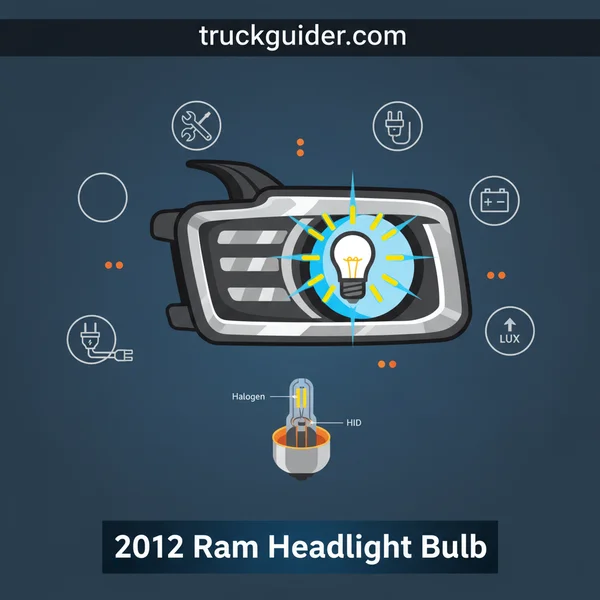
Getting this right is the difference between a five-minute swap and a frustrating return trip to the parts store. The wiring harnesses and physical sockets for these bulbs are not interchangeable. You cannot plug an H13 bulb into a Quad housing, nor can you fit an H11 into a Dual housing. This guide will help you identify your specific assembly and provide the exact fitment data you need to upgrade or replace your bulbs with confidence.
Identifying Dual vs. Quad 2012 Ram Headlight Assemblies
Before you place an order, you must look closely at your headlight lens. In 2012, Ram used two distinct styles of reflector housings. This was often determined by the trim level of the truck (such as ST vs. Laramie), but many trucks were customized or ordered with upgrades. You cannot rely on your trim level alone; a visual inspection is the only way to be 100% certain.

Visual Differences at a Glance
The easiest way to tell the difference is to count the “circles” or chrome bowls inside the clear plastic headlight housing. Here is what to look for:
- Dual Headlamps: These feature one large circular reflector. A single bulb sits in the center of this bowl. This bulb contains two filaments—one for your normal driving lights and one for your high beams. If your headlight looks like one big open chamber, you have the Dual setup.
- Quad Headlamps: These are split into two distinct sections. You will see one reflector bowl on top and a second bowl underneath it (or side-by-side depending on the specific aftermarket or OEM variant). The top bulb is usually your low beam, and the bottom is the high beam.
Understanding the Housing Layout
The Dual setup is most common on the ST and Tradesman trims. It is a simpler, more cost-effective design. The Quad setup was standard on the SLT, Sport, Laramie, and Longhorn trims. The Quad setup provides better light distribution because each bulb is optimized for a specific task. If you see a clear divider or two separate light sources through the plastic lens while the lights are off, you are looking for the Quad bulb set (H11 and 9005).
2012 Ram Headlight Replacement Made Easy: Your Essential Action Plan
Replacing the headlight bulbs in a 2012 Ram 1500, 2500, or 3500 can be a surprisingly daunting task for the uninitiated because, unlike older vehicles, you cannot simply reach behind the housing and swap the bulb. This guide covers the full procedure of removing the entire headlight assembly to access the bulbs. Following these steps is crucial not only to ensure your visibility on the road but also to prevent breaking the plastic mounting clips or the delicate white retaining sliders that are notorious for snapping if handled incorrectly. By doing this yourself, you save significant labor costs at a dealership while ensuring the job is done with the care your truck deserves.
Step 1: Gather Your Tools and Prepare the Workspace
What you need: A 10mm socket and ratchet (an extension is highly recommended), a flat-head screwdriver or trim removal tool, a pair of latex or nitrile gloves, and your replacement bulbs (typically H11 for low beams and 9005 for high beams, but check your specific trim).
Instructions: Before you begin, park your Ram on a level surface and engage the parking brake. Ensure the engine is off and the headlight switch is in the “O” or “Off” position to prevent any electrical shorts. Open the hood and secure it with the prop rod or ensure the struts are holding it firmly. Clean the area around the headlight housing to prevent dirt from falling into the engine bay or the electrical connectors. Wearing gloves is essential here—not just for grip, but to ensure that no oils from your skin get on the new glass bulbs later in the process, which can cause them to overheat and explode prematurely.
Pro Tip: Place a soft towel or a piece of cardboard on the ground or over the front bumper. When you pull the heavy headlight housing out, you can rest it there without scratching the lens or your truck’s paint.
Step 2: Remove the Upper Mounting Bolts
What you need: 10mm socket, ratchet, and a 6-inch extension.
Instructions: Look at the top of the headlight assembly inside the engine bay. You will see two 10mm bolts securing the housing to the radiator support frame. One is located near the inner corner (closest to the grille), and the other is further back towards the fender. Using your 10mm socket, loosen and remove both bolts. Be careful not to drop these into the depths of the engine bay, as the 2012 Ram has many “pockets” in the frame where bolts can disappear forever. Set these bolts aside in a magnetic tray or a secure spot where they won’t be kicked away.
Pro Tip: If the bolts feel “crusty” or stuck due to road salt and corrosion, spray them with a tiny bit of penetrating oil like WD-40 Specialist and let them sit for two minutes before applying full torque to avoid snapping the bolt heads.
Step 3: Access the Hidden Wheel Well Retainer
What you need: A flashlight and potentially a flat-head screwdriver.
Instructions: This is the step that trips up most DIYers. RAM engineers designed a hidden sliding lock that holds the back of the headlight. Turn your steering wheel inward (toward the side you are working on) to create space in the wheel well. Look for a small plastic access door or flap in the liner directly behind the headlight area. Pop this flap open using your fingers or a screwdriver. Inside, use your flashlight to locate a white plastic sliding tab. This tab needs to be pushed UP to unlock the rear of the headlight housing. It may require some force if it hasn’t been moved in years, but be firm and steady.
Pro Tip: If the white slider is stuck, do not hammer it. Try reaching from the engine bay side to wiggle the headlight housing while simultaneously pushing the slider up from the wheel well to relieve the tension.
Step 4: Extract the Headlight Assembly
What you need: Both hands and a steady grip.
Instructions: With the top bolts removed and the rear slider pushed up, the headlight housing is technically loose. Stand at the front of the truck and grasp the housing by the edges. You need to pull the assembly straight forward, away from the truck. There is a ball-and-socket style friction stud on the outer edge (near the fender) that provides some resistance. Pull with a firm, even motion. Avoid angling the light too much as you pull, as this can snap the plastic guide pins. Once the assembly pops free, do not pull it too far away yet, as the wiring harnesses are still connected and are quite short.
Pro Tip: If the housing feels completely stuck, double-check that the white slider in the wheel well is pushed all the way to the top of its travel. Even a few millimeters of engagement will prevent the housing from releasing.
Step 5: Disconnect the Electrical Harnesses
What you need: Your fingers (and perhaps a small flat-head screwdriver).
Instructions: While supporting the weight of the headlight housing with one hand (or resting it on your padded bumper), look at the back where the wires enter. There is usually one main large connector. On 2012 models, there is often a red locking tab on the plug. Use your fingernail or a small screwdriver to slide the red tab back. Once the lock is disengaged, press down on the black release lever and pull the connector away from the housing. If you have the “Quad” lighting system, you may have separate connectors for the high and low beams. Ensure all wires are clear before fully removing the housing and placing it on your work surface.
Pro Tip: This is an excellent time to inspect the connector for any signs of melting or corrosion (green crust), which is common in older Ram trucks. If you see corrosion, use some electronic cleaner spray before reconnecting.
Step 6: Swap the Old Bulb for the New One
What you need: Your new H11 or 9005 bulbs and gloves.
Instructions: Locate the bulb you wish to change on the back of the housing. Most bulbs are protected by a plastic dust cap; twist this counter-clockwise to remove it. Once the bulb is exposed, turn the bulb itself roughly 45 degrees counter-clockwise to unlock it from the reflective housing and pull it straight out. Disconnect the bulb from the local wire pigtail. Take your new bulb out of the packaging—DO NOT touch the glass with bare fingers. The oils from your skin will create a hot spot on the quartz glass, causing it to fail in weeks. Click the new bulb into the wire connector, insert it into the housing, and twist clockwise to lock it.
Pro Tip: If you accidentally touch the glass of the new bulb, clean it thoroughly with an alcohol prep pad and let it dry completely before installing it.
Step 7: Reinstall the Housing and Lock the Slide
What you need: The headlight assembly and a steady hand.
Instructions: Bring the housing back to the truck and reconnect the electrical harnesses, ensuring you push the red locking tabs back into the “locked” position. Align the headlight with the opening. There are two guide pins on the back and one ball-stud on the side that must line up with their respective holes in the frame. Push the housing straight back until you hear or feel it click into place. Now, reach back into the wheel well access flap and pull the white plastic slider DOWN. This locks the rear stud of the headlight into the frame, preventing it from vibrating or falling out while driving.
Pro Tip: Before tightening the top bolts, turn on your headlights to ensure the new bulb is functioning correctly. It is much easier to fix a loose connection now than after everything is bolted down.
Step 8: Final Fastening and Alignment Check
What you need: 10mm socket and ratchet.
Instructions: Reinstall the two 10mm bolts at the top of the housing. Hand-thread them first to ensure you don’t cross-thread the metal bolts into the plastic/metal clips. Once hand-tight, snug them down with the ratchet. Do not over-tighten, as the plastic tabs can crack under excessive pressure. Close the wheel well access flap and ensure it clicks shut so it doesn’t catch on the tire. Finally, close the hood and pull the truck up to a wall or garage door at night to ensure the beam pattern is level. If one side is significantly higher, use the adjustment screw (usually a silver Phillips-head screw on the back of the housing) to level it out.
Pro Tip: Since you have the tools out, check the other side’s brightness. Headlight bulbs dim over time, and it is usually best practice to replace them in pairs so your visibility is consistent on both sides of the road.
✅ Final Checklist
- Confirm the white slider in the wheel well is pulled DOWN and locked.
- Ensure the red locking tabs on the electrical connectors are pushed in.
- Verify that both 10mm top bolts are snug and the housing does not wiggle.
- Check that both high beams and low beams are functioning.
- Ensure the wheel well access flap is securely closed to prevent debris entry.
Important Notes:
- Safety Warning: Halogen bulbs get extremely hot within seconds of being turned on. Always allow them to cool before attempting a replacement.
- When to Seek Help: If you find melted wiring or if the white plastic slider is snapped off, you may need a professional to repair the harness or the locking mechanism.
- Estimated Time: 30–45 minutes for beginners; 15 minutes for experienced owners.
- Estimated Cost: $20–$50 for a pair of high-quality halogen bulbs; significantly more if upgrading to compatible LED units.
Complete 2012 Ram Headlight Bulb Fitment Chart
Once you have identified your housing style, use the chart below to find the exact bulb sizes. Using the correct size ensures the focal point of the light hits the reflector correctly, preventing you from blinding oncoming traffic or having “dark spots” in your field of vision.
The Dual Lamp Setup (Single Bulb System)
If your 2012 Ram uses the single-reflector style, you are looking for a dual-filament bulb. This bulb performs two functions simultaneously.
- Low & High Beam: H13 (also known as 9008)
- Connector Type: Three-pin specialized 12V socket
- Standard Wattage: 55W Low / 65W High
The Quad Lamp Setup (Two Bulb System)
For trucks with the split-reflector design, you will need to purchase two separate pairs of bulbs if you are replacing both high and low beams. These use single-filament bulbs for maximum output in their respective zones.
- Low Beam: H11 (This is the bulb you use for most night driving)
- High Beam: 9005 (Also known as HB3)
- Low Beam Wattage: 55W
- High Beam Wattage: 65W
Fog Light and Accessory Fitment
Regardless of which headlight housing your 2012 Ram has, the fog lights located in the bumper generally remain consistent across the 1500, 2500, and 3500 platforms for that year.
- Fog Lights: 9006 (Also known as HB4)
- Front Turn Signal/Parking Light: 3157NA (Amber)
- Side Marker: 168 or 194
Note: If you are upgrading to LED or HID bulbs, ensure the 9006 fog light bulb has a slim heat sink, as the clearance behind the 2012 Ram bumper can be tight near the frame rails.
Comparing Halogen, LED, and HID Upgrade Options
Once you have identified whether your 2012 Ram uses the Dual or Quad headlight setup, the next step is deciding which bulb technology fits your needs. While the factory halogen bulbs are dependable and inexpensive, many owners find the light output lacking on dark rural roads or during heavy rain. Upgrading can significantly improve visibility, but each technology offers a different experience.
The Performance Difference: LED vs. HID
For most Ram owners, the choice comes down to LEDs or HIDs. LEDs have become the industry standard for aftermarket upgrades because they reach full brightness instantly and have an incredibly long lifespan. They produce a modern, crisp white light that refreshes the truck’s appearance. HIDs (High-Intensity Discharge), on the other hand, are often the “king of brightness” for sheer distance, though they require a few seconds to warm up and involve more complex wiring due to external ballasts.
- Halogen: Best for budget-conscious drivers who prefer the warm yellow glow and simple maintenance.
- LED: Ideal for daily drivers looking for a “set it and forget it” solution with high-contrast visibility.
- HID: Preferred by off-roaders or highway commuters who need maximum light throw and don’t mind a slightly more involved installation.
Matching Your Bulb to Your Driving Style
Consider where you do most of your driving. If you are frequently navigating city streets with plenty of ambient light, a high-quality set of Halogens or mid-range LEDs is usually sufficient. However, if you find yourself on unlit backroads, the superior lumen output of an LED or HID system is a safety essential. Pro Tip: When choosing LEDs, look for “fanless” designs if you want a silent operation, or “active cooling” fans if you live in a hotter climate where heat dissipation is critical for bulb longevity.
Understanding CANBUS Compatibility and Anti-Flicker Requirements
The 2012 Ram is notorious among enthusiasts for having a “picky” electrical system. This truck utilizes a CANBUS (Controller Area Network Bus) system that constantly monitors the electrical resistance of your lights. Because LEDs and HIDs draw significantly less power than original halogen bulbs, the truck’s computer may assume the bulb is burnt out or malfunctioning, leading to frustrating dashboard errors or “strobe-light” flickering.
Why the “Bulb Out” Warning Occurs
This issue happens because the Ram’s Totally Integrated Power Module (TIPM) uses Pulse Width Modulation (PWM) to control the voltage sent to the headlights. When it detects a lower-than-expected power draw from an LED bulb, it cuts the circuit or sends a pulsed signal. This is why a simple “plug-and-play” LED often won’t work perfectly on a 2012 model without additional hardware. If you see a “Lamp Out” message on your dash, it is almost always a compatibility issue rather than a defective bulb.
Essential Hardware for a Flicker-Free Experience
To successfully run modern lighting in your 2012 Ram, you will likely need one of two things: a CANBUS-ready bulb or an external decoder (also called an anti-flicker harness). These components trick the truck’s computer into seeing the correct electrical load.
- Load Resistors: These mimic the power consumption of a halogen bulb to prevent “Bulb Out” errors.
- Anti-Flicker Decoders: These contain capacitors that “smooth out” the pulsed power signal from the TIPM, preventing the LEDs from flashing.
- Integrated Drivers: Some high-end LED kits have these components built directly into the bulb housing for a cleaner look.
Always confirm with the manufacturer that the bulbs are specifically tested for 4th Generation Ram trucks to avoid the headache of returning incompatible parts.
Conclusion
Upgrading the headlights on your 2012 Ram is one of the most impactful ways to improve both the safety and the style of your truck. Whether you are sticking with the simplicity of the H13 Dual system or maximizing the H11/9005 Quad setup, understanding the nuances of bulb technology and CANBUS requirements is the key to a successful project. By matching your bulb choice to your specific driving environment and ensuring you have the right anti-flicker hardware, you can eliminate the guesswork and enjoy the road ahead with total clarity.
Ready to see the road in a new light? Start by double-checking your current headlight housing type, then select a high-quality LED or HID kit that includes CANBUS decoders. Your Ram—and your eyes—will thank you during your next night drive!
❓ Frequently Asked Questions
How do I know if my 2012 Ram has Dual or Quad headlights?
Look at the headlight housing: Dual headlights have one large lens with a single bulb doing both high and low beams. Quad headlights have two separate chrome reflectors/lenses inside the housing for the high and low beams.
Why do LED bulbs flicker in a 2012 Ram?
Ram trucks use a CANBUS system that monitors the resistance of the bulbs. Because LEDs draw significantly less power than halogens, the truck’s computer thinks the bulb is out and pulses the power, causing a flicker.
Are H13 and 9008 bulbs the same thing?
Yes, H13 and 9008 are different names for the same dual-filament bulb used in many Chrysler and Ford trucks from that era.
Is it worth upgrading to LED bulbs in a 2012 Ram?
Upgrading to LEDs offers a much whiter light (usually 6000K) and better peripheral vision, provided you choose high-quality bulbs with proper clocking to avoid blinding other drivers.
Does the 2012 Ram 2500 use different bulbs than the 1500?
No, the 1500, 2500, and 3500 series Rams for 2012 all share the same headlight housing designs and bulb fitment specifications.
What are the best high-performance halogen options?
If you want to stay with halogen, the Sylvania SilverStar Ultra or Philips CrystalVision Platinum are the top choices for increased brightness without needing decoders.