Ford F-150 Service Light Reset: Quick & Easy Fix 2015-2026

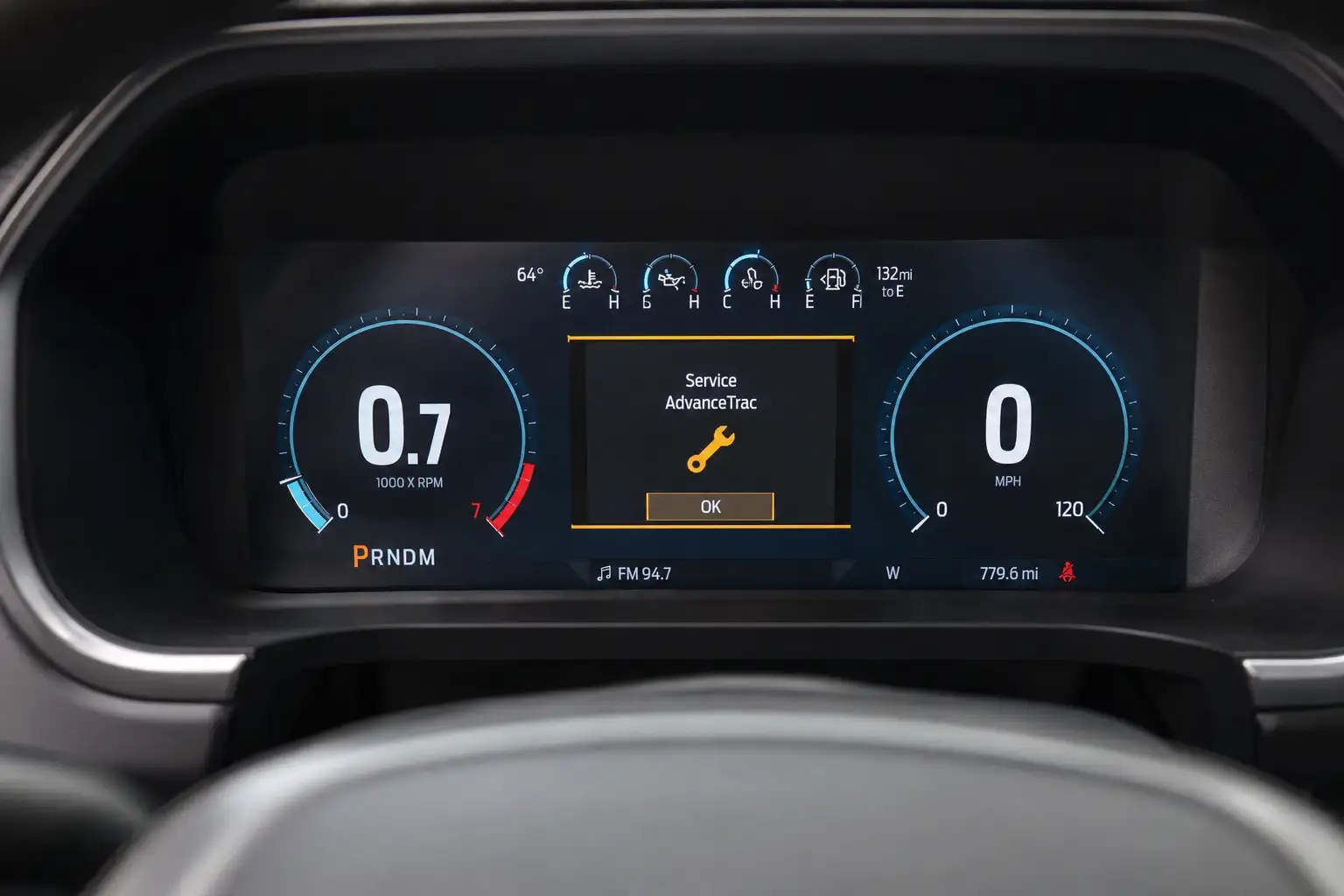
Resetting the service light on a Ford F-150 means clearing the oil life monitor through the steering wheel information display, and the exact button sequence depends on which instrument cluster your truck has.
Do it wrong, or skip it entirely, and the monitor keeps counting down from wherever it stopped instead of tracking your fresh oil. That matters because the light is not a mechanic.


It only reflects what you tell it, so a bad reset gives you false confidence about when your next oil change is actually due.
This guide walks through the reset for both major F-150 cluster generations, plus a scan tool backup for when the dash menu will not cooperate. Before you touch a single button, confirm which cluster type you are working with. The sequence is different for each.
Ford F-150 Service Light Reset, By Cluster


Two menu paths depending on which instrument cluster your truck has
Analog Cluster
Small info screen between the gauges
Ignition on, engine off, truck in Park
Press the right arrow button to reach vehicle info
Scroll to Oil Life or Maintenance, press OK
Select Reset, hold OK a few seconds to confirm
12-Inch Digital Cluster
Full digital gauge display, no analog needles
Ignition on, engine off, truck in Park
Open Settings from the steering wheel controls
Go to Vehicle, then select Oil Life
Choose Reset Oil Life, confirm with OK
What You Need Before Resetting The F150 Service Light


- A completed oil and filter change. Resetting the light before the service is done just hides the reminder without fixing anything the monitor is tracking.
- The truck in Park, ignition powered on but the engine off. Push-button start trucks need one press of the start button without touching the brake pedal.
- About sixty seconds and access to the steering wheel arrow buttons and OK button, which control the entire process on both cluster types.
Next, confirm which cluster your F-150 has. The menu path splits from here.
How To Identify Your F150 Instrument Cluster Type


Ford has used two different instrument cluster architectures across the current F-150 generations, and mixing up the steps is the most common reason a reset does not stick.


| Cluster Type | Visual Identifier | Typical Years |
|---|---|---|
| Analog cluster with small info screen | Traditional needle gauges with a smaller monochrome or color screen centered between them | 2015 to 2020 |
| Fully digital cluster | Large 12-inch digital display replacing the analog gauges entirely, part of the P702-generation redesign | 2021 and newer |
Model year alone does not fully determine which cluster you have. Ford introduced the redesigned digital cluster for the 2021 model year, but between 2021 and 2023 it coexisted with a smaller analog-style cluster on base and mid trims, meaning two 2022 F-150s can have different clusters depending on trim and package.
The 12-inch digital cluster was standard on higher trims such as Platinum, Limited, and King Ranch, and came bundled with certain option packages like Tremor, while XL and XLT trims commonly shipped with the smaller analog cluster unless a specific equipment group was added.
Starting with the 2024 model year refresh, Ford made the 12-inch digital cluster standard across the entire F-150 lineup, so every 2024 and newer F-150 uses the digital steps below. If your truck falls in the 2021 to 2023 range, check your actual dash rather than assuming based on year alone.




If you have the smaller analog cluster, start with the section below.
How To Reset The Service Light On 2015 To 2020 F150


With the truck in Park and the ignition on but the engine off, this uses the same steering wheel arrow and OK buttons Ford documents for other information display functions on this cluster generation, including trailer setup and towing menus.
- Press the right steering wheel arrow button repeatedly to cycle the info display until you reach the vehicle information or settings screen.
- Use the up and down arrows to scroll to the oil life or maintenance section of the menu.
- Press OK to select it.
- Scroll to the reset option within that menu and press OK again.
- Confirm the reset when prompted, typically by pressing and holding OK for a few seconds.
- Watch for a confirmation message on the display, or check that the oil life percentage has returned to 100 percent.
Ford’s own technical service bulletins for this cluster generation confirm this steering wheel and OK button navigation pattern for other information display functions, such as clearing a stuck trailer tow setup screen, which uses the identical menu mechanism as the oil life reset.
Ford has made small wording changes to submenu labels across model years within this generation, so if your screen shows slightly different wording than “Oil Life” or “Maintenance,” look for whichever label groups your vehicle’s service or upkeep information. It leads to the same reset option.
If your F-150 has the newer 12-inch digital cluster instead, the menu path looks different.
How To Reset The Service Light On 2021 And Newer F150


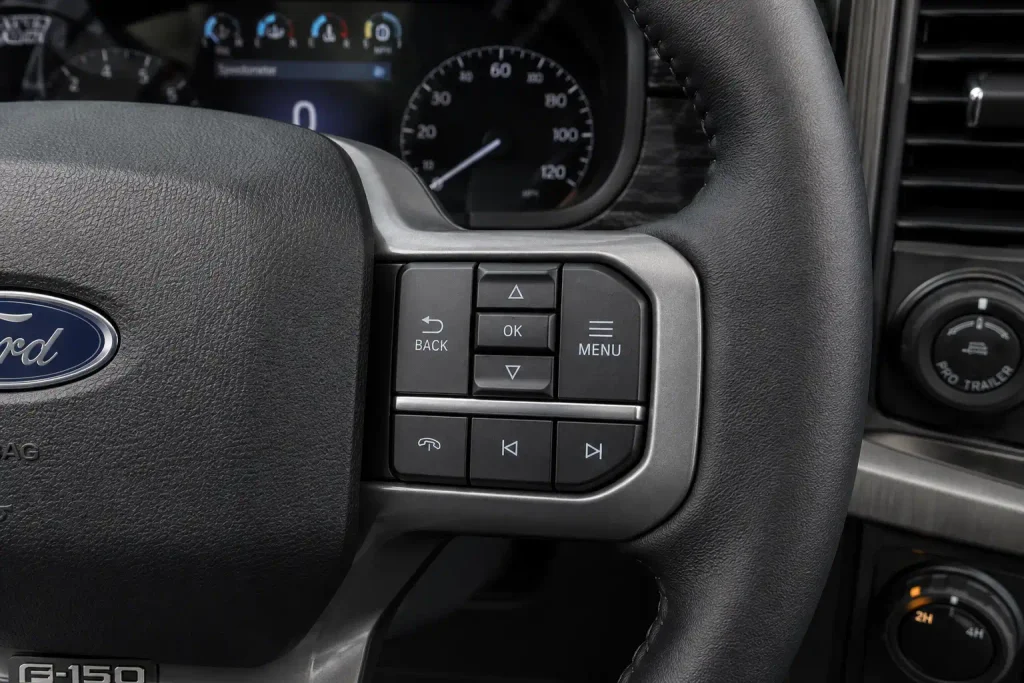
On the newer digital cluster, the same reset lives inside the Settings menu rather than a standalone info display screen, but it takes the same amount of time.


- With the ignition on and the engine off, press the Settings icon on the steering wheel or navigate to it using the arrow buttons on the digital cluster.
- Scroll to the Vehicle section of the settings menu.
- Select Oil Life from the list.
- Choose Reset Oil Life and press OK to confirm.
- The display should show the oil life percentage returning to 100 percent, confirming the reset went through.
A 2024 Ford technical bulletin confirms this digital cluster runs through a Settings menu tied to the truck’s onboard software module, consistent with the path above. Ford has updated the digital cluster’s interface at least once across the 2021 to 2024 range as part of general software updates, so exact label wording can shift slightly between builds.
If Settings does not show a Vehicle option directly, check under a General or System heading instead, since the reset function itself has stayed in the same place even as menu labels have shifted around it.
If neither menu path works, or your truck will not clear the light after driving, an OBD2 scan tool is the reliable fallback.
How To Reset The F150 Service Light With A Scan Tool
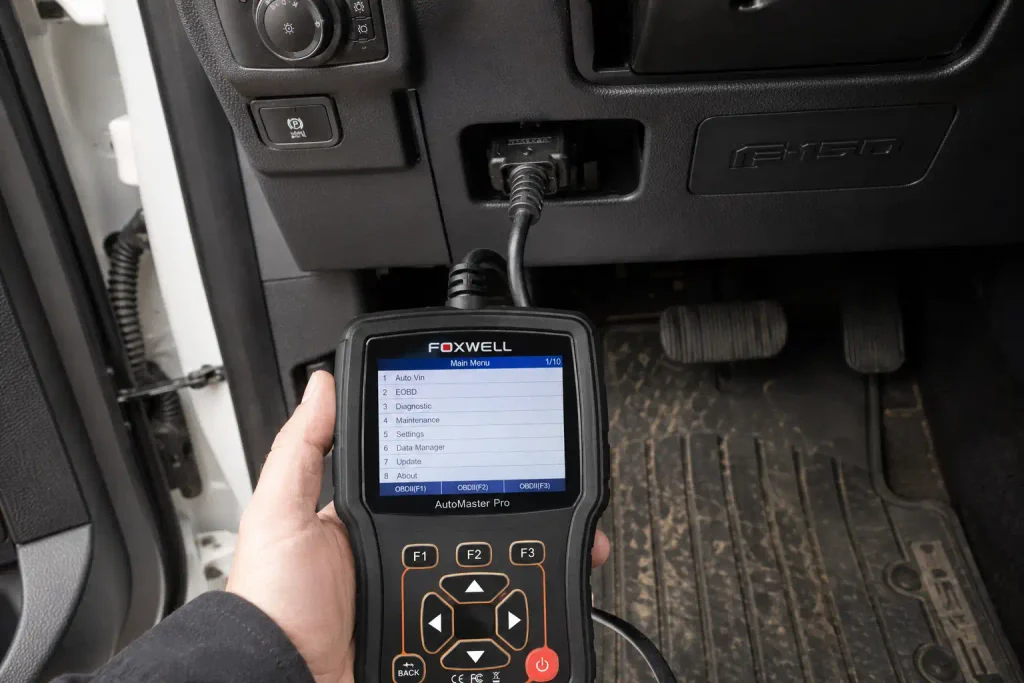
If the dash menu shows the reset went through but the light comes back after your next drive, the oil life sensor did not actually clear, and a scan tool solves it in under two minutes.
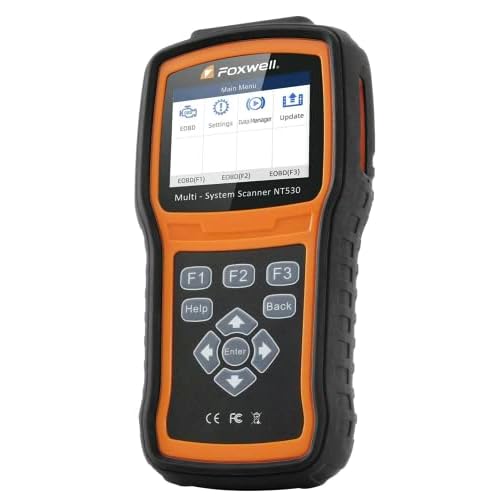
- Plug the scanner into the OBD2 port under the dash, typically located below the steering column.
- Turn the ignition to the on position without starting the engine.
- Select the oil reset or service reset function from the tool’s menu.
- Follow the on-screen prompts to confirm the reset, then start the engine to verify the light has cleared.
A basic code reader that only pulls check engine codes will not have this function. You need a scan tool that specifically lists an oil reset or special service function, and ideally one marketed for Ford compatibility, since bidirectional control over reset functions is not universal across generic scanners.
Dedicated Ford-compatible scanners with a confirmed oil reset function, such as the ANCEL FD500, typically run in the $70 to $200 range depending on how many other special service functions the tool includes, while broader all-system bidirectional scanners that add oil reset alongside ABS, SRS, and TPMS functions run higher, generally $150 to $450.
Check current listings before buying, since pricing on these tools shifts often and this range reflects verified marketplace listings rather than a single fixed price.
A few other issues can also make the reset seem like it failed. Here is what actually causes those.
Common Problems When Resetting The F150 Service Light
Light Returns After One Drive Cycle
This almost always means the reset was started but not confirmed, or the oil change had not actually been completed when you reset it. Redo the reset and hold OK on the confirmation step for a full two to three seconds rather than tapping it.
Menu Option Is Missing Or Grayed Out
This usually points to using the wrong cluster generation’s steps, since the menu structures are not interchangeable between the analog and digital clusters. Double check your cluster type against the table above and retry with the matching steps.
Trailer Tow Screen Appears Instead Of Oil Menu


Ford has documented that some 2015 to 2017 F-150 and Super Duty trucks default the info display back to the trailer tow setup screen on every key cycle, even with no trailer connected, which can make the oil menu harder to reach.
If you tow regularly, checking your F-150 towing capacity settings against your current setup can help confirm the trailer profile is not misconfigured and interfering with the display.
Once the light is cleared, a couple of habits keep it from coming back too early.
Tips To Keep The F150 Service Light Accurate
- Reset the light only after the oil is actually changed. Resetting first and changing the oil later defeats the entire point of the monitor.
- If you do a lot of short-trip or cold-weather driving, check the oil life percentage manually through the menu rather than waiting for the light, since Ford’s monitor adjusts its estimate based on driving conditions rather than a fixed mileage number.
- Do not ignore the light for multiple oil-life cycles. Skipping resets and real oil changes together is how owners end up facing a timing chain replacement bill years earlier than expected, since oil condition affects more than just the engine’s internals over time.
That is the full reset process, start to finish, for either cluster generation.
Getting Your F150 Service Light Reset Right The First Time
The steps come down to two things. Identify your cluster type first, then follow the matching steering wheel menu path, or fall back to a scan tool with confirmed oil reset support if the dash menu will not cooperate.
A completed Ford F150 service light reset only means something if the oil was actually changed first. Treat the light as a monitor of your maintenance, not a substitute for it, and it will keep giving you an accurate read on when the next change is due.
Frequently Asked Questions
How do I reset the oil light on a Ford F150 without a scan tool?
Use the steering wheel arrow buttons to navigate the info display or Settings menu to the oil life section, then select Reset and confirm with the OK button. The exact path depends on whether your truck has the analog cluster or the 12-inch digital cluster.
Why does my F150 service light come back on after I reset it?
This usually means the reset was not confirmed properly, often because OK was tapped instead of held, or the oil change had not actually been completed before the reset. Redo the process and hold the confirmation step for a few seconds.
Does resetting the F150 service light also reset the maintenance schedule?
No. The oil life reset only clears the oil change reminder. Other scheduled maintenance items follow Ford’s separate maintenance schedule in the Owner’s Manual and are not affected by this reset.
Can I reset the F150 service light before changing the oil?


You can, but you should not. Resetting first just hides the reminder while the oil condition the monitor is tracking has not actually improved, which defeats the purpose of the system.
What does the wrench symbol mean on a Ford F150 dashboard?
The wrench symbol typically indicates the oil life monitor has reached its threshold and a service is due soon. On some trims it can also indicate a drivetrain or transmission concern, so if the light appears alongside reduced power or shifting issues, it is not related to oil life and should be scanned for codes instead.