Uconnect Phone Not Available? Fix Bluetooth Issues Fast

The ‘Phone Not Available’ error is typically caused by a software glitch or a frozen Bluetooth module that requires a system reset. To restore functionality, performing a soft reset or pulling the radio fuse often resolves the issue without needing professional dealership service.
🎯 Key Takeaways
- Soft resets solve most temporary software freezes without deleting your data.
- Check for Uconnect firmware updates using your VIN on the official site.
- The ‘door-open’ cycle forces a complete power down of the radio module.
- Corrupted Bluetooth pairing profiles frequently cause ‘Not Available’ status messages.
- Locating the specific Telematics or Radio fuse allows for a hard reboot.
When your screen displays the “Uconnect Phone Not Available” message, the system’s internal telematics module has likely crashed or failed to communicate with the head unit. This frustrating error completely locks you out of hands-free calling, voice commands, and wireless media streaming. It is almost always a software-level glitch where the Bluetooth stack becomes unresponsive, rather than a physical hardware failure. You can usually resolve this in under five minutes by forcing the system to reboot and re-establish a handshake between the vehicle and your mobile device.
Restoring functionality quickly is essential for safety and convenience on the road. Navigating through the “Phone Not Available” error involves bypassing the standard menu options, which often become unclickable or greyed out when the error occurs. By using specific button combinations or a deep sleep power cycle, you can trigger a refresh of the Uconnect software. This guide focuses on the immediate technical steps required to clear the error and get your Bluetooth connection back online without a trip to the dealership.
Common Causes of the Uconnect Phone Not Available Error
The “Uconnect Phone Not Available” error typically stems from a communication breakdown between the radio’s interface and the Hands-Free Module (HFM). When you tap the phone icon, the system sends a request to the Bluetooth hardware; if that hardware doesn’t respond within a specific timeframe, the system flags it as “unavailable.” This isn’t just a minor lag; it is a total state of paralysis for the communication sub-system.
Telematics Module Hangs
Modern Uconnect systems run complex software that manages everything from climate control to cellular data. Occasionally, the telematics gateway—the part responsible for external communication—gets stuck in a loop. This often happens if you start the vehicle and immediately try to use phone features before the system has finished its initial boot sequence. The software “times out,” resulting in the dreaded error message until a full restart is performed.
Software and Firmware Conflicts
Updates to your smartphone’s operating system can sometimes break the established protocols used by Uconnect. If your phone’s Bluetooth cache is corrupted or if the vehicle is running an outdated firmware version, the two devices may fail to verify each other’s security keys. Common triggers for this include:
- Incomplete Over-the-Air (OTA) Updates: If the vehicle attempted a software update that was interrupted, the Bluetooth drivers may be corrupted.
- Device Capacity: Having too many paired devices in the Uconnect memory can lead to “stack overflow” issues where the system cannot prioritize a connection.
- Voltage Fluctuations: A weak car battery can cause modules to fail during the engine cranking process, leading to intermittent “Not Available” errors.
Uconnect Soft Reset vs. Hard Reset: Key Differences
Before you perform a factory reset that wipes your navigation favorites and radio presets, you should attempt a soft reset. A soft reset is effectively a “forced reboot” for the Uconnect computer. It shuts down the active software processes and restarts them without deleting your personal data. This is the most effective first step for clearing the “Phone Not Available” error because it forces the Bluetooth module to re-initialize from scratch.
The Two-Button Soft Reset Method
This is the fastest way to fix the system while you are sitting in the driver’s seat. It works on most 8.4-inch and 5.0-inch Uconnect systems found in Chrysler, Dodge, Jeep, and RAM vehicles. Follow these specific steps to trigger the reboot:
- Enter the vehicle and ensure all doors are closed.
- Put the ignition into the “RUN” or “ACC” position, but do not start the engine if you are in a closed garage.
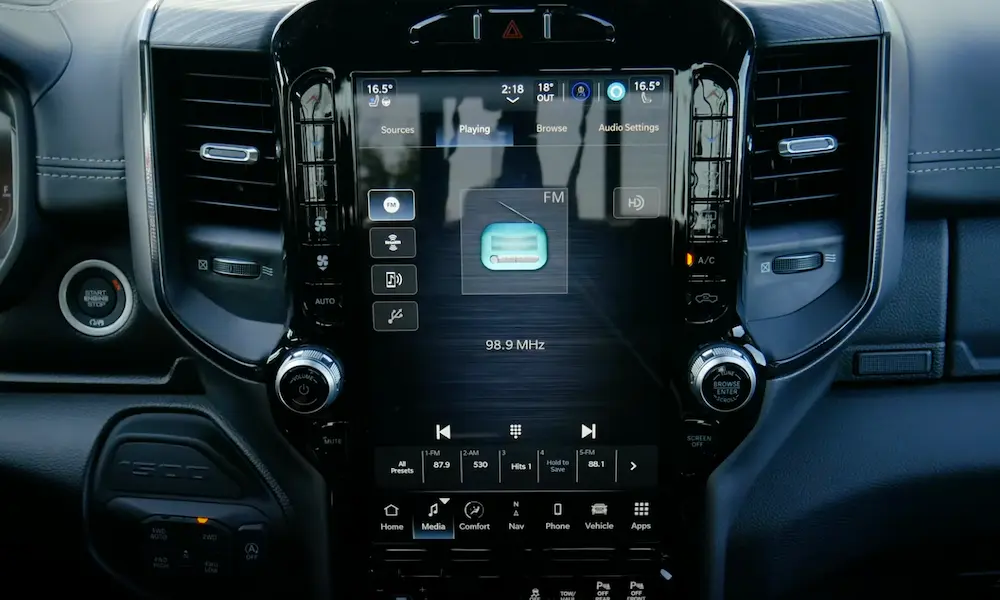
- Locate the Volume Knob and the Tune Knob on your dashboard.
- Press and hold the center of both knobs simultaneously for exactly 15 to 20 seconds.
- The screen will eventually go black. Release the buttons once the brand logo (e.g., the RAM or Jeep logo) reappears.
- Wait for the system to fully load before attempting to press the Phone button.
The “Deep Sleep” Door-Open Cycle
Sometimes a soft reset isn’t enough because the vehicle keeps certain modules powered even when the screen is off. To perform a “harder” power cycle without disconnecting the battery, you need to force the vehicle into a deep sleep state. This clears the temporary memory (RAM) of the telematics module.
- Turn off the ignition: Ensure the vehicle is completely powered down.
- Open the driver’s door: This signals the Body Control Module to begin shutting down accessory power.
- Wait for 5 minutes: You must leave the door open and stay out of the vehicle. Do not touch the key fob or any buttons.
- Restart: Close the door, start the engine, and wait for the Uconnect system to boot up naturally.
This method is particularly effective if the soft reset failed, as it ensures that the power to the Bluetooth radio is physically cut and restored, forcing a fresh hardware handshake.
The Role of Telematics Modules and Fuses in Connectivity
When software resets fail to bring your Bluetooth back to life, the issue often shifts from “glitchy code” to “physical hardware.” The Uconnect system relies on a specific piece of hardware known as the Hands-Free Module (HFM) or Telematics Box Module (TBM). This small computer is responsible for translating the wireless signal from your phone into audio for your speakers. If this module loses power or fails due to internal heat, the head unit simply stops recognizing that a phone feature even exists, leading to that stubborn “not available” message.
Identifying Power and Hardware Failures
Before assuming a module has completely died, it is worth considering the power supply. Modern vehicles use intricate fuse systems to protect sensitive electronics. A temporary power surge or a aging car battery can sometimes trip a fuse or put the HFM into a “frozen” state where it remains unresponsive even after the car is restarted. In many cases, the hardware is perfectly healthy but stuck in a digital deadlock that only a physical power break can fix.
- The HFM/TBM Fuse: Most Chrysler, Dodge, and Jeep vehicles have a dedicated fuse for the telematics system. Locating this in the fuse box is a common troubleshooting step to see if the circuit has blown or needs a reset.
- Hardware Lifespan: Like any computer component, these modules can wear out over time, especially in climates with extreme temperature swings that stress the internal solder joints and circuitry.
- The “Ghost” Pairing: Sometimes the hardware is fine, but the internal cache of the module is full. This causes it to reject new connections until the physical power is cycled, effectively clearing its temporary memory.
Software Compatibility and Firmware Update Considerations
The relationship between your smartphone and your Uconnect system is a constant balancing act. Smartphone manufacturers like Apple and Google release major operating system updates every year. If your Uconnect firmware is several years old, it may lack the necessary protocols to communicate with a brand-new iPhone or Android device. This “language barrier” is a frequent cause of connection drops and system errors.
The Gap Between OS Versions and Uconnect Firmware
Software compatibility isn’t just about adding new emojis; it is about security and connection stability. When a phone receives a security patch for Bluetooth, it might change how it “handshakes” with the car. If the car doesn’t know the new handshake, the connection fails. Keeping your firmware up to date ensures the vehicle remains “literate” in the latest digital communication standards used by modern mobile devices.
- Over-the-Air (OTA) Updates: Newer Uconnect systems (like Uconnect 4 and 5) often receive updates via a cellular connection. However, these can stall if the vehicle is parked in a garage with poor signal or if the battery voltage is too low to initiate the download.
- VIN-Specific Downloads: For older systems, updates must be sourced directly from the official Uconnect software update site. These are tailored specifically to your 17-digit Vehicle Identification Number to ensure hardware synergy.
- Bluetooth Profiles: Ensure your phone is using a compatible Bluetooth profile. Sometimes the error is triggered because the phone is trying to prioritize a different wearable device, like a smartwatch, over the car’s head unit.
Final Thoughts on Restoring Your Connection
Dealing with a “Phone Not Available” error is undoubtedly frustrating, but it is rarely a sign that you need a completely new infotainment system. Most often, the culprit is a temporary software conflict, an outdated firmware version, or a module that simply needs a power cycle. By understanding the interplay between your vehicle’s hardware modules and your smartphone’s software, you can quickly narrow down the cause and get your hands-free calling and music streaming back on track.
Your next step should be to check the official Uconnect website for any pending firmware updates tailored to your VIN. If the software is current and the error persists, a quick inspection of the telematics fuse is your best bet for a DIY fix. Don’t let a minor technical glitch ruin your driving experience—stay connected and drive safe!
💬 Quick Questions & Answers
Why does my screen say Phone Not Available?
This message usually indicates a hung Bluetooth process or a module power failure within the infotainment system.
Will a soft reset delete my saved radio stations?
No, a soft reset only reboots the system software and preserves your personal settings and presets.
Which fuse controls the Uconnect Bluetooth system?
It is typically the Radio fuse or the Telematics Gateway (TGM) fuse, usually found in the engine bay or under the dash.
Can a phone update cause this error?
Yes, mobile OS updates sometimes create compatibility issues that require the Uconnect system to be updated as well.
How long should I leave the car off for a power cycle?
Wait at least 30 seconds with the ignition off and the driver’s door open to drain residual power from the modules.
❓ Frequently Asked Questions
Is ‘Phone Not Available’ a sign of a hardware failure?
Not necessarily, as most occurrences are software-related glitches that a power cycle can fix. However, if resets fail repeatedly and the module won’t respond, the Hands-Free Module (HFM) may require physical replacement.
What should I do if my phone won’t pair after a system reset?
Delete the vehicle from your phone’s Bluetooth list and delete the phone from the Uconnect system menu. Restart both devices before attempting a fresh pairing process to ensure all cached data is cleared.
How do I check for Uconnect firmware updates?
Visit the official Mopar Uconnect update website and enter your 17-digit VIN. If an update is available, you can download it to a USB drive and install it via the vehicle’s USB port.
Does the ‘door-open’ method actually work for resetting?
Yes, opening the driver’s door after turning off the ignition kills the ‘Retained Accessory Power’ (RAP). This ensures the Uconnect module fully shuts down rather than staying in a standby sleep mode.
Can a weak car battery cause Uconnect errors?
Low voltage during engine startup can cause sensitive electronic modules like Uconnect to fail to initialize correctly. If your battery is over three years old, have it tested to ensure it isn’t triggering system-wide glitches.
Will factory resetting the Uconnect system fix the phone error?
A factory reset restores the head unit to original settings and is a highly effective software fix. Note that this will erase your navigation favorites, paired devices, and all custom radio presets.
![2019 Ram 2500 Bolt Pattern: Specs & Fitment Guide [2026]](https://truckguider.com/wp-content/uploads/2026/03/2019-ram-2500-bolt-pattern-featured.webp)