How to Remote Start a Ford F-150 in 2026

You can remote start a Ford F-150 with the key fob or the FordPass app. Press the lock button once, then press the remote start button twice within three seconds. The parking lamps flash twice and the engine starts.


The engine runs for 5, 10 or 15 minutes, based on the duration you set. You can extend it once, for up to 30 minutes of total run time on 2021 and newer trucks. This guide covers both methods, the settings to set first, and the fixes for the most common failures.
Most 2015 and newer F-150 trucks offer factory remote start as standard or optional equipment. Check your key fob for the circular arrow button before you start.
Does Your Ford F-150 Have Remote Start


Factory remote start is standard on Lariat, King Ranch, Platinum and Limited trims, and optional on XLT. Most 2015 and newer F-150 trucks offer it in one of those forms.
Look at your key fob first. A factory remote start fob has a button marked with a circular arrow, often labeled 2X. If that button is missing, your truck likely has no factory remote start.
Check the window sticker or your owner manual to confirm the option on your exact truck. The manual lists remote start under Keys and Remote Controls when the truck has it.
Once you know the truck has the feature, make sure it is switched on before you try the fob.
How to Remote Start Ford F-150 with the Key Fob
Remote start only works when the truck is ready. The transmission must be in Park, the hood must be closed, and the fuel level must be adequate. The system also refuses to start if the alarm is sounding or a fault is active.
Stand within range of the truck and follow the sequence exactly. The fob works best within about 300 feet in open conditions.
- Press the lock button once. The doors lock and the parking lamps flash once.
- Within three seconds, press the remote start button twice. Do not hold it down.
- Watch for the parking lamps to flash twice. That flash confirms the command worked, and the engine starts.
- Wait for the climate system to settle. It heats or cools the cabin based on your remote start settings.
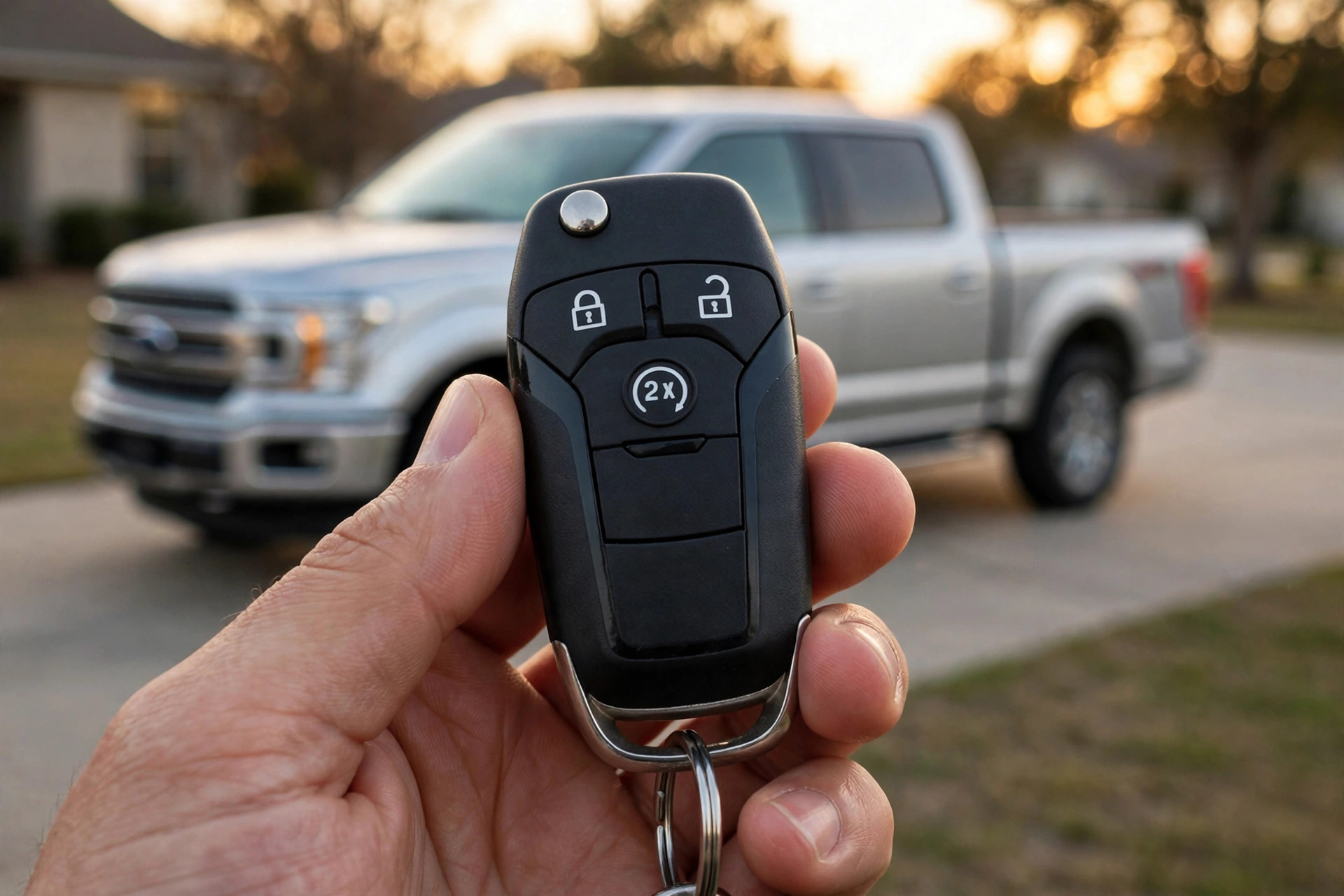
Ford’s owner’s manual lists the exact sequence and the three second timing window, so the steps above match the factory procedure.
To drive, unlock the truck and press the brake pedal while you push the start button. The engine keeps running, so you do not need to restart it. If your truck uses a key, insert it and turn it to on instead.
If a door lock acts up, our Ford F-150 door lock diagram maps the latch, actuator and wiring for each door.
The fob covers short range starts. The app takes over when you are farther away.
How to Remote Start Ford F-150 with the FordPass App
The FordPass app starts your truck from anywhere with cellular coverage. It needs a factory FordPass Connect modem, a Ford account, and an active Connected Services plan. Trucks without the modem cannot use the app for remote commands.
Download the FordPass app from the App Store or Google Play and sign in with your Ford account. Add your F-150 by entering the 17 digit VIN from the windshield or registration. Then switch connectivity on in the truck under Settings, then Connectivity, and confirm the activation prompt on the screen.
Open the app, select your F-150, and tap Start. The app sends the command over the cellular network and shows Vehicle Started within seconds when the signal is good. A weak signal on either end can delay the confirmation.
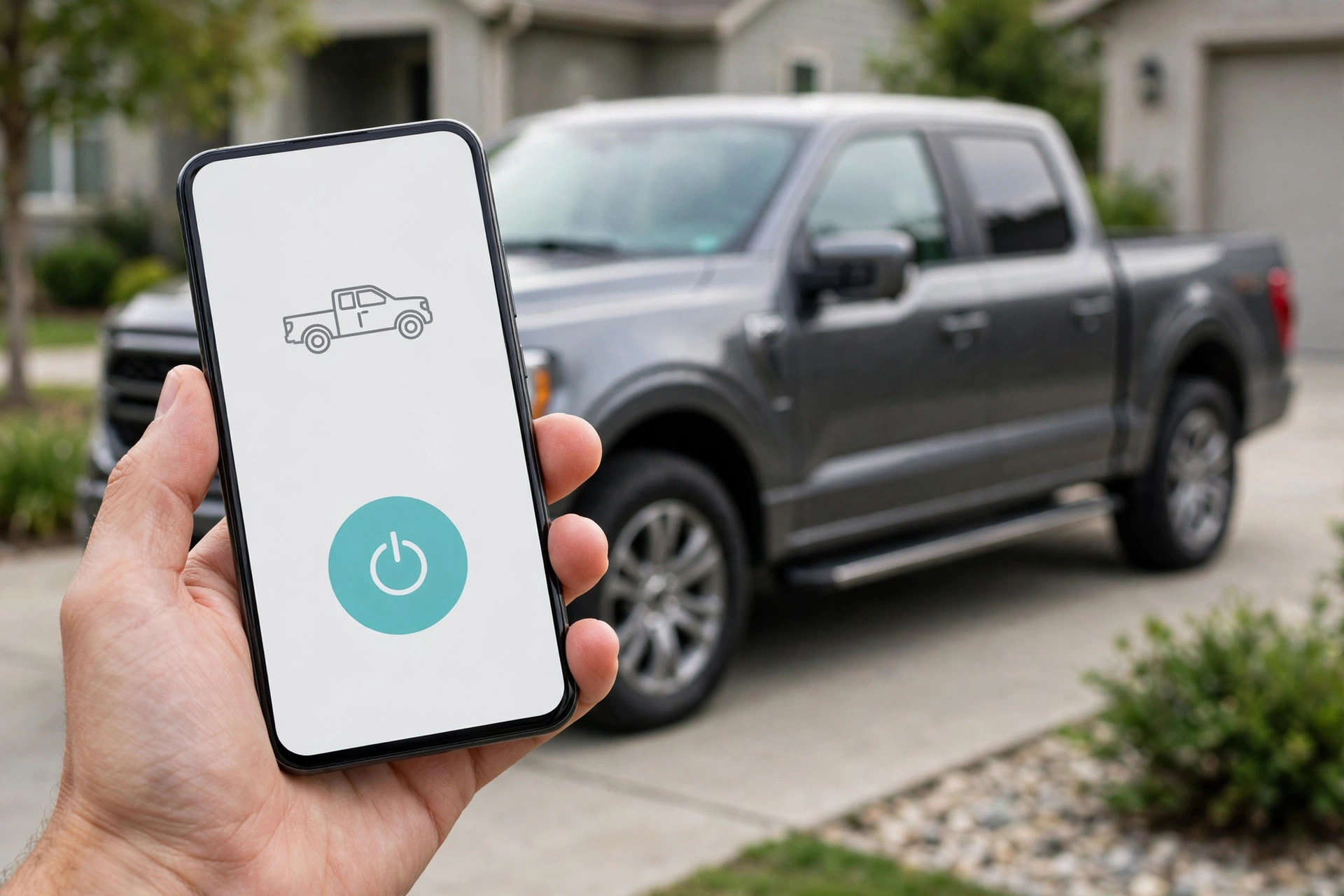
New trucks include a complimentary Connected Services trial, and the terms depend on model year and ownership. Check Account, then Connected Services, in the app to see your truck’s status.
If the app cannot find your truck, start by updating your SYNC system, since an old SYNC build can block the modem handshake.
WheelsJoint walks through the SYNC 4 setup screens for 2021 and newer trucks, with the same menu path this guide uses.
With either method working, set the run time and climate behavior once, then leave them alone.
Use this quick comparison to pick the method that fits the moment.
| Method | Range | What You Need | Best For |
|---|---|---|---|
| Key fob | About 300 feet in open conditions | Factory fob with the 2X button | Fast starts from the driveway |
| FordPass app | Anywhere with cellular coverage | FordPass Connect modem and active plan | Starts from the office or the store |
3 Remote Start Settings Worth Changing First
Three settings shape every remote start. Set them once in the truck and the system repeats them each time.
Set the Run Time
Open Settings, then Vehicle, then Remote Start Setup, then Duration. Choose 5, 10 or 15 minutes. Most owners pick 15 minutes in winter and 10 minutes in mild weather.
Choose Auto or Last Settings


Open Settings, then Vehicle, then Remote Start Setup, then Climate Control. Auto heats or cools the cabin toward 72°F (22°C). Last Settings repeats the climate choices you used before you switched the truck off.
Ford’s manual explains the Auto and Last Settings choice, including the 72°F target for Auto mode.
Turn On Heated Seats and Wheel
Open Settings, then Vehicle, then Remote Start Setup, then Seats and Steering Wheel. Set it to Auto and the heated seats and steering wheel switch on during cold weather. The heated rear window and heated mirrors can also switch on when it is cold.
With the settings fixed, the only question left is how long the truck stays running.
How Long Does Ford F-150 Remote Start Run
The engine runs for the duration you set, then shuts off on its own. You can extend it once while it is running. The table below shows each setting.
| Duration Setting | Engine Run Time | After One Extension |
|---|---|---|
| 5 minutes | 5 minutes | 10 minutes total |
| 10 minutes | 10 minutes | 20 minutes total |
| 15 minutes | 15 minutes | 30 minutes total |
To extend, repeat the lock and double press sequence while the engine runs. The extension adds one more full duration, so a 15 minute setting reaches 30 minutes total. The system allows two remote starts in a row, or one start with one extension, before it needs a reset.
Some older model year manuals list a 35 minute maximum instead of 30 minutes. Check your year manual if the numbers on your truck differ. To reset the system, switch the ignition on and then off, or wait one hour.
Wait at least five seconds after the engine stops before you remote start again. A start attempt inside that window may fail, and the lamps will not flash twice.
Ford F-150 Remote Start at a Glance
Lock once. Press the lock button on the fob. The doors lock and the lamps flash once.
Press 2X twice. Within three seconds, press the remote start button twice. The lamps flash twice and the engine starts.
Runs 5, 10 or 15 minutes. The engine shuts off on its own when the set duration ends.
Extend once. Repeat the lock and double press while it runs, for up to 30 minutes total on 2021 and newer trucks.
Run time limits are simple. The failures that stop remote start are simple too, once you know the checks.
5 Reasons Your Ford F-150 Remote Start Fails
Remote start fails for a short list of reasons. Work through them in order and most trucks start on the next try.
Remote Start Is Switched Off
Open Settings, then Vehicle, then Remote Start Setup, and check that Remote Start is on. A dealer visit, a battery change or a SYNC reset can switch it off. Turn it back on and try the fob again.
A Door or the Hood Is Open
The system refuses to start if any door or the hood is open. Close every door firmly and press the hood down until the latch catches. A hood switch that sticks can cause the same failure, so check the latch if the hood looks closed.
Low Fuel or a Fault Code


Low fuel can block a remote start, and an active check engine light blocks it too. Add fuel and clear the fault before you try again. A code that returns needs a diagnosis, not repeated start attempts.
Key Fob Out of Range
Move closer and try again, away from walls and large metal objects. A weak fob battery also cuts range, so replace the battery if the fob only works up close. The parking lamps should flash twice when the command lands.
FordPass Modem Is Offline
The app shows Vehicle Offline when the modem has no signal or the truck has sat unused for about two weeks. Drive the truck once to wake the modem, then check the signal. If the button stays grayed out, check the Connected Services status in the app.
Once the truck runs, stopping it is as simple as starting it.
How to Turn Off a Remote Started Ford F-150
Press the remote start button once to stop the engine from the fob. The parking lamps switch off with the engine. In the app, tap Stop on the vehicle screen.
The engine also stops on its own when the set duration ends. Locking or unlocking the doors does not stop it. Never start the engine in a closed garage, since exhaust fumes are toxic and the truck runs unattended.
You now have both methods, the settings, and the fixes. The last step is building the habit.
How to Make Remote Start Part of Your Routine
Remote start on a Ford F-150 comes down to one sequence. Lock once, press the remote start button twice within three seconds, and watch the lamps flash twice. The app gives you the same result from anywhere with cell coverage, as long as the modem and plan are active.
Set the 15 minute duration and Auto climate once, then let the truck repeat them each morning. The truck remembers them.
Check the Park, hood and fuel basics before you blame the fob. Do that and your F-150 will be warm in winter and cool in summer before you open the door.
5 Ford F-150 Remote Start Questions Answered
Can I Remote Start My Ford F-150 with My Phone?
Yes, if your truck has the FordPass Connect modem and an active Connected Services plan. Download the FordPass app, add your truck by VIN, and tap Start. Trucks without the modem cannot use the app for remote start.
How Long Will My F-150 Run on Remote Start?
It runs for 5, 10 or 15 minutes, based on the duration you set. You can extend it once for up to 30 minutes total on 2021 and newer trucks. After two starts or one extension, switch the ignition on and off to reset the system.
Why Does My F-150 Remote Start Not Work?
Check that remote start is switched on, the transmission is in Park, and the hood is closed. Low fuel and an active check engine light also block it. Move closer to the truck and replace a weak fob battery if the range is short.
Does Remote Start Use My Last Climate Settings?
It depends on the setting you chose. Auto heats or cools the cabin toward 72°F. Last Settings repeats the climate choices from your last drive.
Can I Remote Start My F-150 Without the Key Fob?
Yes, through the FordPass app if your truck has the FordPass Connect modem. The fob is the only option on trucks without the modem.