Chevy Silverado TPMS Reset: Quick & Easy Fix Guide (All Years)

A Silverado TPMS reset depends on the truck’s model year and why the Tire Pressure Monitoring System warning appeared. A simple low-pressure warning usually needs correct tire inflation, while tire rotation or sensor replacement may require a position relearn.
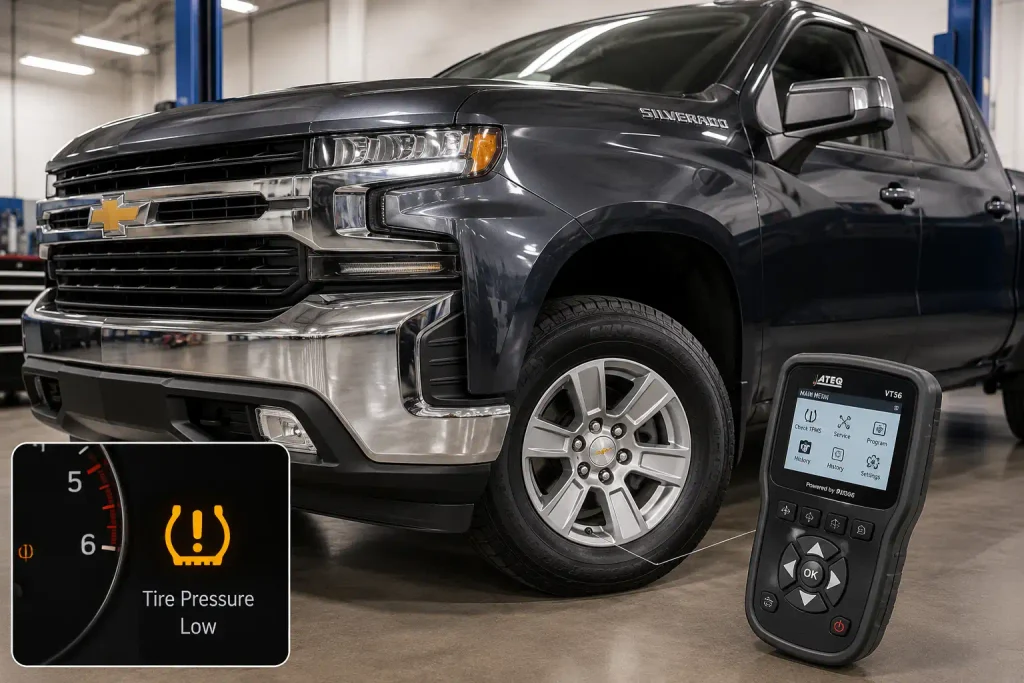
Chevrolet changed the relearn method several times between 2007 and 2026. Older Silverado trucks use manual sensor matching, many 2015 to early 2022 trucks use a TPMS activation tool, and refreshed 2022 to 2026 Silverado 1500 trucks use an automatic learning process.


This guide separates those systems so you can use the correct procedure for your Silverado.
Silverado TPMS Reset By Year


Use this quick-reference infographic to identify whether your Chevrolet Silverado needs a simple pressure reset, a manual sensor relearn, or the newer Auto Learn process.
1. Identify The Reset Type


Low Tire Pressure
If a tire is actually low, inflate all cold tires to the driver door-jamb specification. Then drive the truck and recheck the warning light.
Tire Rotation
If you rotated the tires, many Silverado trucks need the sensors matched back to the correct wheel positions.
New Sensor Or Wheel


If a new TPMS sensor or wheel was installed, the truck may need sensor registration, a relearn procedure, or Auto Learn depending on year.
2. Silverado TPMS Method By Year
Use the key fob, DIC controls, or trip stem depending on truck equipment.
- Enter Tire Learning mode
- Follow LF, RF, RR, LR order
- Some trucks can use pressure change activation
Most trucks use the DIC plus a GM-compatible TPMS activation tool.
- Open Tire Pressure screen
- Start relearn mode
- Activate each sensor in order
Applicable early T1-platform Silverado trucks can still use manual sensor matching.
- Check exact trim and build style
- Use DIC relearn mode
- Use the four-wheel sequence if manual system applies
Refreshed Silverado 1500 trucks use automatic sensor-position learning.
- Leave truck parked about 20 minutes
- Drive at least 12 mph
- Allow up to 10 minutes for relearn
3. Manual Silverado TPMS Relearn Order
What Silverado TPMS Reset Does Your Truck Need


Start by identifying why the TPMS warning appeared. Resetting a low-pressure warning is different from teaching the truck where each sensor is located.


| Situation | What You Usually Need |
|---|---|
| One tire is actually low | Inflate to door-jamb pressure and drive |
| Tires were rotated | Sensor position relearn |
| New TPMS sensor installed | Sensor ID matching or Auto Learn |
| New wheels installed | Verify compatible sensors, then relearn |
| TPMS light flashes before staying on | Diagnose a TPMS malfunction |
Chevrolet says the correct cold tire pressure is listed on the Tire and Loading Information label. A steady TPMS warning indicates that one or more tires may be significantly underinflated.
If the warning started after wheel or tire work, see our guide to TPMS sensors after a tire change before replacing parts.
Low Pressure Warning Reset
Check all road tires with an accurate tire-pressure gauge while the tires are cold.
Inflate each tire to the pressure listed on the driver’s door-jamb Tire and Loading Information label. Do not use the maximum pressure molded into the tire sidewall as your normal target pressure.


On equipped newer Silverado trucks, Tire Fill Alert flashes the corresponding turn signal while adding air. The horn sounds once when the recommended pressure is reached.
Tire Rotation Sensor Relearn


Every TPMS sensor transmits a unique identification code. On manual-learn Silverado trucks, the truck associates each code with a specific wheel position.
After tire rotation, those physical positions change. The sensors may therefore need to be matched again so the Driver Information Center shows the correct tire location.
Replacement Sensor Matching
A new TPMS sensor cannot always begin reporting correctly just because it has been installed inside the wheel.
GM states that replacement sensors can require programming or special setup procedures.
If a newly installed sensor still shows no pressure, our new TPMS sensor not reading guide covers sensor activation, compatibility, battery, and registration problems.


How to Reset Silverado TPMS From 2007 to 2014


Most 2007 to 2014 Silverado trucks use a manual sensor-matching process. The exact method for entering relearn mode depends on whether the truck has Remote Keyless Entry, Driver Information Center buttons, or basic cluster controls.
The 2007 Silverado manual confirms that sensor IDs need to be reset after tire rotation or TPMS sensor replacement. It also uses the four-wheel sequence starting at the driver-side front tire.
Key Fob Relearn Method
On compatible trucks with Remote Keyless Entry:
- Park on a level surface.
- Set the parking brake.
- Turn the ignition to ON or RUN without starting the engine.
- Press and hold the Lock and Unlock buttons together on the key fob for about five seconds.
- Wait for the horn to sound twice.
- Confirm that TIRE LEARNING ACTIVE appears in the Driver Information Center.
- Start with the driver-side front tire.
- Activate the sensor.
- Continue to the passenger-side front tire.
- Continue to the passenger-side rear tire.
- Finish with the driver-side rear tire.
- Turn the ignition off after the final confirmation.
- Recheck all four tire pressures.
The 2008 Silverado manual specifically documents this key-fob procedure and allows sensor activation by changing tire pressure or by using a TPMS diagnostic tool.
DIC Button Relearn Method
Some Silverado trucks without the applicable key-fob procedure use the Driver Information Center.
Scroll through the vehicle information pages until PRESS TO RELEARN TIRE POSITIONS or similar relearn wording appears. Confirm the selection and wait for two horn chirps.
Once TIRE LEARNING ACTIVE appears, activate the sensors in this order:
- Left front
- Right front
- Right rear
- Left rear
The 2013 Silverado manual documents separate entry methods depending on whether the truck has RKE, DIC buttons, or neither.
Trip Odometer Stem Method


Base-cluster Silverado trucks may use the trip odometer reset stem instead of steering-wheel or DIC buttons.
With the ignition on and engine off, scroll until the relearn prompt appears. Press or hold the stem as directed until the horn sounds twice and the truck enters tire-learning mode.
The wording displayed on the cluster varies by model year, so follow the actual prompt shown in your truck.
How to Reset Silverado TPMS From 2015 to 2021


Most 2015 to 2021 Silverado 1500 trucks still use manual sensor matching, but GM moved the procedure toward the Driver Information Center and an electronic TPMS activation tool.
ATEQ documents separate procedures for base-level and uplevel DIC configurations in this generation.
Uplevel DIC Silverado Procedure
Use this process on trucks equipped with the uplevel Driver Information Center:
- Set all four tires to the correct cold pressure.
- Apply the parking brake.
- Turn the ignition on without starting the engine.
- Display the Tire Pressure page in the DIC.
- Press and hold the Set/Reset control.
- Wait for the horn to sound twice.
- Confirm TIRE LEARNING ACTIVE appears.
- Place the relearn tool against the left-front tire sidewall near the valve stem.
- Activate the sensor and wait for one horn chirp.
- Repeat at the right-front tire.
- Repeat at the right-rear tire.
- Finish at the left-rear tire.
- Wait for final confirmation.
- Turn the ignition off.
The four-position order remains LF, RF, RR, LR.
Base Level DIC Silverado Procedure
On base-level clusters, use the trip odometer reset stem to reach the Tire Pressure display.
Press and hold the stem to start the matching process. Confirm the prompt if requested, then activate the sensors using the same wheel order.
A horn chirp after each activation means the receiver accepted that sensor ID.
Silverado TPMS Relearn Time Limit
GM manual-learn systems impose a time limit.
For applicable Silverado systems, you generally have:
- Two minutes to match the first wheel.
- Five minutes total to complete all four wheels.
If the process exceeds those limits, the relearn stops and must be restarted.
How to Reset 2019 to Early 2022 Silverado TPMS
The 2019 generation introduced newer dashboard controls, but early T1-platform Silverado trucks still use manual matching on applicable configurations.
The basic process remains similar:
- Apply the parking brake.
- Place the ignition in ON or Service Mode.
- Open the Tire Pressure screen.
- Hold the appropriate DIC control.
- Confirm the relearn request.
- Wait for two horn chirps.
- Activate the left-front sensor.
- Continue RF, RR, then LR.
- Finish before the relearn timer expires.
The 2019 Silverado HD manual describes base and uplevel DIC controls, manual sensor matching, and TPMS relearn-tool activation.
The important cutoff is the 2022 Silverado 1500 refresh. Refreshed trucks moved to GM’s Auto Learn architecture, while 2022 Silverado 1500 LTD and earlier-style trucks may retain the manual system.
If you have a 2022 truck, identify whether it is the refreshed 2022 Silverado 1500 or the Silverado 1500 LTD before following a manual relearn tutorial.
How 2022 Refresh to 2026 Silverado 1500 Auto Learn Works
Refreshed Silverado 1500 trucks use an automatic TPMS sensor-position learning process instead of the traditional LF, RF, RR, LR activation-tool sequence.
This system is documented in Chevrolet’s 2023 Silverado 1500 manual and remains present in later Silverado 1500 manuals.
Silverado Auto Learn Steps
After tire rotation or TPMS sensor replacement:
- Install the tire and compatible TPMS sensor correctly.
- Leave the Silverado stationary for about 20 minutes.
- Start driving.
- Maintain at least 12 mph or 20 km/h during the learning period.
- Allow up to 10 minutes for the truck to recalculate sensor positions.
- Monitor the Tire Pressure page in the Driver Information Center.
During relearning, the DIC can temporarily display a dash instead of a pressure value.
The 2023 Silverado 1500 manual states that the truck should remain stationary for about 20 minutes before recalculation, then be driven at a minimum of 12 mph for a process lasting up to 10 minutes.
The 2026 Silverado 1500 manual gives the same Auto Learn timing.
Silverado TPMS Methods by Year
| Silverado Year Range | Typical TPMS Relearn Method |
|---|---|
| 2007 to 2014 | Manual matching using RKE, DIC, or trip stem |
| 2015 to 2021 | Manual DIC matching with activation tool |
| 2019 to early 2022 T1 trucks | Manual matching on applicable configurations |
| 2022 refreshed 1500 to 2026 | Automatic sensor-position learning |
| HD dual rear wheel applications | Separate six-sensor manual procedure may apply |
The 2022 model year needs extra attention because both older-style Silverado 1500 LTD trucks and refreshed Silverado 1500 configurations were sold.
What Silverado TPMS Relearn Order Should You Follow
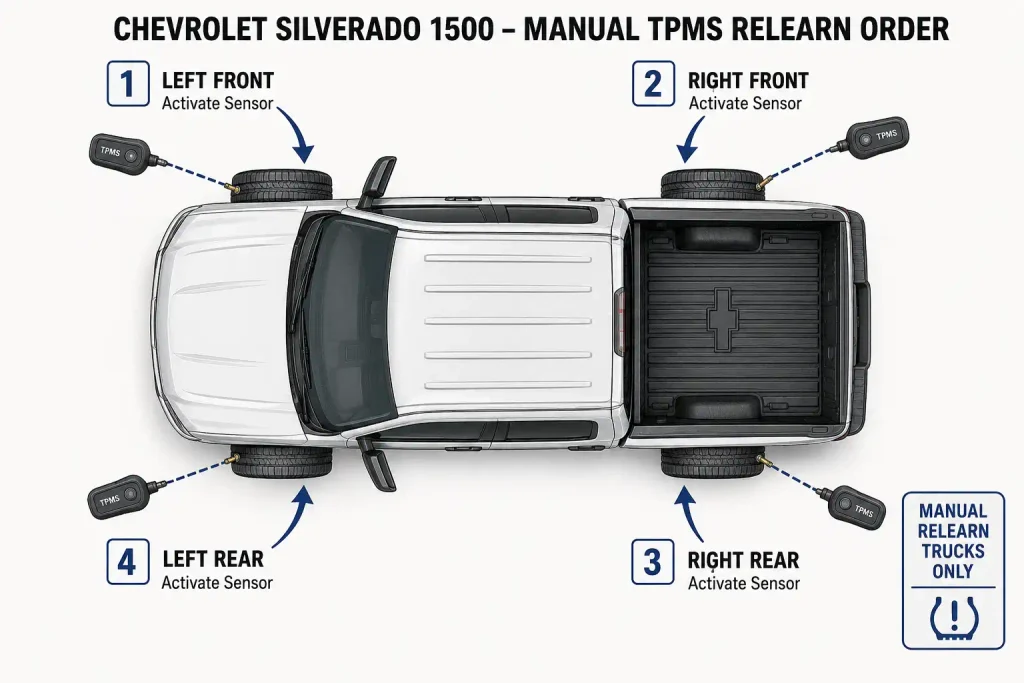
For four-wheel Silverado applications using the manual matching system, use this order:
- Left Front
- Right Front
- Right Rear
- Left Rear
Start at the driver-side front wheel and work clockwise around the truck.
On older systems, each successful sensor match is normally confirmed by a single horn chirp. The final left-rear match may produce two horn sounds to indicate that the procedure is complete.
Do not apply this four-wheel sequence to refreshed Silverado 1500 Auto Learn trucks.
How 2026 Silverado HD TPMS Relearn Differs
Silverado 2500HD and 3500HD procedures should not automatically be treated as identical to Silverado 1500 procedures.
The 2026 Silverado HD manual specifically gives a manual TPMS matching procedure for trucks equipped with dual rear wheels.
The six-sensor order is:
- Driver-side front
- Passenger-side front
- Passenger-side outer rear
- Passenger-side inner rear
- Driver-side outer rear
- Driver-side inner rear
GM specifies a TPMS relearn tool for this dual-rear-wheel procedure.
The same manual gives two minutes to learn the first wheel and five minutes to complete all six wheel positions.
Because Silverado HD tire and wheel configurations vary, use the exact 2500HD or 3500HD owner manual for your year before applying a Silverado 1500 procedure.
Can You Reset Silverado TPMS Without a Tool
Sometimes, but it depends on what you are trying to reset and which Silverado you own.
Low Tire Pressure Warning
You do not need a TPMS activation tool simply to correct low tire pressure.
Inflate the tires to the pressure shown on the Tire and Loading Information label and drive the truck. The warning should clear once the system receives normal pressure readings.
Older Silverado Manual Relearn
Some 2007 to early GMT900 Silverado procedures support activation by increasing or decreasing tire pressure.
For example, Chevrolet’s 2008 manual states that the sensors can be matched by changing tire pressure until the horn confirms the sensor.
A TPMS activation tool is faster and avoids repeatedly altering tire pressure.
2015 to Early 2022 Manual Systems
Use a compatible TPMS activation tool for the most predictable result.
These trucks are designed around electronic sensor activation during relearn.
Refreshed 2022 to 2026 Silverado 1500
A traditional four-wheel activation-tool procedure is not required for normal wheel-position Auto Learn.
The truck automatically calculates sensor positions after the stationary and driving conditions are met.
Why Your Silverado TPMS Reset Is Not Working
A relearn failure does not automatically mean the TPMS control module is bad.
Start with the sensor, compatibility, relearn procedure, and radio communication.
Sensor Battery Is Weak
TPMS sensors contain internal batteries that are not normally replaced separately.
Chevrolet lists a low TPMS sensor battery as one condition that can prevent Tire Fill Alert and sensor communication from working correctly.
Sensor ID Is Not Registered
A sensor may transmit normally but still not be recognized by the truck.
Chevrolet lists an unregistered TPMS sensor identification code as a condition that can interfere with TPMS operation.
Wrong Sensor or Wheel Compatibility
Do not choose replacement sensors based only on a generic frequency listing.
Chevrolet sells programmable and vehicle-specific TPMS sensors, and some replacement parts require programming or special setup procedures.
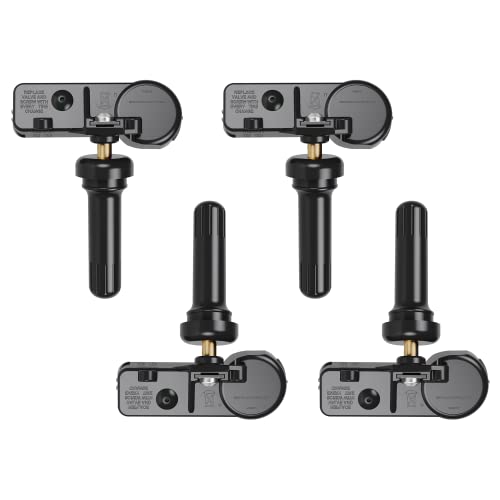
GM’s current parts catalog lists a TPMS sensor kit for 2019 to 2026 Silverado 1500 applications, but the exact sensor should still be checked against the truck’s VIN and parts catalog.
Wheel changes can create the same problem if the replacement setup uses incompatible sensors.
Relearn Timed Out
Manual matching systems stop if the first wheel or complete sequence takes too long.
Restart from the beginning rather than continuing from the wheel where it failed.
Radio Frequency Interference
Electronic devices or nearby transmitters using similar radio frequencies can interfere with TPMS communication.
Chevrolet lists radio-frequency interference as a possible TPMS malfunction cause.
Sensor Reports the Wrong Pressure
A sensor that communicates but shows an incorrect value is a different failure from a completely missing sensor.
Our guide to a TPMS sensor reading the wrong pressure covers incorrect wheel position, temperature effects, sensor faults, and display mismatch.
How to Confirm the Silverado TPMS Reset Worked
Start the Silverado and open the Tire Pressure page in the Driver Information Center.
Check these points:
- All road tires display pressure values.
- The displayed wheel positions match the actual tires.
- No pressure position remains blank or shows a dash after relearn.
- The low-pressure warning is off after all tires reach the specified cold pressure.
- No SERVICE TIRE MONITOR SYSTEM message remains.
A TPMS warning that flashes for about one minute and then remains illuminated indicates a system malfunction rather than a basic low-pressure condition. Chevrolet says this behavior can continue at every ignition cycle until the underlying fault is corrected.
On Auto Learn trucks, allow the full stationary and driving period before treating temporary blank readings as a failure.
Which Silverado TPMS Reset Method Should You Use
The correct Silverado TPMS reset procedure depends more on the truck’s TPMS generation than on the warning light itself.
For a simple low tire, inflate the tire to the door-jamb specification and drive. For 2007 to 2021 and applicable early 2022 manual systems, enter relearn mode and match the sensors in the correct order.
For refreshed 2022 through 2026 Silverado 1500 trucks, allow the Auto Learn system to recalculate sensor positions after the required stationary period and drive cycle.
Silverado HD trucks, especially dual-rear-wheel 2500HD and 3500HD models, can use a different matching sequence. Check the exact owner manual before beginning a manual relearn.
Frequently Asked Questions
Does a Silverado TPMS Light Reset Automatically
Yes, a normal low-pressure warning can clear after the affected tire is inflated to the specified pressure and the truck is driven. A sensor-position relearn is different and may require manual matching or Auto Learn depending on model year.
How Do I Put My Silverado Into TPMS Relearn Mode
On many 2007 to 2021 trucks, use the key fob, Driver Information Center, or trip odometer stem to enter Tire Learning mode. Refreshed 2022 to 2026 Silverado 1500 trucks use automatic position learning rather than the traditional four-wheel manual sequence.
What Is the Silverado TPMS Sensor Relearn Order
For four-wheel manual matching systems, use left front, right front, right rear, left rear. GM manuals document this order on applicable Silverado models.
Can I Relearn Silverado TPMS Sensors Without a Tool
Older Silverado systems may allow sensor activation by changing tire pressure, while later manual systems are better handled with an electronic TPMS activation tool. Refreshed 2022 to 2026 Silverado 1500 Auto Learn trucks normally calculate sensor positions automatically.
Why Does My Silverado TPMS Light Flash and Stay On
A flashing TPMS light that becomes solid usually means the system detected a malfunction. Possible causes include a missing sensor, damaged sensor, unsuccessful relearn, incompatible wheel or sensor, low sensor battery, or radio interference.
Does a 2026 Silverado Need a TPMS Relearn Tool
A 2026 Silverado 1500 uses GM’s Auto Learn process for the road-tire TPMS positions, so the standard four-wheel activation-tool sequence is not required. A 2026 Silverado HD with dual rear wheels uses a six-sensor manual matching process that requires a relearn tool. If you are replacing tires, see our best tires for Chevy Silverado 1500 4×4 guide.