How to Program GMC Sierra Garage Door Opener in 2026

Learning how to program a GMC Sierra garage door opener takes about ten minutes once you know which system your truck has. Your Sierra uses the built-in HomeLink system to replace up to three handheld remotes.


Most modern openers use rolling codes, so they need one extra step at the garage door motor. This guide covers both types, plus the touchscreen method and erasing a button.
Where Are the HomeLink Buttons in Your GMC Sierra


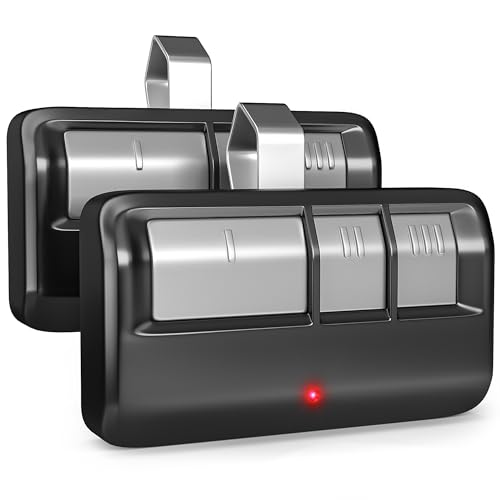
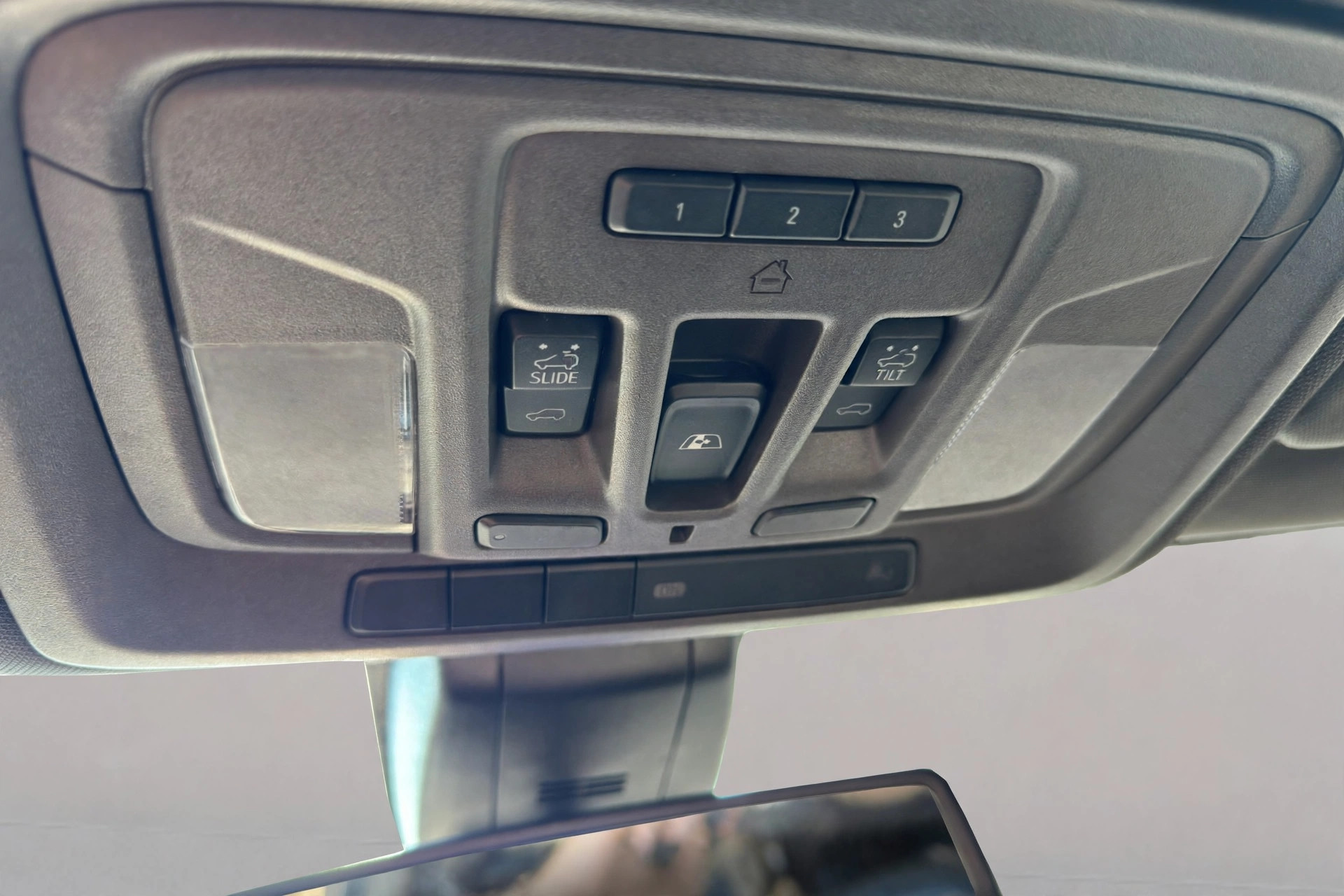
The button location is the first thing to get right, because it changes by Sierra generation. On 2014 and newer Sierras, the three buttons sit in the overhead console in the headliner near the interior mirror, as the 2019 Sierra owner’s manual confirms.
On pre-2014 Sierras, look on the driver-side sun visor instead. The buttons form a narrow strip of three small recessed buttons near the center spine of the visor.
Sierras from around 2022 and newer may not have physical buttons at all. These trucks run the Universal Remote System through the center touchscreen, inside the Controls app.
Each button holds one device, so one Sierra can open two garage doors and a gate. Pick your button before you start and use it through every step.
5 Things to Check Before You Start Programming
Put a fresh battery in your handheld garage remote first, since a weak signal may never reach the HomeLink system.
Park outside, directly in line with the garage door and facing the receiver. Clear people, pets, and objects away from the door, since it may move during testing.
Find out whether your opener uses a fixed code or a rolling code. Most modern openers use rolling codes, which change the code each time the remote is used. Check the brand and model on the motor unit if you are unsure.
Do not program the system with an opener that lacks the stop and reverse safety feature. That includes any garage door opener model made before April 1, 1982, since such a door may not stop on contact.
Have a second person nearby if you can. The rolling-code steps give you only 30 seconds between the Learn button and the truck button.
A helper makes that walk much easier. With these checks done, start with the fixed-code sequence.
How to Program a Fixed Code Opener in 5 Steps
Fixed-code openers use one unchanging code, so the truck only needs to copy the signal from your handheld remote. Keep the indicator light in view, since it tells you when each stage is done.
- Turn the ignition to the accessory or on position. The engine does not need to run.
- Hold the end of your handheld transmitter about 1 to 3 inches from the HomeLink buttons. Keep the indicator light where you can see it.
- Press and hold the handheld transmitter button and your chosen HomeLink button at the same time. Do not release either button yet.
- Watch the indicator light change from a slow flash to a rapid flash, then release both buttons.
- Press and hold the newly programmed HomeLink button for five seconds. If the light stays on continuously or the garage door moves, programming is complete.
If the light does not come on or the door does not move, press and hold the button for five seconds a second time. A rapid flash that turns solid while the door stays still means your opener uses rolling codes.
Ram owners can follow the same HomeLink logic in our guide on how to program a Dodge Ram garage door opener. When the fixed-code test fails, the Learn button steps below finish the job.
How to Program a Rolling Code Opener in 6 Steps
Rolling-code openers need a second phase because the code changes with every use. The first phase teaches the truck the remote signal, and the second teaches the opener to trust it.
- Complete the fixed-code steps above first, through the five-second test press.
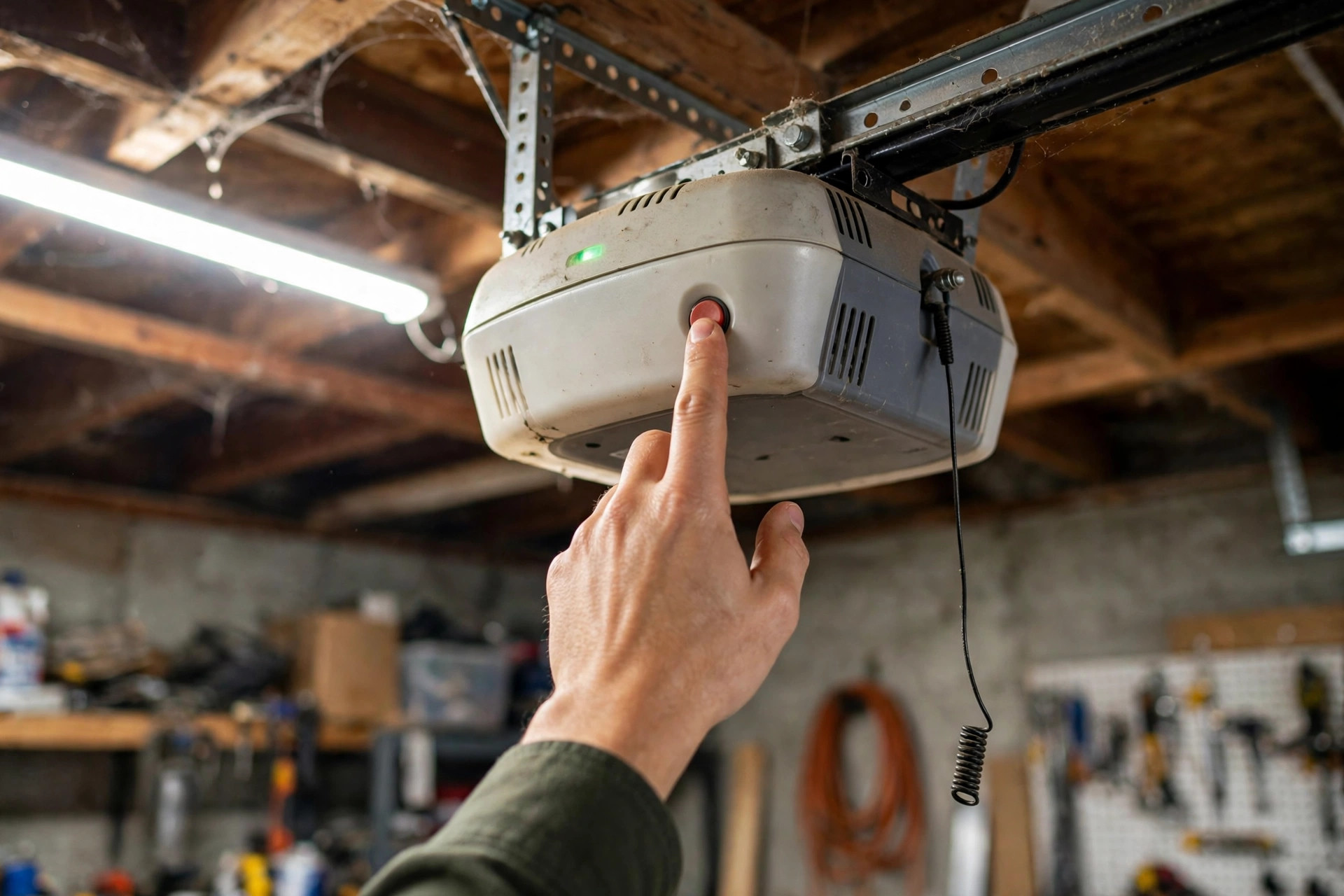
- Go to the opener motor unit on the ceiling and find the Learn or Smart button, usually near the antenna wire. Its name and color vary by brand.
- Press and release the Learn or Smart button once. Do not hold it down.
- Return to the truck within 30 seconds, since the window starts the moment you press the Learn button.
- Press and hold the trained HomeLink button for two seconds, then release it.
- If the door does not move, repeat the two-second press up to two more times.
The 30-second window is the step most owners miss. Press the Learn button only when you are ready to walk straight back to the truck. GM Authority’s guide to the universal garage door opener on GMC vehicles shows the same Learn-button sequence.
GMC Sierra Garage Door Opener Steps at a Glance
- Hold the remote 1 to 3 inches from the HomeLink buttons and press both buttons until the light flashes rapidly.
- Test with a five-second press. A steady light or a moving door means a fixed-code opener is done.
- For rolling codes, press and release the Learn button on the motor unit once.
- Within 30 seconds, press and hold the trained HomeLink button for two seconds. Repeat up to three times.
- Verify the opener has the stop and reverse safety feature before you use it daily.
Source: 2019 GMC Sierra 1500 Owner’s Manual, Universal Remote System section.
Newer Sierras skip the physical buttons entirely, so the next section covers the touchscreen method.
How to Program a 2022 and Newer Sierra From the Touchscreen
Newer Sierras run the Universal Remote System from the center display instead of physical buttons, as a GMC dealer guide shows. Open the Controls app and tap Universal Remotes to begin.
Tap Add Remote, then answer Yes when the screen asks if your opener came with a handheld transmitter. Hold the remote about 1 to 3 inches from the rearview mirror and press its button until Signal Found appears.
Tap the Test button on the screen. You may need to press it a few times before the door responds.
If the door moves, tap It Worked and the setup is done. If it does not move, tap It Didn’t Work and the screen walks you through the Learn button step.
For a rolling-code opener, press the Learn or Smart button on the motor unit, then return to the truck and press Test again. Once the door moves, tap the pencil icon to rename the remote. The truck can also save the GPS location, so the garage door icon appears as you approach home.
If you lost the handheld remote, the button method here will not work on its own. Our guide on how to program a garage door opener to a car without a remote covers the Learn-button-only route. The next section covers erasing and reprogramming a button.
How to Erase All Buttons and Reprogram One Button
Erase all three buttons when you sell the truck or when old codes cause trouble. Press and hold the two outside HomeLink buttons at the same time until the indicator light begins to flash.
On a 2019 Sierra this takes about 10 seconds. Release both buttons once the light flashes.
Older GMC trucks may take up to 20 seconds for the same erase step. Erasing wipes all three channels at once, so reprogram any button you still use.
To reprogram a single button, press and hold that one button and do not release it. The indicator light will begin to flash after 20 seconds, and then you go straight into the fixed-code programming steps above.
The owner’s manual also says to erase the programming when vehicle ownership ends. When a button still will not program after a clean erase, the table below points to the cause.
5 Reasons Your GMC Sierra Garage Door Opener Will Not Program
Most programming failures come from five causes, and each one has a clear fix. Work through the table before you repeat the full procedure.
| Symptom | Likely Cause | Fix |
|---|---|---|
| Indicator light never flashes | Weak remote battery or ignition off | Fit a new battery and set the ignition to accessory or on. |
| Light flashes rapidly but the door does not move | Rolling-code opener needs the Learn step | Press the Learn button on the motor, then press the HomeLink button for two seconds up to three times. |
| Signal will not catch at all | Gate operator signal times out too fast | Hold the HomeLink button while pressing and releasing the remote button every two seconds until the light flashes rapidly. |
| Programming times out halfway | Learn window expired before the truck press | Press the Learn button again and walk back to the truck faster, or have a helper press the truck button. |
| Nothing works on a very old opener | Opener predates April 1, 1982 or lacks stop and reverse | Do not program it. Replace the opener with a model that has the stop and reverse feature. |
Hold the HomeLink button down, then press and release the handheld transmitter button every two seconds until the light flashes slowly and then rapidly. Once the light changes, continue with the five-second test press.
If none of these fixes work, HomeLink support can help at 1-800-355-3515 or through the official HomeLink programming resources for GM vehicles.
Frequently Asked Questions About the GMC Sierra Garage Door Opener
How many garage doors can a GMC Sierra open? The Universal Remote System stores up to three devices, so one Sierra can open three garage doors, gates, or home automation devices. Program each button separately.
Where are the HomeLink buttons on a GMC Sierra? On 2014 and newer Sierras, the three buttons sit in the overhead console near the interior mirror. On pre-2014 trucks, check the driver-side sun visor. Sierras from around 2022 and newer use the touchscreen Controls app instead of physical buttons.
Do I need the original garage remote to program HomeLink? Yes, in most cases. The truck copies the signal from the handheld remote, so you need that remote with a fresh battery. Without it, use the Learn-button-only method.
Why does my Sierra garage door opener light flash rapidly but the door stays still? A rapid flash after the first pairing means the opener uses rolling codes. Press and release the Learn button on the motor unit, then press and hold the trained HomeLink button for two seconds within 30 seconds. Repeat the press up to three times.
How do I erase the HomeLink buttons before selling my Sierra? Press and hold the two outside HomeLink buttons until the indicator light begins to flash, about 10 seconds on a 2019 Sierra. This erases all three channels, so the next owner cannot open your garage.
Final Check Before You Drive Away
Test every programmed button from the driveway before you call the job done. Press and hold each button for at least half a second and watch the door respond.
Keep the handheld remote in the house as a backup, even after the truck buttons work. It also helps with future programming if you replace the opener.
Once the opener works, your Sierra is ready for the daily routine without a remote clipped to the visor. For more ways to set up your truck, see our picks for the best accessories for the GMC Sierra 1500.