How to Remote Start Your GMC Sierra in 2026

Learning how to remote start a GMC Sierra takes about a minute once you know which key fob sequence your truck uses. Newer Sierras start with two presses of the looping arrow button. Older trucks need a lock press first, then a long hold on the same button.


Both methods work from the key fob, and the myGMC app adds a second way to start the truck from anywhere with cell service. This guide covers both methods, the run times by model year, and the fixes for the most common failures.
Does Your GMC Sierra Have Remote Start


Remote start has been a Sierra feature since the 2007 model year, but it is not on every truck. It is standard on most SLE, SLT, AT4, and Denali trims, while the base Pro trim usually skips it.
The fastest check is the RPO code AP3 on the Service Parts Identification sticker, usually inside the glove box. If AP3 appears in the code list, the truck left the factory with remote start. A guide to checking remote start by VIN explains the AP3 check in detail.
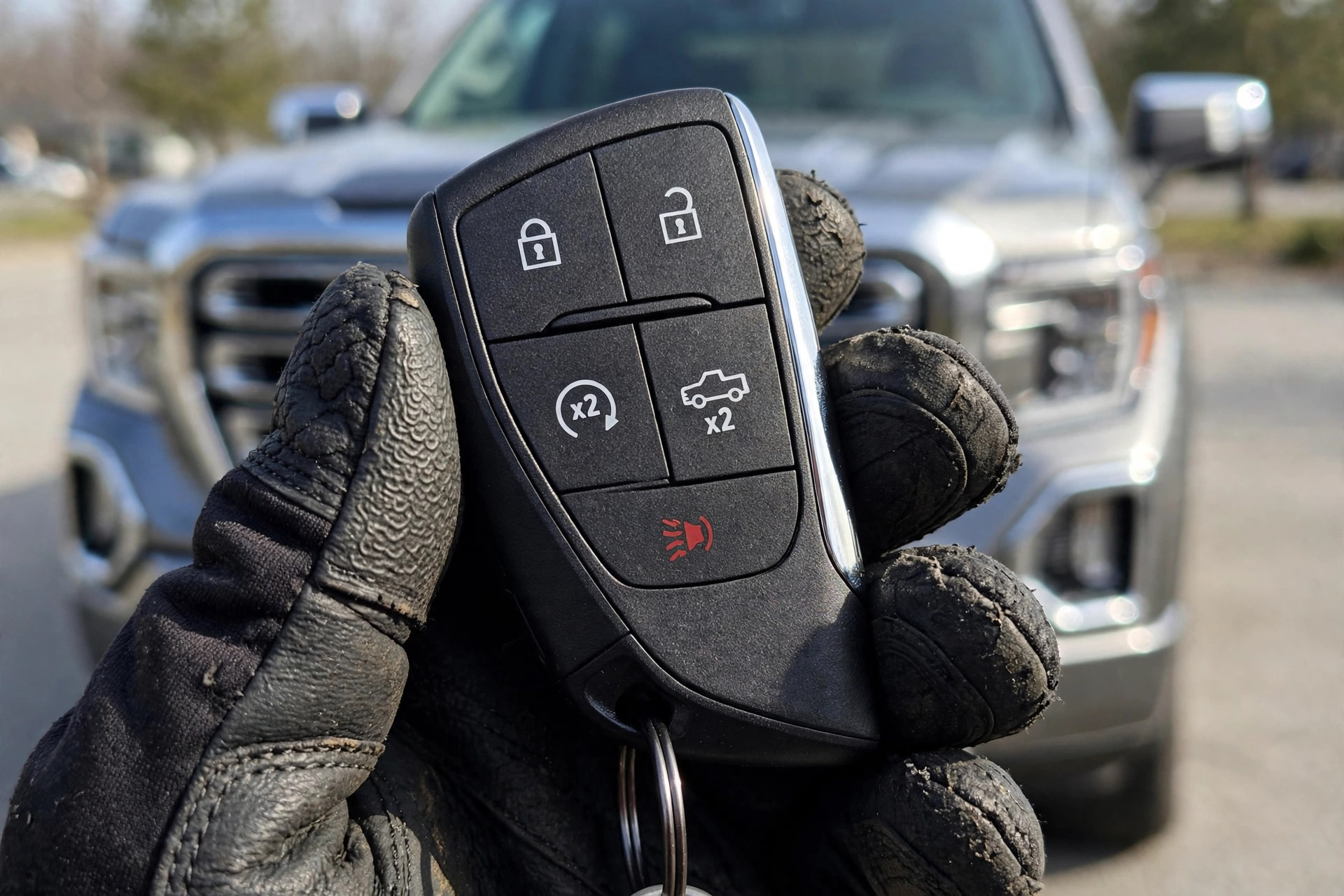
A second check is the key fob itself. A factory remote start fob carries a looping arrow button, usually at the bottom. If your fob lacks that button, check the AP3 code before you buy parts.
If the truck truly lacks factory remote start, an aftermarket kit can add it. The trade-offs are the same ones covered in our 2014 Ram 1500 remote start guide.
Once you know the system is there, the next step is pressing the right buttons in the right order.
Remote Start Your GMC Sierra With the Key Fob
GMC used two key fob sequences across Sierra generations, so the year of your truck decides which one works. The wrong sequence does nothing, and that is the most common reason owners think the system is broken.
Newer Sierras Press Twice
On 2024 and newer Sierra 1500 models, press the remote start button twice. The button shows a looping arrow near the bottom of the fob. The turn signals flash to confirm, and the parking lamps stay on while the engine runs.
GMC’s keyless start guide confirms the double press for newer trucks. Press Lock first if you want the doors secured, since remote start does not always lock the truck.
Older Sierras Lock Then Hold


On 2007 through 2021 Sierras, press and release the Lock button first, then press and hold the remote start button for about four seconds until the turn signals flash. The parking lamps stay on while the engine runs.
The 2016 Sierra Denali guide gives this exact sequence and a 10-minute run time. The 2007 guide matches it and puts the fob range at about 200 feet in open space.
If the double press fails on your truck, try the lock-then-hold sequence first.
2024 and Newer Sierras
Press the looping arrow button twice. Turn signals flash to confirm.
2007 to 2021 Sierras
Press and release Lock, then press and hold the looping arrow button for about 4 seconds.
Run Time
10 minutes per start on older trucks, 15 on the 2025 Sierra 1500, and 20 in GMC’s general guidance. One extension is allowed, with a hard total cap in every generation.
To Cancel
Press the looping arrow button once. Parking lamps turn off to confirm.
The engine does not run forever, so the next section covers how long each generation stays running.
How Long Remote Start Runs on a Sierra
Run time depends on the generation, and this is where most online guides disagree. The numbers below come from GMC manuals, not dealer blogs.
| Generation | Start Method | Minutes per Start | Total Remote Start Time |
|---|---|---|---|
| 2007 to 2021 Sierra 1500 | Lock, then hold about 4 seconds | 10 | 20 (two starts) |
| 2025 Sierra 1500 (owner’s manual) | Press twice | 15 | 30 (two starts) |
| 2024 and newer (GMC guidance) | Press twice | 20 | 40 (two starts) |
GMC’s general support page lists 20 minutes per cycle and 40 minutes total for current vehicles, but the 2025 Sierra 1500 owner’s manual lists 15 minutes per cycle and 30 minutes total. The manual for your exact truck is the number to trust.
To extend a run, repeat the same fob sequence while the engine is still running. The extension adds one more full cycle, and only one extension is allowed between normal starts.
After the total limit is used, start the truck normally and turn it off before remote start works again.
The key fob is not the only way to start the truck. The myGMC app does the same job from anywhere with cell service.
How to Remote Start Your Sierra With the myGMC App
The myGMC app starts the truck from anywhere with a cellular connection. The truck must be properly equipped, and the account needs an active OnStar and Connected Services plan.
- Download the myGMC app from the App Store or Google Play and sign in to your GMC account.
- Add your Sierra with its VIN if it is not already listed.
- Tap the Climate or Start icon on the home screen.
- Wait for the confirmation notice.
GMC’s remote commands page gives these steps and notes that the controls vary by vehicle equipment. The Climate widget sets the cabin temperature before the engine starts on equipped trucks.
If a command fails, take the key fob out of the truck and stand at least 10 feet away. Close every door, the hood, and the gas cap, and switch the hazard lights off. Then check the app’s Command History for the error and its fix.
If no error shows, start the truck normally, let it run for 60 seconds, turn it off, and send the command again.
Starting the engine is only half the story. The truck also prepares the cabin while it idles.
What Happens Inside the Truck During Remote Start
Remote start runs the climate system so the cabin is warm or cool when you open the door, and the rear window defogger switches on.
Heated and ventilated seats join in if you enable them under Settings, then Vehicle, then Remote Lock, Unlock, and Start. The seat button lights stay dark during a remote start, and an empty seat warms more slowly than an occupied one.
The steering wheel heater warms up on trucks that have it.
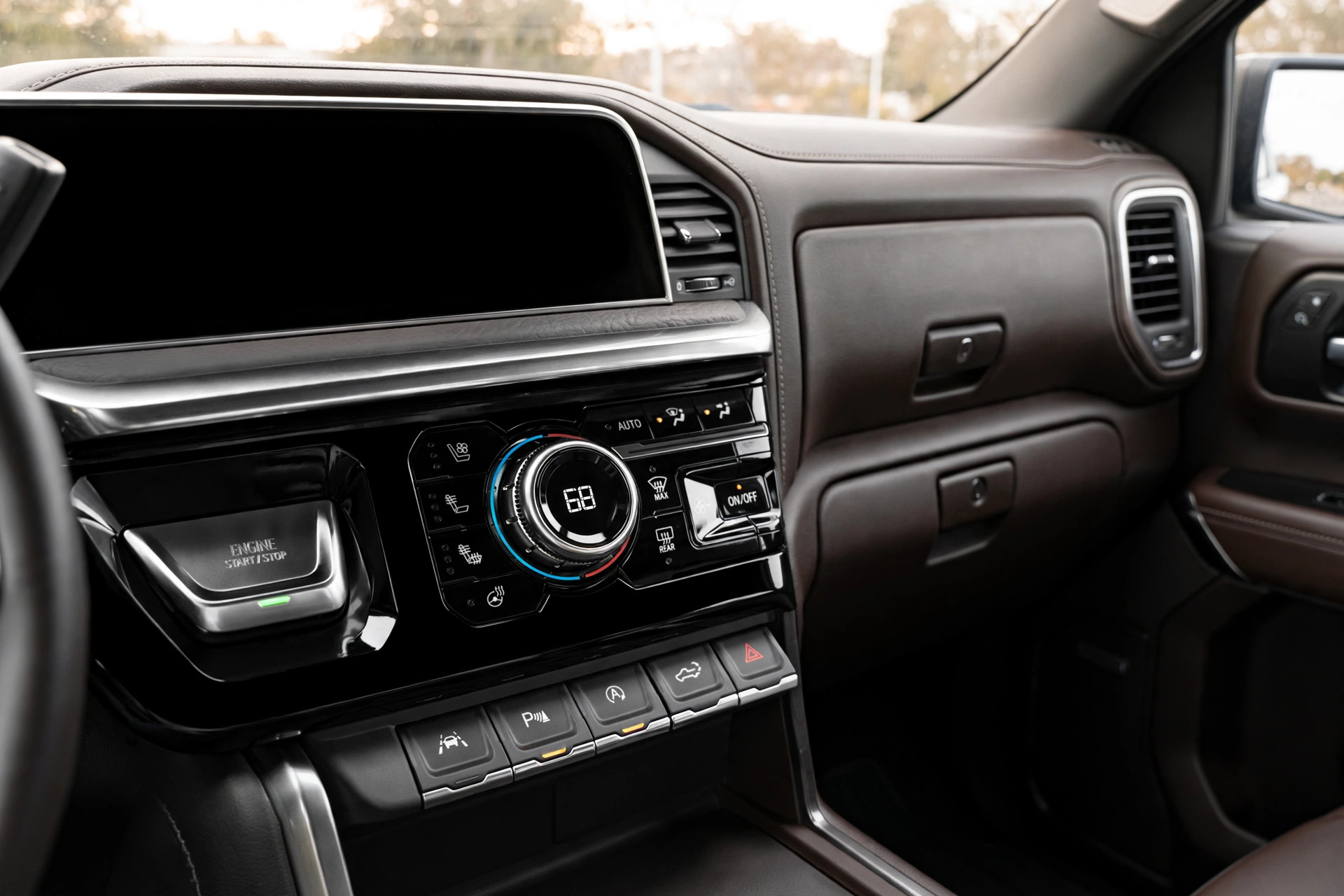
The truck cannot be driven until you get in and take over.
When you no longer need the engine running, three ways shut it off from outside the truck.
How to Cancel a Remote Start on a GMC Sierra
Press the remote start button once to cancel. The parking lamps turn off to confirm the engine stopped. On older trucks, you may need to press and hold the button until the lamps go out.
Two other methods work on every generation: switch the hazard lights on, or turn the ignition on and then off. All three appear in the owner’s manual.
The engine also stops itself when the run time ends or a safety limit trips. High coolant temperature and low oil pressure both shut it down during a remote start.
A remote start that never fires usually has a simple cause, and the manual lists every one of them.
8 Reasons Your GMC Sierra Will Not Remote Start
Most remote start failures trace back to a safety lockout, not a broken part.
| Block Condition | What to Check | Fix |
|---|---|---|
| Hood open | Hood latch fully closed | Close the hood firmly and try again |
| A door open | Every door and the tailgate | Close all doors and the tailgate |
| Truck not in Park | Shifter position | Shift to Park |
| Key fob inside the truck | Fob location | Take the fob out and stand 10 feet away |
| Check engine light on | Instrument cluster warning | Read the code and fix the fault |
| Hazard lights on | Hazard switch | Switch the hazards off |
| Two remote starts already used | Total run time used | Start the truck normally, then try again |
| Weak key fob battery | Fob response to Lock | Replace the fob battery |
Remote start stays disabled while an emissions fault is active, because the system will not idle a truck that needs diagnosis. Fix the fault, clear the light, and the feature comes back.
Ram trucks show a similar lockout message when their system disables itself. Our Ram remote start disabled reset guide walks through that reset.
Low fuel is worth a mention even though the owner’s manual block list does not name it. Some dealer guides list low fuel as a blocker, so treat a low tank as a check, not a confirmed rule.
Once the engine is running and you are ready to drive, one more step hands control to you.
What to Do After You Get In the Truck
Unlock the truck and get in. Press the brake pedal and push the ENGINE START/STOP button. The cluster lights up and the truck is ready to drive.
Do not skip that step. If you shift out of Park without pressing the brake and the start button, the engine shuts off.
On trucks with a keyed ignition, turn the key to On instead. Take over the ignition before you move the shifter either way.
The procedure is simple, but the safety rules around it are not optional.
Remote Start Safety Rules for Sierra Owners
Never remote start the truck in a closed garage. Exhaust gas builds up fast in an enclosed space, and carbon monoxide has no smell to warn you.
Check local rules before you use remote start in a new town. Some cities limit idling time, and GMC tells owners to check local regulations first.
Those rules cover the safety side. The next section pulls the guide into a short recap.
Key Takeaways for Sierra Remote Start
Learning how to remote start a GMC Sierra comes down to matching the fob sequence to your truck. Press the looping arrow twice on 2024 and newer trucks, and use lock-then-hold on older ones.
Run times run 10 minutes on older trucks, 15 on the 2025 Sierra 1500, and up to 20 in GMC’s general guidance, with a hard total cap in every generation. Check the hood, the doors, the shifter, and the check engine light first when a start fails.
GMC Sierra Remote Start Questions
How do I remote start my GMC Sierra with the key fob?
Press the looping arrow button twice on 2024 and newer Sierras, or press Lock and then hold the looping arrow for about four seconds on older trucks. The turn signals flash when the start works.
How long does remote start run on a GMC Sierra?
Older trucks run 10 minutes per cycle with a 20-minute total, and the 2025 Sierra 1500 runs 15 with a 30-minute total. GMC’s general guidance lists 20 minutes per cycle with a 40-minute total for current vehicles.
Can I remote start my GMC Sierra with my phone?
Yes, when the truck is equipped and the account has an active OnStar and Connected Services plan. Tap the Climate or Start icon and wait for the confirmation notice.
Why will my GMC Sierra not remote start?
The usual causes are an open hood or door, a shifter out of Park, a check engine light, hazard lights left on, or two remote starts already used. Close everything, shift to Park, and start the truck normally to reset the count.
Does every GMC Sierra have remote start?
Not every Sierra has it. It is standard on most SLE, SLT, AT4, and Denali trims, and the base Pro trim usually skips it. Check for RPO code AP3 on the glove box sticker to confirm your truck.