How to Turn Off the Trailer Brake System on a Chevy Silverado

Owners ask how to turn off trailer brake system Chevy Silverado trucks use, and the answer takes less than a minute. Set the Integrated Trailer Brake Controller gain to 0.0, and all power output to the trailer brakes stops.


There is no separate off switch. The gain buttons do the whole job, and this guide covers the steps, the checks, and the times you should never turn it off.
What You Need Before Turning Off the Trailer Brakes


Your Silverado needs the factory Integrated Trailer Brake Controller, known as ITBC. It is a factory option on many Silverado 1500 and Silverado HD trims, often part of a trailering package, and base trims may not have it.
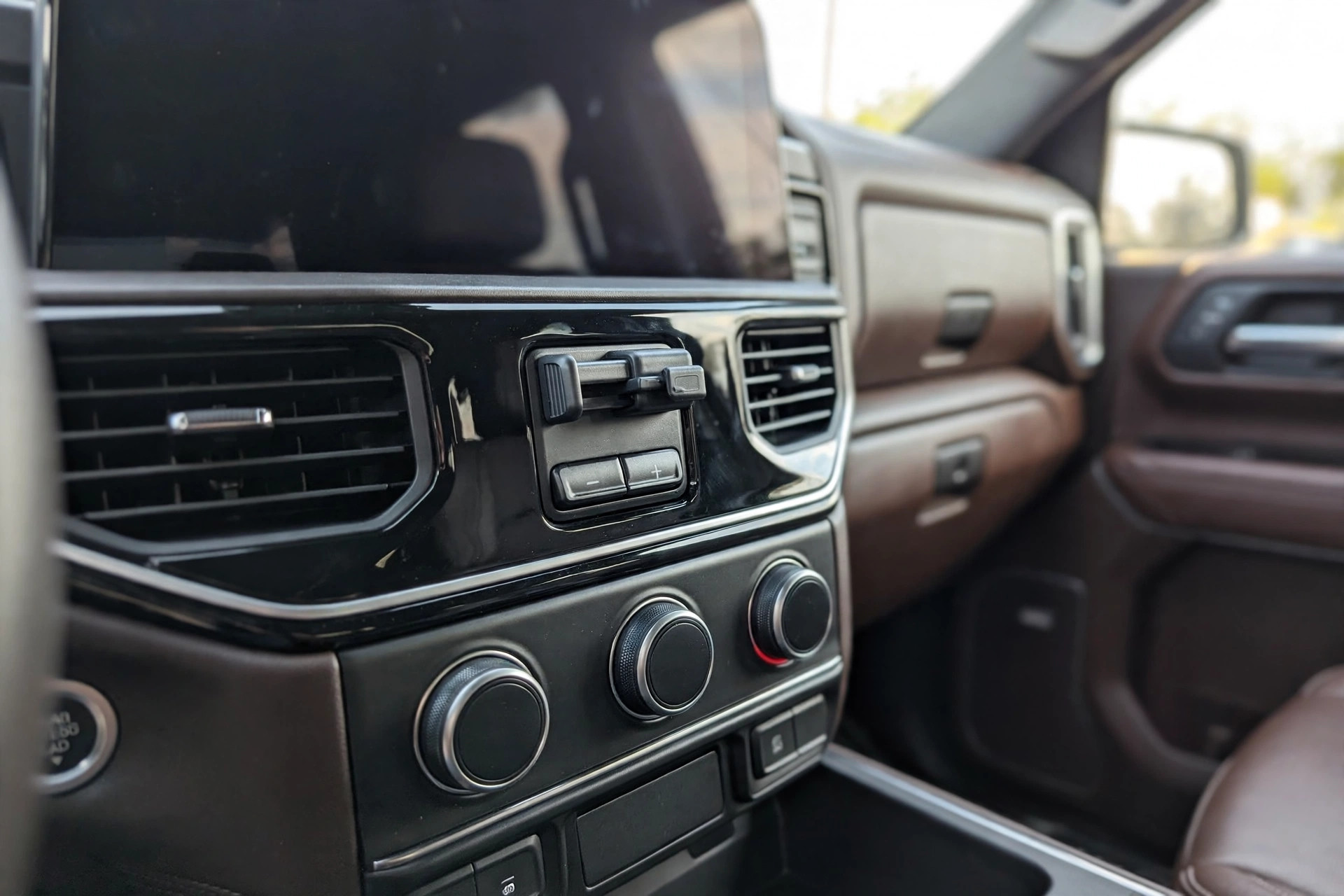
On 2014 to 2018 trucks, the panel sits left of the steering column. On 2021 and newer trucks, it sits on the center stack below the infotainment screen. Trucks from 2019 and 2020 sit between these two layouts, so check your owner manual if the panel is in neither spot.
The panel holds two controls. The plus and minus buttons set trailer gain, the amount of braking force sent to the trailer.
The manual trailer brake apply lever applies only the trailer brakes, without touching the truck brake pedal. A guide to the Chevy integrated trailer brake controller explains how the two controls work together.
ITBC works only with trailers that have electric brakes. Most electric-over-hydraulic setups also work on newer trucks. Surge brakes and air brakes do not work with ITBC.
Turn Off the Trailer Brake System in 5 Steps
Do this job parked, with the trailer unhitched. Never set gain to 0.0 while you are towing a loaded trailer. The steps below take about a minute.
Park and Start the Truck
Park on level ground and set the parking brake, then start the truck or turn the ignition to ON or RUN. ITBC runs on the truck electrical system and works only when the ignition is on.
Open the Trailer Brake Display


Find the Trailer Brake Display Page on the Driver Information Center, known as the DIC. Scroll through the DIC menu pages until it appears, or press a gain button and the page will open showing the current gain.
Lower the Gain to 0.0
Press the minus gain button until the DIC reads TRAILER GAIN 0.0. Press and hold the button to move the setting fast. Gain adjusts from 0.0 to 10.0, with a trailer connected or disconnected.
The owner manual states it plainly. To turn the output to the trailer off, adjust the Trailer Gain setting to 0.0. The 2018 Silverado 1500 owner manual confirms this procedure, and 0.0 is also the factory default setting.
Do not pull a fuse to kill the system. A missing fuse can trigger a SERVICE TRAILER BRAKE SYSTEM message.
Check the DIC Reading
Look at the DIC page one more time. It should read TRAILER GAIN 0.0. If a trailer is still connected, the output line should read 0 percent.
Test the Manual Lever
Squeeze or slide the manual trailer brake apply lever, depending on your model year. With gain at 0.0, the lever sends no power to the trailer brakes. If the trailer brakes still grab, the gain is not at 0.0, or a fault is present.
When you need trailer braking again, raise the gain with the plus button and set it for the load. Our guide on how to use a trailer brake controller walks through the gain setup procedure for a hitched trailer.
| Model Years | Control Panel Location | What You Will See |
|---|---|---|
| 2014 to 2018 Silverado 1500 and HD | Instrument panel, left of the steering column | Gain buttons and a manual apply lever on one panel |
| 2019 to 2020 Silverado 1500 and HD | Varies by body style and trim | Check your owner manual for the exact spot |
| 2021 and newer Silverado 1500 and HD | Center stack, below the infotainment screen | Gain buttons and a manual apply lever on one panel |
How to Confirm the Trailer Brakes Are Really Off
After you set gain to 0.0, the Trailer Brake Display Page should show TRAILER GAIN 0.0 and a trailer output of 0 percent when a trailer is connected. Dashes on the output line appear only when no trailer is connected.
The DIC uses a small set of messages for this system. The table below covers the ones you will see most often.
| DIC Message | What It Means | What to Do |
|---|---|---|
| TRAILER CONNECTED | A trailer with electric brakes was just connected | It clears in about 10 seconds. |
| TRAILER GAIN 0.0 | Output to the trailer brakes is off | This is the reading you want when the system is off. |
| TRAILER OUTPUT dashes | No trailer connected, a trailer without electric brakes, or an ITBC fault | Check the connection and look for a wiring message. |
| CHECK TRAILER WIRING | The trailer harness came loose or is damaged | Reconnect the harness or repair the damaged wiring. |
| SERVICE TRAILER BRAKE SYSTEM | A fault is present in the ITBC system | Have the system diagnosed. |
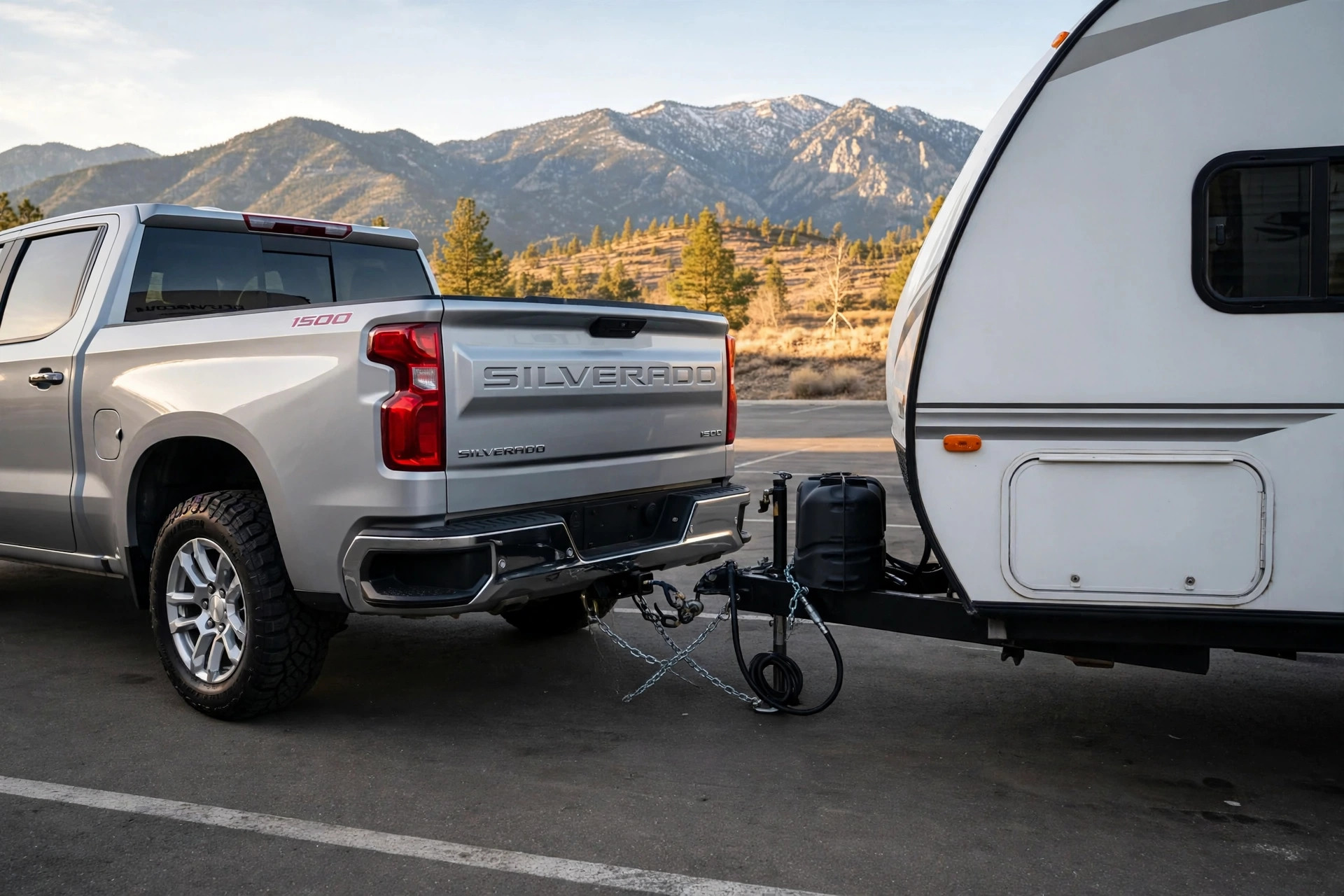
If the trailer is still hitched, confirm the 7-pin connector is seated and the safety chains are crossed. A loose connector can make the DIC show dashes even when the gain is set correctly.
What Happens With No Trailer Connected
With no trailer connected, the system is already idle. The DIC trailer output line shows dashes, and no power goes to the trailer connector.
The gain setting stays where you left it when you turn the truck off. It does not reset on its own. If you set gain to 0.0 and then hitch a trailer later, the trailer brakes will stay off until you raise the gain again.
On 2021 and newer trucks with the Advanced Trailering System, gain is stored per trailer profile and recalled when that profile is active. Setting 0.0 for one profile does not change another profile.
If a warning appears with no trailer connected, the cause is a fault, not a setting. A scan for trouble codes will point to it.
5 Times You Should Never Turn Off the Trailer Brakes
Turning the system off is safe only when the trailer is unhitched or the truck is parked. These five situations call for full trailer braking.
Towing a Loaded Trailer


A loaded trailer needs its own brakes to stop in a safe distance. With gain at 0.0, the truck brakes carry the full weight of the truck and the trailer, and stopping distance grows.
Driving in Rain or Snow
Wet roads cut tire grip for the truck and the trailer. With the trailer brakes off, the trailer can push the truck and start to sway.
Towing Down a Steep Grade
Long downhill runs heat the brakes fast, and trailer brakes share that load. With gain at 0.0, the truck brakes take all of it, and brake fade can follow.
Towing Near Your Weight Limit
Heavy trailers near the truck towing limit depend on trailer brakes for safe stops. Our guide on how to calculate your towing capacity shows how to work out the real number for your truck and trailer.
Testing a New Trailer
A trailer you have never towed needs a gain setup run before any real trip. Drive at 20 to 25 mph on a level road, apply the manual lever fully, and set gain just below the point where the trailer wheels lock.
How Trailer Sway Control Uses Your Trailer Brakes
Trailer Sway Control, known as TSC, is part of the StabiliTrak Electronic Stability Control system. It watches for side-to-side trailer motion while you tow.
When sway grows, it brakes selected truck wheels to pull the combination straight. If your truck has ITBC and the trailer has electric brakes, StabiliTrak may also apply the trailer brakes.
Turning gain to 0.0 does not turn off Trailer Sway Control. TSC stays active as long as StabiliTrak is on. But with gain at 0.0, the system cannot apply the trailer brakes, so it can only brake the truck.
TSC also stops working if you turn StabiliTrak off. The 2021 Silverado 1500 owner manual states that TSC will not function if StabiliTrak or Electronic Stability Control is turned off.
If sway starts, lift off the accelerator slowly and let the truck slow down. Do not brake hard and do not steer sharply. TSC helps, but sway can still cause a crash even with TSC working.
3 Trailer Brake Problems That Look Like a Setting Issue
Some trailer brake faults look like a gain problem, but no button press will fix them. Tell these three apart from a simple setting first.
Service Trailer Brake System Warning
Common causes are a failing control panel switch, damaged wiring at the trailer brake module, often above the spare tire, or a bad ground.
The fix is diagnosis and repair, not a gain change. Our guide to the service trailer brake system warning covers the causes and checks in more detail.
Check Trailer Wiring Message
This message appears when the trailer harness disconnects or the wiring is damaged. Check the 7-pin plug for corrosion and bent pins, and the harness under the truck for rubs and cuts.
Aftermarket Controller Conflict
If an aftermarket brake controller was installed, the factory ITBC must be disconnected. The two controllers must never power the trailer brakes at the same time. If your gain buttons do nothing, check whether an aftermarket unit is wired in.
When a warning stays on after you check the wiring and the gain, have the truck scanned for codes. The ITBC module stores its own codes, and a scan tool that reads them will show the fault fast.
Turn Off the Trailer Brakes Only After You Unhitch
Turning off the trailer brake system on a Chevy Silverado comes down to one setting. Set ITBC gain to 0.0, confirm the DIC reads TRAILER GAIN 0.0, and test the manual lever. It is the only correct way to turn the output off.
Keep the rule simple. Gain at 0.0 is for a parked truck or an unhitched trailer.
Any time a trailer is behind you and rolling, the trailer brakes should be on and set for the load. Check the gain before every tow, and your Silverado will stop the way it was built to stop. That one check costs ten seconds and keeps every stop predictable.
5 Questions About Turning Off Silverado Trailer Brakes
Can I turn off the trailer brake system while driving? You can move the gain buttons while driving, but do not set gain to 0.0 while towing. Park and unhitch first, then set gain to 0.0.
Does turning the gain to 0.0 turn off Trailer Sway Control? Trailer Sway Control stays on as long as StabiliTrak is on. But with gain at 0.0, the system can only brake the truck, not the trailer.
Why does my Silverado show a trailer brake warning with no trailer attached? A warning with no trailer means a fault, not a setting. Check the 7-pin plug and wiring near the trailer brake module, then scan the ITBC module for codes.
Does the gain setting reset when I turn the truck off? Gain stays where you left it. On 2021 and newer trucks, gain is stored per trailer profile and recalled when that profile is active.
Can I use the manual lever with the gain at 0.0? The lever still moves, but it sends no power to the trailer brakes while gain sits at 0.0. Raise the gain first if you need the lever to work.