Toyota Tundra TPMS Reset by Year and Warning Light Fixes 2026

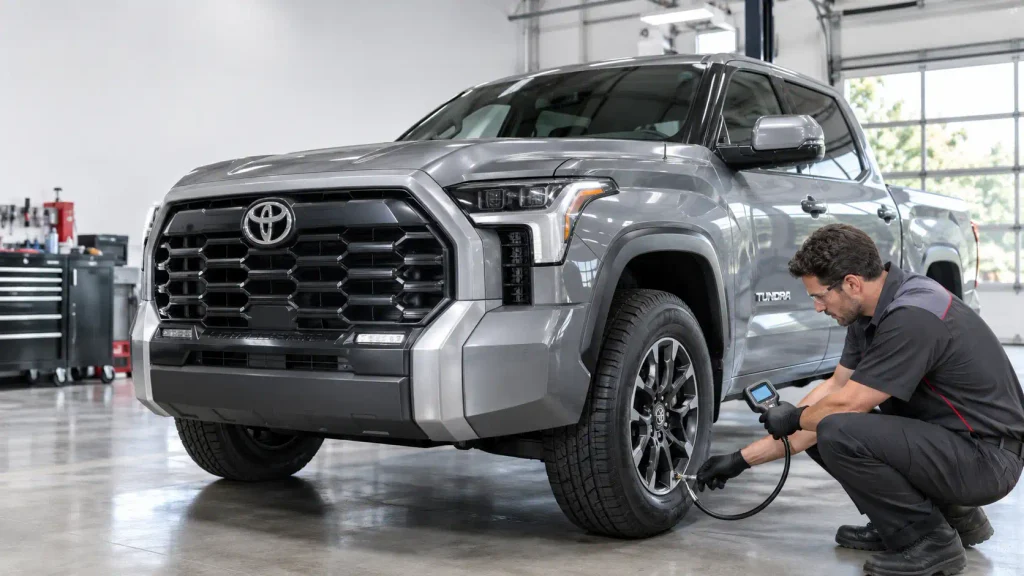
A Tundra TPMS reset starts with checking the cold tire pressures, then using the reset method for your model year. Most 2007–2021 Toyota Tundra trucks use a physical tire-pressure SET switch, while the redesigned 2022–2025 trucks use a TPWS menu in the instrument cluster.
For 2026, check the exact procedure in that year’s owner’s manual rather than assuming the older menu sequence is identical.


Resetting the Tire Pressure Monitoring System (TPMS) does not repair a puncture, revive a failed sensor, or automatically register every replacement sensor. The steps below separate normal pressure initialization from wheel registration and system faults, so you can identify the right fix without repeatedly clearing the warning.
- 01 / Cool the tiresPark and check pressures when tires are cold.
- 02 / Use the door labelInflate to your truck’s specified cold PSI, not sidewall maximum.
- 03 / Check for leaksFix damaged or losing-air tires before initialization.
- Set all tires to the door-label cold pressure.
- Turn ignition to ON, following your year’s manual.
- Hold the TPMS SET switch until the indicator flashes three times.
- Complete the model-year-specific wait or drive cycle, then check the warning and readings.
Year matters: A 2007 Tundra specifies at least seven minutes with ignition ON. The 2021 system uses a tire-position learning drive. Do not apply one timing rule to every year.
- After the parked cooling period, verify all cold tire pressures.
- Use steering-wheel controls to open Vehicle Settings.
- Choose TPWS, then Set Pressure; press and hold OK as prompted.
- Confirm Set Pressure Accepted and three indicator flashes.
- Follow the manual’s learning drive; readings can show dashes temporarily.
Important: Set Pressure initializes inflation reference. Change Wheel is for wheel-sensor registration, not a routine low-pressure reset.
Safety note: Never drive on a visibly underinflated or damaged tire just to complete a reset cycle. Exact procedures vary by year and equipment; your Toyota owner’s manual takes priority.


How to Prepare Your Toyota Tundra for TPMS Reset


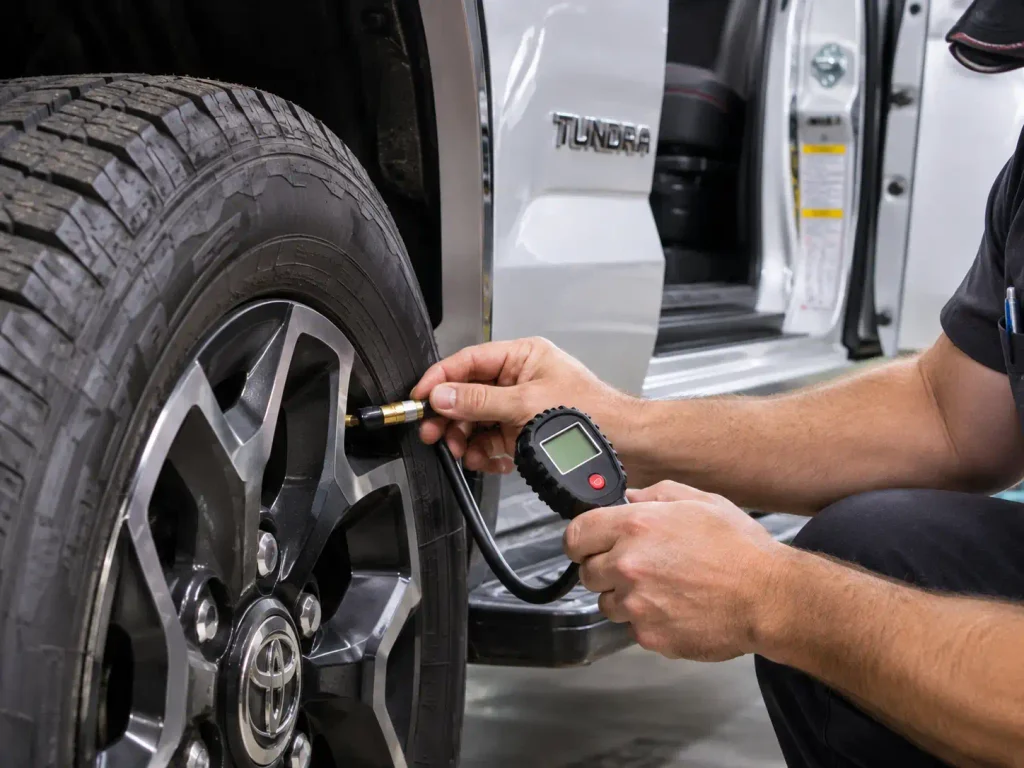
Check tire pressure before pressing a button or selecting a dashboard setting. Initialization teaches the system a reference pressure. If that pressure is wrong, the warning threshold can be wrong too.
- Park safely on level ground and allow the tires to cool. Toyota’s specified pressures are cold tire pressures, not readings taken immediately after highway driving.
- Find the Tire and Loading Information label on the driver’s door opening. Use the pressure specified for your truck and installed tire configuration, not a number copied from another Tundra.
- Check each road tire with a reliable pressure gauge. Add air as needed, and inspect any tire that has lost noticeably more pressure than the others.
- Check the valve stems and tire tread for damage, embedded objects, or signs of a slow leak. Do not treat the warning light as the problem if the tire itself is losing air.
- Have the ignition key or smart key available. The next action depends on the instrument-panel design.
Do not inflate the tires to the maximum PSI molded into the tire sidewall. That marking is not the same as Toyota’s recommended operating pressure. If you need general background on initialization, see our guide to resetting a tire pressure sensor.
Where Is the Tundra TPMS Button Before 2022


On many 2007–2021 Tundra trucks, the tire-pressure reset control is a small physical SET switch marked with a tire-pressure warning symbol or associated SET labeling. It is part of the dashboard or lower instrument-panel switch arrangement, not an option on the main multimedia touchscreen.



The exact location depends on model year and dashboard configuration. Check the instrument-panel illustrations in your owner’s manual rather than pressing an unlabeled switch under the steering column. Toyota’s earlier quick-reference guides show the SET control and its three-blink confirmation procedure.
The redesigned 2022 Tundra is different. On that generation, pressure initialization is selected through the instrument-cluster menus using steering-wheel controls. If you own a 2022 or newer truck, skip the search for an older-style reset button and use the modern-model instructions below.
How to Reset Tundra TPMS From 2007 to 2021


The common older-generation procedure is to set the correct cold pressure, switch the ignition on, then hold the TPMS SET switch until the warning indicator flashes three times. The time needed to finish initialization varies by model year, so the button press alone is not always the end of the process.
Reset Procedure for Earlier Tundra Models


- Park the truck and set all road tires to the specified cold pressures.
- Turn the ignition to ON without driving the truck.
- Find the tire-pressure warning SET switch in the appropriate dashboard location.
- Press and hold the switch until the TPMS warning light blinks three times. Release the switch after the confirmation.
- Allow the system to initialize according to your model-year manual. Do not immediately repeat the procedure just because the light or tire readings need time to update.
For the 2007 Tundra, Toyota’s 2007 TPWS initialization service bulletin specifies leaving the ignition in ON for at least seven minutes after the three flashes. This is a 2007-specific instruction, not a universal wait time for every Tundra.


Reset Procedure for a 2021 Toyota Tundra
The 2021 system includes a tire-position learning drive. After setting the cold pressures, park, turn the engine off, switch the ignition to ON, and hold the reset switch until the indicator flashes three times.
Then drive on a suitable road at approximately 25 mph (40 km/h) or faster for 10–30 minutes, making occasional gentle left and right turns. Initialization is complete when the truck has identified the tire positions and individual pressure readings appear on the multi-information display. Heavy traffic or interruptions can extend that period. These conditions come from the 2021 Toyota Tundra owner’s manual.
For 2008–2020 trucks, follow the manual for your exact year rather than automatically applying the 2007 waiting period or the 2021 driving duration. Toyota changed system behavior and displays over the second generation.
How to Reset Toyota Tundra TPMS Since 2022


The 2022 redesign replaced the older switch-driven pressure initialization with a TPWS menu controlled from the steering wheel. The procedure below is documented for the 2022 generation and is the appropriate starting point for 2022–2025 trucks with the same menu labels.
Use the TPWS Set Pressure Menu
- Park safely, switch the engine off, and wait at least 20 minutes before starting the initialization procedure.
- Confirm that the tires are cold and inflated to the values on your driver’s door label.
- Start the engine while the Tundra remains parked. Never navigate the settings menu while driving.
- Use the steering-wheel meter-control arrows to select the settings gear in the multi-information display.
- Select Vehicle Settings and press and hold OK as directed on the screen.
- Select TPWS, then choose Set Pressure and press and hold OK.
- Look for Set Pressure Accepted and a tire-pressure warning indicator that blinks three times. Temporary dashes instead of numerical tire pressures are normal while the system identifies wheel positions.
- Drive at approximately 25 mph (40 km/h) or faster for 10–30 minutes, with occasional gentle turns. Stop checking the screen while moving; verify the individual PSI readings once it is safe.
The sequence and driving conditions are documented in Toyota’s 2022 Tundra owner’s manual. If initialization still has not finished after roughly one hour of driving, that manual advises parking for about 20 minutes before driving again.
What About a 2026 Toyota Tundra


Toyota lists a separate 2026 Tundra owner’s manual, OM0C084U. Its tire-position learning guidance describes driving at approximately 25 mph (40 km/h) or faster for 10–30 minutes after initialization, until individual tire pressures appear. The complete 2026 driver-facing menu sequence was not independently confirmed, so use the TPWS initialization instructions in the official 2026 Tundra manual. Follow the labels on your truck instead of forcing a 2022 menu sequence if they differ.
Do not select Change Wheel instead of Set Pressure simply to clear a low-pressure light. The two functions have different purposes, explained below.
How to Confirm Your Tundra TPMS Reset Worked
A successful reset has two stages: the truck accepts the initialization command, then the system completes tire-position and pressure learning. Three warning-light flashes confirm that the command was received. They do not always mean that tire readings have finished updating.
On a 2021 or newer display-equipped truck, temporary -- readings can appear during initialization. Once the prescribed drive is complete, the screen should show the individual tire pressures. A warning light that goes out after pressure correction is a good sign, but a pressure gauge remains the best way to confirm actual inflation.
If you are still seeing dashes, follow the driving and waiting guidance for your model year before starting another reset. The 2021 and 2022 procedures allow approximately 10–30 minutes of driving, and both acknowledge that some conditions can delay wheel-position identification.
A blinking light followed by a solid warning, especially after the normal learning period, changes the diagnosis. The next step is troubleshooting, not endlessly repeating initialization.
Why the Toyota Tundra TPMS Warning Light Stays On
A tire-pressure light can report either a pressure problem or a fault in the monitoring system. Treating those two situations as interchangeable leads to unnecessary resets and missed tire damage.
| What You See | Likely Explanation | Next Action |
|---|---|---|
| Solid tire-pressure warning | One or more tires may be low | Check cold PSI and inspect for leaks |
| Flashes for about one minute, then stays on | TPMS malfunction pattern | Diagnose sensors, registration, or receiver |
-- instead of tire readings after a reset | Tire positions may still be learning | Complete the manual’s driving procedure |
| One reading differs from your gauge | Measurement or sensor issue | Recheck with a gauge and investigate the mismatch |
| Warning returns after adding air | Slow leak, temperature change, or unresolved fault | Recheck pressures cold and inspect the tire |
When the Warning Light Is Solid
Start with all four road tires. Low ambient temperatures can reduce tire pressure enough to trigger a warning, but a repeated drop in one tire suggests a leak. Repair the tire if needed, set the proper cold pressure, and then follow the procedure applicable to your year.
When the Warning Light Flashes
A lamp that flashes for approximately one minute before remaining illuminated is a recognized TPMS malfunction pattern. It can involve a depleted sensor battery, an unregistered sensor, interrupted communication, or another system fault. It is not proof that all four tires are properly inflated.
If the display reports pressure values that do not match a handheld gauge, our TPMS sensor reading wrong pressure guide covers additional checks. Verify the tires mechanically before replacing electronic parts.
When Toyota Tundra Sensors Need Registration After Tire Changes
Resetting tire pressure and registering a TPMS sensor are different jobs. A pressure reset initializes the monitoring system using the tires already recognized by the truck. Registration teaches the truck which transmitter IDs belong to the installed wheel set.
| Situation | What Is Usually Needed |
|---|---|
| Air added to existing tires | Correct pressure; initialize when the owner’s manual calls for it |
| Tire rotation using the existing sensors | Tire-position initialization for applicable Tundra systems |
| Tire replacement with original working sensors | Verify pressure and follow the year-specific initialization guidance |
| New TPMS transmitter installed | Register the sensor IDs as required, then initialize |
| Switching between registered wheel sets | Use the supported wheel-set change process for that model |
On some late-model Tundra menus, Change Wheel starts wheel-sensor registration, whereas Set Pressure initializes the pressure reference. The registration procedure can involve a driving cycle, and a sensor that is defective or incompatible may require diagnostic equipment.
For maintenance context after tire installation, see our TPMS sensor after tire change guide. Avoid buying a replacement sensor until you know whether the problem is inflation, initialization, registration, or failed hardware.
When Toyota Tundra TPMS Needs Professional Diagnosis
A reset will not repair an air leak, a damaged tire, or an electronic failure. Seek tire service promptly if a tire looks damaged, repeatedly loses air, or cannot hold the recommended pressure. Do not keep driving on a visibly underinflated tire to complete a TPMS learning cycle.
A qualified technician or Toyota service department should inspect the system when the warning flashes for about a minute then remains on, sensor pressures never return after the specified initialization procedure, or a newly installed transmitter will not register. A TPMS-capable diagnostic tool can help distinguish missing transmitter signals from other system faults.
If the truck reports a sudden loss of pressure, stop in a safe location and inspect the tire before continuing. Tire safety takes priority over turning off the dashboard indicator.
What to Do After Resetting Toyota Tundra TPMS
The correct Tundra TPMS reset depends on the truck’s year and the reason for the warning. Start with cold tire pressures from the driver’s door label. Use the physical SET switch on applicable older trucks, or the TPWS settings menu on newer models. Follow the exact waiting and driving instructions in the owner’s manual.
After the reset, confirm that the individual pressure readings return and that the warning does not reappear. If the lamp flashes and remains on, or pressure keeps dropping, investigate the underlying fault instead of repeating the reset. The best next step is a pressure check or TPMS diagnosis, not another attempt to silence the light.
5 Common Toyota Tundra TPMS Reset Questions
Where Is the TPMS Reset Button on a Toyota Tundra
Many 2007–2021 Tundra models use a physical SET switch in the dashboard or lower instrument-panel controls. Its position varies by model year and cabin configuration, so use the illustration in your owner’s manual. Redesigned 2022-and-newer models use instrument-cluster TPWS settings instead of that older-style reset switch.
How Do You Reset TPMS on a 2024 Toyota Tundra


Check and adjust the cold tire pressures, then use the steering-wheel controls to find Vehicle Settings, TPWS, and Set Pressure. Hold OK as prompted and follow the tire-pressure learning drive instructions. Confirm that the individual pressure readings appear and the warning is cleared before considering the job finished.
Will the Tundra TPMS Light Turn Off After Adding Air
It may turn off once correct pressure is detected, but the time and need for initialization depend on the truck’s TPMS design. Use the cold PSI on the driver’s door label, not the sidewall maximum. A light that stays on after correction warrants further checks for leaks or system faults.
Why Is My Toyota Tundra Tire Pressure Light Blinking
A light that flashes for about one minute and then stays on generally signals a TPMS malfunction rather than a simple low-pressure condition. Sensor communication, battery condition, and ID registration are possible causes. Check tire pressures with a gauge and arrange diagnostic testing if the pattern continues.
Do New TPMS Sensors Need Registration on a Tundra
Yes, replacement transmitters may need their unique ID codes registered before the truck can read them correctly. The steps differ by generation, and later models can provide a Change Wheel menu option. Registering new sensors is not the same action as choosing Set Pressure to initialize tire pressures.