
2012 Ram 1500 Radio Upgrade: Best Units & Required Parts [2026]

Upgrading a 2012 Ram 1500 requires a specific dash kit and CAN-bus interface to ensure modern features like Apple CarPlay work seamlessly while retaining factory functions. The most critical component is the wiring harness adapter, which allows you to keep your steering wheel controls and factory amplifier active.
🎯 Key Takeaways
Recommended Best Deal Products


![AWESAFE [4Core 64GB] Radio for Dodge Ram 1500 2013-2018 Auto AC |…](https://m.media-amazon.com/images/I/41mflhBYd2L._SS500_.jpg)
- A 2009-2012 specific dash kit is required for a flush Double DIN fit.
- Use an iDatalink Maestro or PAC interface to retain steering wheel controls.
- Verify if you have the Alpine premium audio system before purchasing harnesses.
- Minor trimming of the metal sub-dash bracket may be necessary for deep units.
- An antenna adapter (Fakra to Motorola) is essential for FM/AM radio reception.
Upgrading the radio in your 2012 Ram 1500 requires three specific components to work: a double-DIN dash kit, a CAN-bus wiring interface, and an antenna adapter. Because the 2012 model year sits at the end of the “pre-Uconnect 8.4” era, your truck uses a traditional DIN-style mounting system but relies on a complex digital data bus to turn the radio on and off. If you simply strip and twist wires like an old-school install, your new head unit will not receive a 12V accessory signal, and your steering wheel buttons will become useless.

Prime for Young Adults — 6 Months Free
Students and 18–24s get six months of Prime free, then half price.
Start 6 Months Free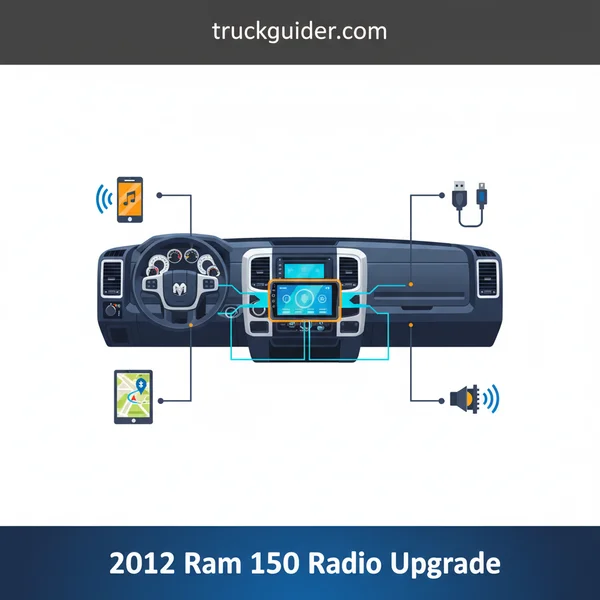
Focusing on the right parts ensures you don’t have to cut into your factory sub-dash or lose your factory-amplified Alpine system if your truck is so equipped. By choosing a modern head unit with a shallow-mount chassis, you can avoid the common headache of hitting the metal support bracket located directly behind the factory radio. This guide identifies the exact hardware you need to bridge the gap between 2012 Chrysler tech and modern Apple CarPlay or Android Auto functionality.
Essential Hardware: Dash Kits and CAN-bus Interfaces
The 2012 Ram 1500 dash features a radio with distinctive “ears” or rounded corners. A standard aftermarket radio is a perfect rectangle, meaning you cannot simply bolt it in. You must use a vehicle-specific kit to fill the gaps and provide the structural support needed for a heavy touchscreen unit.

The Dash Kit: Metra 95-6511 vs. Scosche CR1294B
For a clean, factory-style finish, the Metra 95-6511 is the industry standard. It provides a recessed fit that helps reduce glare on your new touchscreen. Alternatively, the Scosche CR1294B offers a slightly different texture that some owners feel matches the Ram’s plastic trim more closely. Both kits include the side brackets that screw into the factory locations, ensuring the radio doesn’t rattle or sag over time. When installing these, ensure you retain the factory screws from the original radio, as the kits rarely include the specific fine-thread screws needed for the Ram’s sub-dash.
The Wiring Interface: iDatalink Maestro vs. PAC
Your 2012 Ram does not have a standard “switched” power wire at the radio harness. Instead, the truck sends a digital “turn on” command via the CAN-bus system. To translate this for an aftermarket radio, you need a smart interface. The iDatalink Maestro RR is the premium choice. When paired with the CH1 wiring harness, it allows you to retain steering wheel controls and even view real-time engine data, tire pressure, and battery voltage on your new radio screen.
If you prefer a simpler, “plug-and-play” experience without the need for computer programming, the PAC RP4-CH11 is the best alternative. It is pre-programmed for the 2012 Ram and handles the steering wheel button mapping automatically. Both units are essential if you have the factory Alpine system (identified by the logo on your dash speakers), as they provide the necessary signal to trigger the factory amplifier and manage the center channel and subwoofer.
Antenna and USB Retention
Chrysler used a unique locking antenna plug in 2012 that is incompatible with the standard Motorola port found on Pioneer or Alpine units. You must purchase a Metra 40-EU10 antenna adapter. Without this $10 part, you will have no AM/FM reception. Furthermore, if your truck has a factory USB port in the center console or glove box, you will need a separate USB retention cable to jump that port to the back of your new radio, otherwise, that port will only provide power and no data for CarPlay or Android Auto.
2012 Ram 1500 Radio Upgrade Made Easy: Your Essential Action Plan
Recommended Best Deal Products


Upgrading the factory radio in a 2012 Ram 1500 is one of the most rewarding modifications you can perform on your truck. While the original head unit was functional for its time, it lacks the modern connectivity features like Apple CarPlay, Android Auto, and high-resolution touchscreens that we rely on today. This guide will walk you through the entire process of replacing your base or premium factory radio with a modern aftermarket unit. Following these steps carefully is vital to ensure you don’t damage your dashboard plastics, short out any electrical components, or lose integrated features like steering wheel controls and backup cameras. By the end of this walkthrough, you will have a professional-grade installation that looks like it came straight from the factory.
Step 1: Choosing and Preparing Your Hardware
What you need: A new Double-DIN or Single-DIN head unit, a vehicle-specific dash kit (e.g., Metra or Scosche), a wiring interface module (like the PAC RP4-CH11 or iDatalink Maestro), and an antenna adapter.
Instructions: Before you touch a single screw, you must ensure you have the correct integration parts. The 2012 Ram 1500 uses a CAN-bus system, meaning a simple wire-to-wire harness won’t suffice if you want to keep your steering wheel controls and factory amplifier (if equipped). Research whether your truck has the Alpine premium system or the base 4-speaker setup. Purchase a dash kit that matches your interior color—most are black or slate gray. Once your parts arrive, unbox everything and verify that the mounting brackets fit the side of your new radio. This preparation phase prevents the frustration of having your dashboard torn apart only to realize you are missing a $15 adapter.

Audible — Listen Free for 30 Days
One free credit a month and thousands of titles included.
Listen Free for 30 DaysPro Tip: Spend the extra money on an iDatalink Maestro RR module if your budget allows. It allows you to view engine diagnostics and tire pressure directly on your new radio screen, significantly enhancing the “high-tech” feel of the upgrade.
Step 2: Disconnecting the Power Supply
What you need: A 10mm wrench or socket set.
Instructions: Safety is paramount when working with a vehicle’s electrical system. Open the hood and locate the battery. Using your 10mm wrench, loosen the nut on the negative (black) battery terminal and pull the cable off the post. Tuck it aside so it cannot accidentally make contact with the terminal. This step is critical because modern head units and interface modules are sensitive to power surges. Furthermore, you will be working near the airbag deployment sensors located behind the dashboard. Disconnecting the battery ensures that you don’t accidentally trigger a fault code or, in a worst-case scenario, an airbag deployment while maneuvering the dashboard panels.
Pro Tip: After disconnecting the cable, wait about 5 to 10 minutes before starting the dash disassembly. This allows any residual electricity in the capacitors to drain completely, providing an extra layer of safety.
Step 3: Removing the Center Dash Bezel
What you need: A T20 Torx driver and a plastic panel removal tool.
Instructions: The center bezel on a 2012 Ram 1500 is held in by a combination of screws and friction clips. First, look at the top of the center dash—there is a small rubber mat inside a storage tray. Lift this mat to reveal two T20 Torx screws. Remove these and set them in a safe place, like the cup holder. If your truck has a 115V power outlet, there may be an additional screw behind a small plastic cover in that area. Once the screws are out, use your plastic panel tool to gently pry the top edge of the bezel away from the dashboard. Work your way down the sides, popping the clips one by one. Do not pull too hard, as the climate control wires are still attached to the back of the bezel.
Pro Tip: Use only plastic pry tools. Using a metal screwdriver will almost certainly gouge or scratch the soft-touch plastic of your Ram’s dashboard, leaving permanent marks that are difficult to hide.
Step 4: Extracting the Factory Head Unit
What you need: A Phillips head screwdriver or an 8mm socket/nut driver.
Audible Premium Plus — Annual Membership
12 audiobook credits up front, plus the full Audible catalogue.
See Annual PlansInstructions: With the bezel pulled forward, reach behind it and unplug the wire harnesses connected to the climate controls and the traction control/tow-haul buttons. Set the bezel aside. You will now see the factory radio held in place by four Phillips head screws (or 8mm bolts, depending on the specific trim). Remove these four screws and pull the radio straight toward you. On the back, you will find the main gray harness, the white antenna cable, and potentially a yellow satellite radio cable or a blue USB cable. Press the release tabs on each connector to unplug them. If your truck has the Uconnect module, it may be located behind the radio; you can usually leave this disconnected if your new radio has its own Bluetooth functionality.
Pro Tip: The edges of the internal metal dashboard supports can be quite sharp. Consider wearing light mechanics’ gloves or being extremely cautious when reaching into the dash cavity to avoid cuts.
Step 5: Wiring the Interface Harness
What you need: Wire strippers, crimp connectors (or a soldering iron with heat shrink tubing), and the wiring diagram for your new radio.
Instructions: This is the most technical part of the install. You must connect the wires from your new radio’s harness to the wires on the vehicle-specific interface module you purchased in Step 1. Most manufacturers follow a standard color code: Yellow is constant 12V power, Red is switched accessory power, Black is ground, and the various striped/solid colors (Purple, Green, White, Gray) represent the four speakers. If you are using a PAC or Maestro module, follow their specific instructions to “flash” or program the module via a computer first. Match the colors, strip about 1/4 inch of insulation, and join them securely. Ensure the “Parking Brake” wire (usually light green) is connected properly if you want to access settings or video features on the screen.
Pro Tip: Use “Posi-Products” twist-on connectors or solder your connections. Avoid using “T-taps” or cheap electrical tape, as the vibrations of a truck can cause these connections to loosen over time, leading to intermittent sound or power loss.
Step 6: Installing the Dash Kit and Mounting the Radio
What you need: The aftermarket dash kit and the screws provided with your new radio.
Instructions: Aftermarket radios are generally smaller than the factory “oversized” units, so the dash kit fills the gaps. Attach the plastic side brackets from your kit to the sides of your new radio. You will need to align the radio so that it sits flush with the front of the dash kit’s trim ring. Use the short screws provided by the radio manufacturer—using screws that are too long can puncture the internal circuit boards of the head unit. Once the brackets are on, slide the unit into the main dash kit frame. This assembly should now mimic the shape and mounting points of the original factory radio you removed earlier. Test the fitment by holding it up to the dash opening before proceeding to the final wiring.
Pro Tip: If your new radio has a motorized screen or a very thick faceplate, make sure to test the clearance within the trim ring. Sometimes you need to adjust the radio slightly forward or backward in the side brackets to ensure smooth operation.
Step 7: Routing the Microphone and USB Cables
What you need: A zip tie and the microphone/USB cables included with your new radio.
Instructions: Modern radios require an external microphone for clear Bluetooth calling. The best location in a Ram 1500 is either on top of the steering column or near the rearview mirror. Route the wire through the dash, behind the instrument cluster, and up to your chosen spot. Similarly, if your radio features wired Apple CarPlay or Android Auto, you need to route a USB cable. Many Ram owners choose to drill a small hole in the back of the “top-dash” storage cubby or route the cable down through the center console. Ensure these cables are secured with zip ties so they don’t interfere with the foot pedals or get pinched by moving parts inside the dashboard. Avoid routing the microphone wire too close to high-current power wires to prevent electrical interference.
Pro Tip: For a truly “factory” look, you can purchase a USB flush-mount port. This allows you to replace the 12V cigarette lighter socket with a dedicated USB port that plugs directly into the back of your new radio.
Step 8: Final Connection and Testing
What you need: All prepared harnesses and the 10mm wrench.
Instructions: Bring your new radio assembly to the truck. Plug the antenna adapter into the factory antenna lead, then plug that into the radio. Connect the wiring harness from the radio into the interface module, and the interface module into the factory vehicle harness. If you have a backup camera, plug the RCA cable into the “Camera In” port. Once all connections are secure, carefully slide the radio into the dash and secure it with the four screws you removed in Step 4. Reconnect the negative battery terminal. Turn the key to the “ACC” position. Verify that the radio powers on, check the sound from all speakers, test the steering wheel buttons, and ensure the backup camera triggers when you shift into reverse.
Pro Tip: Do not snap the large plastic dash bezel back on until you have verified every single function. It is much easier to fix a loose wire now than it is to pull the dash apart a second time.
✅ Final Checklist
- Confirm the radio retains power after the key is removed but turns off when the door opens (RAP feature).
- Verify that all speakers (Front/Rear/Left/Right) are firing correctly using the Fader/Balance settings.
- Test the steering wheel volume and track skip buttons to ensure the interface module is programmed.
- Check that the AM/FM radio signal is clear, indicating the antenna adapter is seated properly.
- Ensure the climate control buttons and 115V outlet (if applicable) are functioning after re-plugging the bezel.
Important Notes:
- Safety: Always wear eye protection when working with electrical wiring and ensure the parking brake is engaged if you are testing the backup camera.
- Professional Help: If your truck has a complex factory rear-seat entertainment system or if you are uncomfortable with soldering, consult a local car audio specialist.
- Estimated Time: 2 to 4 hours depending on experience.
- Cost Range: $300 to $800+ (depending on the quality of the head unit and interface modules).
Top Modern Head Unit Options for the 2012 Ram
When selecting a unit, depth is your biggest constraint. The 2012 Ram has a metal support brace behind the dash that can make deep, traditional CD-player units difficult to fit. Shallow-mount “mechless” (no CD player) units are highly recommended for this specific installation.
Premium Name-Brand Units: Sony, Pioneer, and Alpine
For those prioritizing reliability and sound quality, the Sony XAV-AX4000 and Alpine iLX-W650 are top contenders. The Alpine unit is notably thin—less than 3 inches deep—which provides massive amounts of room for your wiring harnesses and CAN-bus modules to sit tucked neatly behind it. Sony units are favored for their physical buttons, which are easier to use than touch-capacitive sliders while driving a truck with a firm suspension.
- Sony XAV-AX4000: Offers wireless Apple CarPlay and Android Auto, which is a significant upgrade for a 2012 interior.
- Pioneer DMH-W2770NEX: A balanced mid-range option that fits the Metra dash kit perfectly with zero trimming required.
- Alpine iLX-507: High-resolution screen that pairs exceptionally well with the iDatalink Maestro for displaying gauges.
Android-Based ‘Plug and Play’ Screens
You may see “Tesla-style” or large 10-inch vertical screens from brands like Joying or Teyes marketed specifically for the Ram. These are budget-friendly and often come with the dash kit and wiring already attached. While they offer a modern “wow factor” and large GPS maps, be aware that their internal amplifiers rarely match the sound quality of a Pioneer or Kenwood. They are essentially Android tablets modified for car use. If you choose this route, ensure the listing specifically mentions compatibility with the 2012 “Non-Uconnect 8.4” dash, as the 2013+ versions are physically different and will not bolt into your 2012 dashboard.
Retaining Factory Features: Steering Wheel and Backup Camera
Recommended Best Deal Products


One of the biggest concerns for 2012 Ram owners is the fear of losing the “creature comforts” they already enjoy. You don’t have to sacrifice your steering wheel buttons or your clear view of the trailer hitch just to get Apple CarPlay. However, these features don’t work “out of the box” with an aftermarket head unit without the right integration modules.
Mastering Steering Wheel Controls (SWC)
In your 2012 Ram, the steering wheel buttons communicate via a digital BUS system. To keep these functioning, you need an interface like the iDatalink Maestro RR or a PAC ControlPRO. The Maestro is particularly popular among Ram enthusiasts because it does more than just map buttons; it can also display engine performance data and tire pressure directly on your new radio screen.
- Programmable Buttons: Most interfaces allow you to “dual-map” buttons (e.g., a short press for volume, a long press to trigger Siri or Google Assistant).
- Plug-and-Play Harnesses: Look for vehicle-specific harnesses that eliminate the need to cut your truck’s factory wiring.
- Voice Command: Ensure your chosen interface supports the factory Uconnect voice button if you wish to keep that functionality.
Integrating the Factory Backup Camera
If your Ram came equipped with a rearview camera in the tailgate handle, the signal is likely sent through the factory harness to the original screen. To transition this to an aftermarket unit, you will need a 12-volt to 6-volt converter (in some trim levels) and a specialized RCA adapter. If your camera currently displays in your rearview mirror rather than the radio, it will stay there unless you specifically reroute the wiring to the new head unit.
Critical Sub-Dash Clearance and Fitment Considerations
The 2012 Ram 1500 dash is deceptively tight. While a Double-DIN radio will physically fit into the outer bezel, the space behind the dash is often obstructed by a structural metal or plastic bracket. Knowing how to handle this “hidden” hurdle is the difference between a clean install and a frustrating afternoon.
The Internal Bracket Obstacle
Most standard Double-DIN units are about 6 to 7 inches deep. Behind the factory radio in the 2012 model, there is a support bracket that often prevents these deeper units from sliding all the way in. You have two primary options here:
- Modification: You may need to use a small handsaw or dremel tool to trim a portion of the internal plastic or metal support. This doesn’t affect the structural integrity of the dash but is necessary for depth.
- “Mechless” Units: To avoid cutting, many owners choose a “mechless” head unit. These are radios without a CD/DVD player. They are significantly shallower (often only 2-3 inches deep), providing ample room for wiring and modules without any dash modification.
Managing the “Rats Nest” of Wires
Once you add the radio, the SWC interface, the chime module, and the USB cables, the space behind the dash gets crowded very quickly. It is vital to tuck your modules into the voids on the left or right sides of the radio cavity, rather than directly behind the unit. Using cloth Tesa tape to bundle your wires can prevent annoying rattles and protects the wires from sharp edges inside the sub-dash.
Conclusion
Upgrading the radio in your 2012 Ram 1500 is one of the most impactful ways to modernize your driving experience. By selecting a high-quality Double-DIN unit and the correct integration modules like the iDatalink Maestro, you can enjoy 2024 technology without losing your 2012 factory features. Remember to prioritize depth clearance—opting for a mechless unit can save you from having to modify your internal dash supports.
Next Steps: First, decide if you truly need a CD player; if not, go for a shallow-mount unit to make the installation easier. Second, head over to a fitment guide to verify your specific trim level’s harness requirements. Your truck is a workhorse—give it the tech upgrade it deserves and enjoy the road again!
💬 Quick Questions & Answers
Do I need a special dash kit for the 2012 Ram?
Yes, you need a kit designed specifically for the 2009-2012 dash shape to house a modern Double DIN unit.
Will I lose my steering wheel controls?
Not if you use a compatible wiring interface like the PAC RP4-CH11 or iDatalink Maestro RR.
Does a 2012 Ram need an antenna adapter?
Yes, Dodge uses a unique Fakra-style connector that requires an adapter for aftermarket radios.
Is trimming required for a 7-inch screen?
Many Double DIN installs require minor trimming of the plastic or metal sub-dash bracket for depth clearance.
Can I keep my factory backup camera?
Yes, but you will need a specific RCA adapter to feed the factory video signal into the new head unit.
❓ Frequently Asked Questions
What is the best wiring harness for a 2012 Ram 1500 upgrade?
The iDatalink Maestro RR is the gold standard because it retains steering wheel controls and can display engine data on the screen. The PAC RP4-CH11 is a reliable, more affordable alternative for basic integration.
Can I install a radio from a 2013-2018 Ram into my 2012 model?
No, the 2013+ models use a completely different electronic architecture and dash layout known as the Uconnect 8.4 system. Aftermarket units are the only viable path for a 2012 upgrade.
How do I know if my 2012 Ram has the Alpine Premium Sound system?
Check for an ‘Alpine’ logo on the dashboard speakers or the presence of a center-channel speaker. If you have it, you must use a harness that supports factory-amplified systems.
What is the benefit of an ‘Android-style’ plug-and-play unit?
These units often come with the dash bezel integrated and offer a larger ‘Tesla-style’ screen. However, they often lack the long-term software support and sound quality found in brands like Sony or Alpine.
Will an aftermarket radio drain my battery in a 2012 Ram?
Only if wired incorrectly; the Ram uses a CAN-bus system, so you must use a proper interface that provides a switched 12V ‘Accessory’ signal. Connecting to constant power will cause drain.
What parts are needed to retain the factory console USB port?
You will need a specialized USB adapter cable that connects the vehicle’s factory mini-USB plug to the back of the new radio. Note that older ports may only support charging and not high-speed data for CarPlay.
![2017 Ram 2500 Transmission Specifications, Maintenance, [2026]](https://truckguider.com/wp-content/uploads/2026/03/featured-9b105d51-768x768.webp)
![P0463 Dodge Ram 1500: Fix & Reset Guide [2026]](https://truckguider.com/wp-content/uploads/2026/03/p0463-dodge-ram-1500-featured.webp)