1999 Chevy Silverado Radio Wiring Diagram: 2026 Pinout Guide

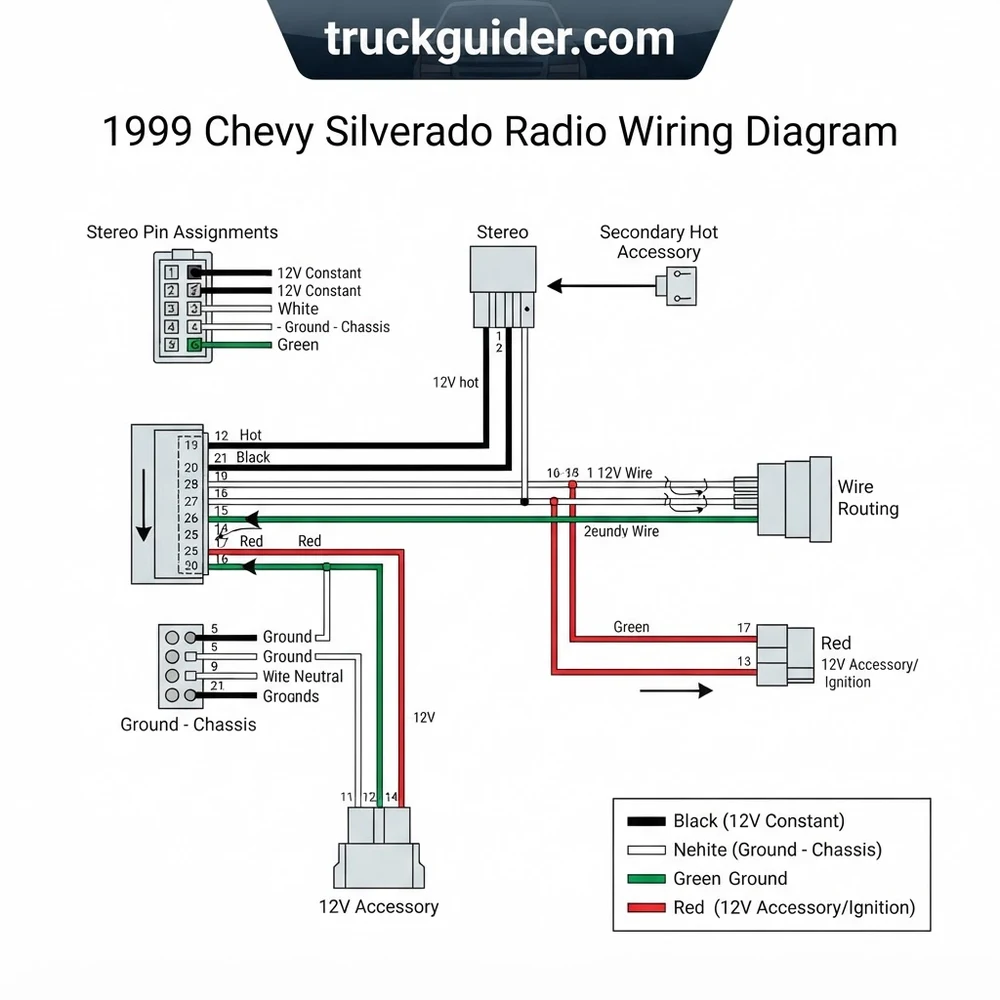
The 1999 Chevy Silverado factory stereo uses a standard Delco harness. The battery hot wire is orange (constant 12V), the switched accessory wire is yellow (12V switched), and the ground wire is black. Front speaker pairs are tan/gray (left) and light green/dark green (right). Rear speakers are brown/yellow (left) and dark blue/light blue (right).
📌 Key Takeaways
- Orange wire provides constant +12V battery power; Yellow wire provides switched +12V ignition power.
- Primary chassis ground wire is solid Black; never splice ground into the Brown illumination circuit.
- 1999 GMT800 Silverado models operate on standard 12V DC systems and do not require Class 2 databus adapters.
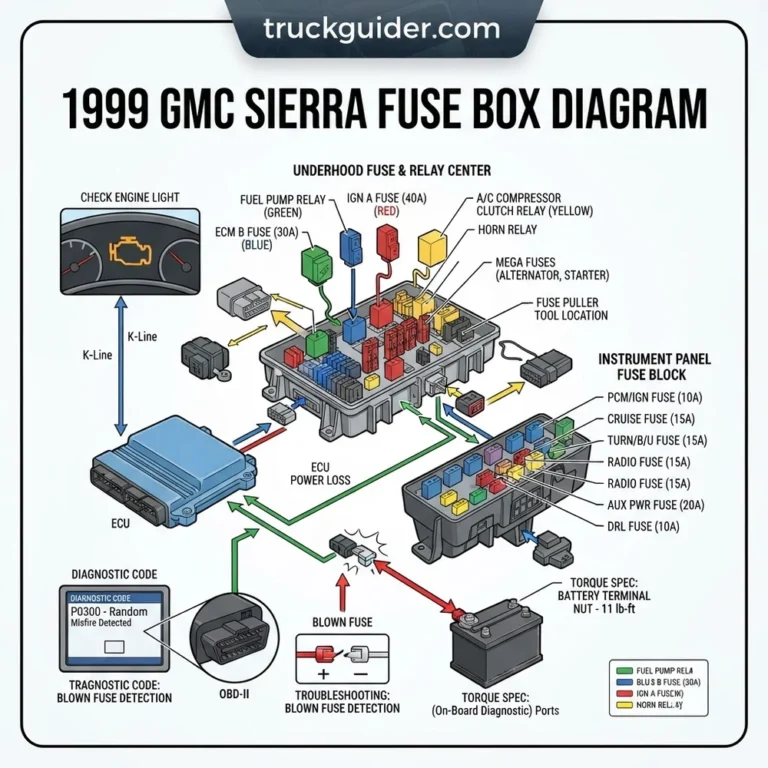
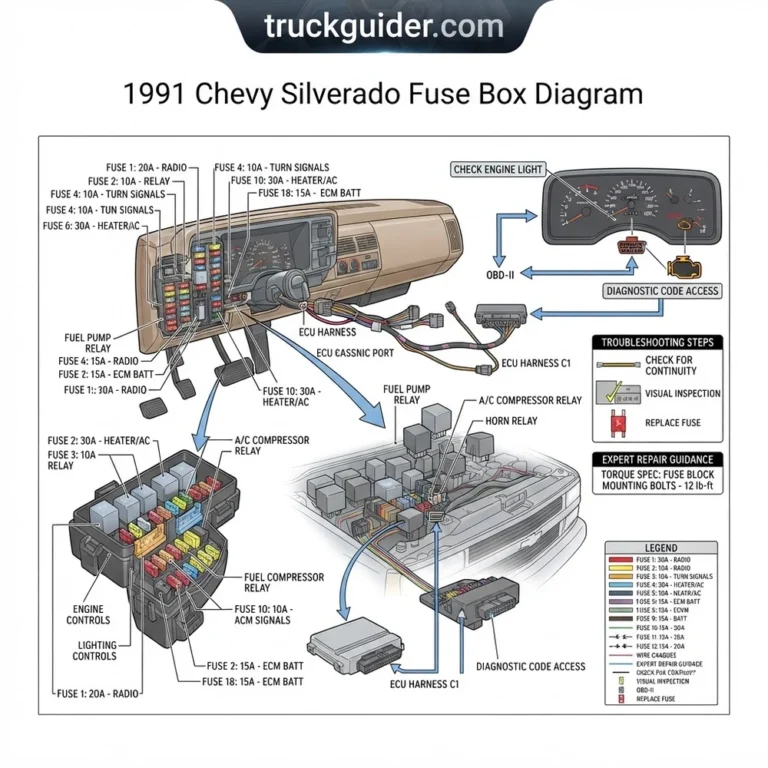
- Accidental short circuits often blow the 15-amp ‘RADIO’ or ‘INFO’ fuse in the underhood electrical center.
- Use an aftermarket harness adapter (Metra 70-1858 or equivalent) rather than cutting the factory wiring.
Upgrading or diagnosing the factory sound system in a 1999 Chevrolet Silverado requires an accurate, comprehensive reference schematic. Because 1999 was a major transition year for General Motors light-duty trucks, audio system electrical architectures diverge significantly depending on the production line. Technicians, auto electricians, and seasoned DIY builders must verify wire color code sequences, pin assignment locations, terminal block configurations, and direct voltage potentials before stripping cables or crimping harness connectors. Splicing into an unverified hot wire or confusing an analog illumination circuit with a chassis ground wire will cause blown fuses, drained batteries, or permanent damage to aftermarket audio components. The technical data below details factory schematics, terminal pinouts, wire gauges, and integration procedures for the 1999 model year.


1999 Chevy Silverado Radio Wiring Diagram: GMT800 vs Classic Pinouts
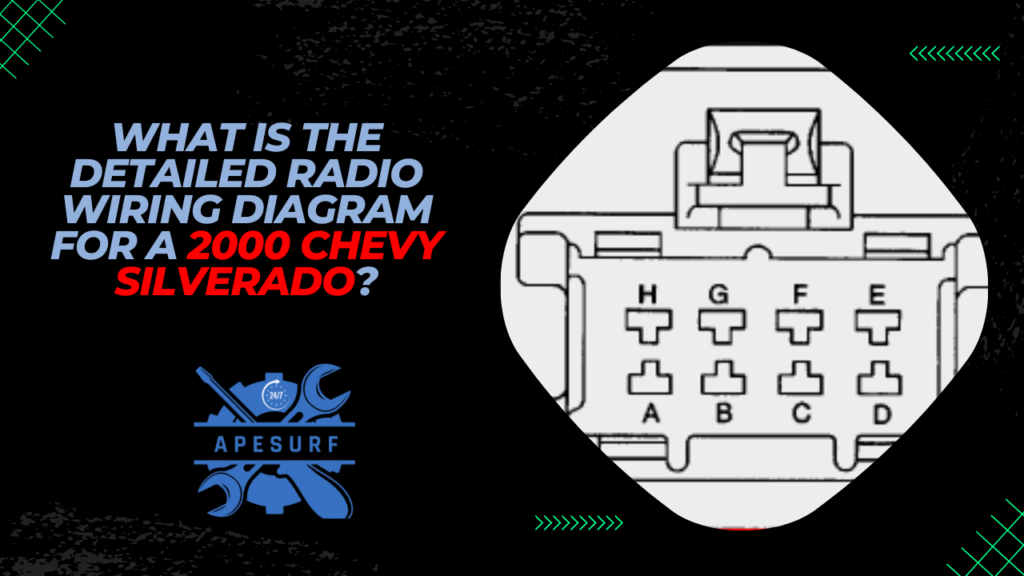
The 1999 model year represents the structural boundary between two distinct General Motors truck architectures: the legacy GMT400 platform (badged as the “C/K Classic”) and the introduced GMT800 platform (the redesigned Silverado 1500 and 2500). Identifying the exact platform of the truck is mandatory prior to consulting a 1999 chevy silverado radio wiring diagram. The two platforms use different dashboard geometries, wiring harness routing, fuse terminal block allocations, and OEM radio connectors.
The GMT400 Classic carries over the 1995–1998 electrical distribution scheme. It features dual 8-pin or dual 14-pin Delco radio plugs configured in two side-by-side terminal blocks (often color-coded blue and black/white). The radio cavity in the GMT400 is restricted to a 1.5-DIN form factor (roughly 3 inches high by 7 inches wide) with integrated dashboard clips and rear mounting slide brackets. If your dashboard uses a sweeping rectangular trim bezel that encompasses the entire instrument cluster and the HVAC controls with mechanical sliders, the truck belongs to the GMT400 series.
The 1999 GMT800 Silverado 1500/2500 features a redesigned interior with a modular dashboard fascia. Its factory audio system interfaces through a single 21-pin (or split 9-pin/12-pin layout) Delphi Micro-Pack connector. The factory radio cavity size remains a nominal 1.5-DIN opening; however, the internal structural bracing, dashboard subframe, and depth clearance differ substantially from its predecessor. Upgrading to a modern double-DIN head unit on a GMT800 requires an aftermarket dash installation kit (such as the Metra 95-3003B or Scosche GM1583B) combined with sub-dash plastic bracket trimming to clear the radio chassis heat sink.
Never rely solely on registration paperwork to determine truck generation. Verify the 10th digit of the VIN (X for 1999) and check the front bumper styling and dash shape. The GMT800 features the characteristic rounded front sheet metal and a smooth, curved instrument bezel secured with spring clips rather than exposed Torx screws. For related instrument cluster troubleshooting, consult our guide to Silverado GMT800 instrument cluster wiring.
A critical operational difference lies in the factory power architecture. While later 2003–2006 GMT800 vehicles rely on the GM Class 2 Serial Data bus to command the radio on and off via digital packets, the 1999 GMT800 retains standard analog switched ignition feeds. This makes the 1999 Silverado harness far simpler to integrate, provided you do not cross-reference later wiring schematics.
1999 Silverado Stereo Wire Color Code, Pin Assignment, and Terminal Blocks
The factory radio harness connector in the 1999 GMT800 Silverado uses a 21-pin Delphi connector (often cross-referenced to GM Part # 15306057). The terminal block is split logically into Cavity A (top row, pins A1 through A12) and Cavity B (bottom row, pins B1 through B9). Wire gauges across this connector range from 18 AWG (American Wire Gauge) for low-current signal and speaker runs to 16 AWG for constant battery and chassis ground pathways.
The circuit design utilizes an analog positive trigger topology. The primary constant 12V battery power lead delivers continuous battery voltage to maintain memory registers and internal clock functions, routed through the 15A “RADIO” fuse in the underhood electrical center. The switched 12V accessory lead transitions from 0V to 12V when the key rests in the “ACC” or “RUN” positions, supplied by the 10A “IGN 3” fuse in the driver-side instrument panel fuse block. The chassis ground lead completes the circuit directly back to the instrument panel splice pack (SP200), located near the steering column base.
Factory Supply Voltages: Constant B+ (Pin A9): 12.2V–14.4V DC continuous. Switched ACC (Pin A8): <0.5V DC (Key Off), 12.2V–14.4V DC (Key Run/ACC). Ground Circuit Resistance (Pin A12 to chassis): <0.2 Ohms. Nominal Speaker Load: 4.0 Ohms nominal impedance per speaker channel.
| Pin Assignment | Circuit # | OEM Wire Color | Circuit Function | Operating Voltage / Gauge | Aftermarket EIA Equivalent |
|---|---|---|---|---|---|
| A1 | — | Not Used | Factory Cavity Empty | N/A | Not Connected |
| A2 | — | Not Used | Factory Cavity Empty | N/A | Not Connected |
| A3 | 199 | Brown | Left Rear Speaker (+) | Audio AC Signal / 18 AWG | Purple |
| A4 | 116 | Yellow | Left Rear Speaker (-) | Audio AC Signal / 18 AWG | Purple / Black Stripe |
| A5 | 118 | Gray | Left Front Speaker (-) | Audio AC Signal / 18 AWG | White / Black Stripe |
| A6 | 201 | Tan | Left Front Speaker (+) | Audio AC Signal / 18 AWG | White |
| A7 | — | Not Used | Factory Cavity Empty | N/A | Not Connected |
| A8 | 43 | Yellow | Switched 12V Accessory Lead (ACC) | +12V Switched / 18 AWG | Red |
| A9 | 340 | Orange | Constant 12V Battery Power Lead (B+) | +12V Continuous / 16 AWG | Yellow |
| A10 | 8 | Brown / White | Instrument Panel Dimming / Illumination | 0V–12V Rheostat / 18 AWG | Orange / White Stripe |
| A11 | — | Not Used | Factory Cavity Empty | N/A | Not Connected |
| A12 | 151 | Black | Chassis Ground Lead | Ground (0V Reference) / 16 AWG | Black |
| B1 | 46 | Dark Blue | Right Rear Speaker (+) | Audio AC Signal / 18 AWG | Green |
| B2 | 115 | Light Blue | Right Rear Speaker (-) | Audio AC Signal / 18 AWG | Green / Black Stripe |
| B3 | 117 | Dark Green | Right Front Speaker (-) | Audio AC Signal / 18 AWG | Gray / Black Stripe |
| B4 | 200 | Light Green | Right Front Speaker (+) | Audio AC Signal / 18 AWG | Gray |
| B5–B9 | — | Varies | Optional CD Changer / Slave Cassette | Low-Level Audio / Shielded | Not Connected |
In standard base-trim setups, positions B5 through B9 on the terminal block remain depopulated. On trucks equipped with the factory external console cassette deck or remote multi-disc CD changer, pins B5 through B9 route audio left, right, and drain/ground circuits directly between the remote player and the primary head unit receiver. If you are retrofitting an aftermarket head unit, these secondary inputs are abandoned, as the replacement receiver manages auxiliary and media playback internally.


1999 Chevy Silverado Radio Wiring Diagram vs Aftermarket EIA Colors
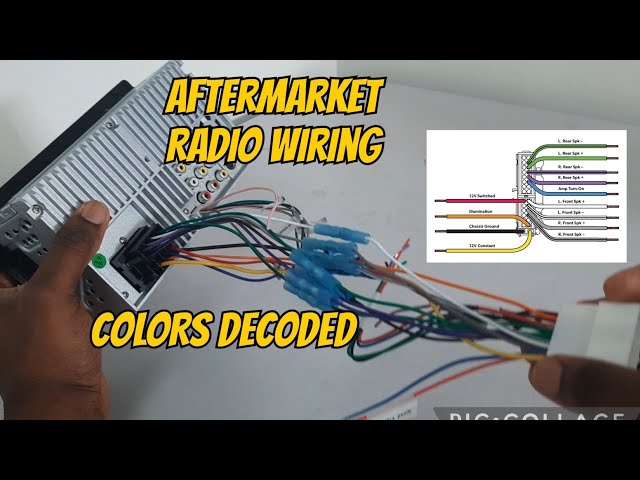
The single most catastrophic mistake made during head unit installation in a 1999 Silverado is “color-to-color” matching between the OEM harness and an aftermarket stereo pigtail. The Electronic Industries Alliance (EIA) established an industry-standard wire color coding protocol for aftermarket car audio equipment. General Motors, however, engineered its internal wiring schemes independently long before the EIA standard was universally adopted by adapter manufacturers.
Do NOT match GM wire colors directly to aftermarket harness colors. In the 1999 Silverado harness, the GM Yellow wire provides Switched +12V Ignition, while the EIA aftermarket Yellow wire represents Constant +12V Battery memory. Splicing GM Yellow to EIA Yellow reverses your switched and continuous feeds, resulting in parasitic battery drain and memory loss when the ignition key is removed.
Furthermore, the OEM GM wire color code utilizes an Orange wire for constant battery power (+12V DC at all times). Under the aftermarket EIA wire color standard, an orange wire denotes the illumination or dimmer signal. If an installer splices the GM OEM Orange wire into an aftermarket radio’s EIA Orange wire, full unswitched battery voltage is fed directly into the receiver’s internal dimming logic board. This error routinely blows internal logic traces or backfeeds the truck’s interior lighting cluster.
| Circuit Function | GM Factory Wire Color | Aftermarket EIA Color | Wiring Error Consequence |
|---|---|---|---|
| Constant 12V Battery Power | Orange (Pin A9) | Yellow | Connecting GM Orange to EIA Orange burns dimmer board. |
| Switched 12V Accessory | Yellow (Pin A8) | Red | Connecting GM Yellow to EIA Yellow creates parasitic drain. |
| Chassis Ground | Black (Pin A12) | Black | Matches standard (Direct Ground). |
| Illumination / Dimmer | Brown / White (Pin A10) | Orange / White | Incorrect pairing causes dash lights to flicker or pop fuse. |
| Left Rear Speaker (-) | Yellow (Pin A4) | Purple / Black Stripe | Confusing GM Speaker Yellow with GM Switched Yellow shorts amp. |
A notable benefit of the 1999 GMT800 architecture compared to 2003–2006 Silverado radio wiring is its isolation from digital network systems. In 2003 and later trucks, the factory radio acts as an active node on the GM Class 2 data network, sounding driver warnings and door chimes through the front left speaker. Installing an aftermarket head unit on those later platforms requires a complex data-bus integration module (such as the PAC OS-2X or Crux SOOGM-15). The 1999 Silverado requires no data bus module; an installer can use a straightforward, inexpensive passive harness adapter (Metra 70-1858 or Scosche GM02B).
Connecting an Aftermarket Head Unit to the 1999 Silverado Harness
Executing a reliable head unit retrofit requires bench-assembling your harness using correct terminal connections before working in the vehicle. Avoid cutting the factory dashboard wiring. Instead, integrate an aftermarket wiring harness adapter to mate directly with the OEM 21-pin terminal block.
- Disconnect the Battery: Isolate the vehicle electrical system by loosening the 5/16-inch side-terminal battery bolt on the negative battery post. Move the negative battery cable away from the terminal to eliminate short-circuit risks during center dash disassembly.
- Remove the Dashboard Bezel: Set the parking brake firmly. Insert the ignition key, turn the lock cylinder to the “RUN” position without cranking the engine, depress the brake pedal, and pull the automatic transmission gear selector all the way down into 1st gear. Adjust the tilt steering column to its lowest setting. Grasp the edges of the one-piece instrument dash cluster bezel and pull steadily toward the cab to release the metal retention clips. Once loose, pull the bezel away and return the shift lever to “PARK”.
- Extract the Factory Head Unit: Depress the two spring-loaded plastic side mounting tabs located on the left and right flanks of the factory radio chassis. Slide the unit forward out of the dash cavity. Depress the central locking clip on the 21-pin Delphi harness connector and detach it from the rear chassis. Unplug the factory coaxial antenna cable by pulling straight back on the metal collar.
- Bench-Wire the Harness Adapter: Place the aftermarket receiver pigtail alongside the adapter harness (Metra 70-1858) on a clean workbench. Strip 3/8-inch of insulation from each conductor. Twist the corresponding conductors together according to the EIA standards outlined above: EIA Yellow to Aftermarket Yellow (constant hot wire), EIA Red to Aftermarket Red (switched hot wire), and EIA Black to Aftermarket Black (ground wire). Solder the joints using 60/40 rosin-core solder and seal each connection with dual-wall, adhesive-lined polyolefin heat shrink tubing. For non-soldered joints, use ratcheting-crimped insulated nylon butt connectors sized for 16–18 AWG gauge wire.
- Adapt the Factory Antenna Cable: The 1999 Silverado GMT800 uses a GM proprietary micro-coaxial antenna connection (often called a GM “mini-barb” plug) rather than a standard Motorola DIN connector. Snap a male antenna adapter (Metra 40-GM10) onto the factory antenna lead to convert it to a universal male Motorola connector for your aftermarket receiver.
- Validate Circuit Voltages with a DMM: Prior to snapping the aftermarket unit into the subdash, reconnect the negative vehicle battery terminal. Connect the negative black probe of a Digital Multimeter (DMM) to the harness ground wire terminal (Pin A12). Touch the red positive probe to the Constant 12V lead (Pin A9 / EIA Yellow); verify 12.2V to 12.8V DC with the key off. Next, probe the Switched Accessory lead (Pin A8 / EIA Red); verify 0V DC with the key off, and 12.2V to 12.8V DC when the ignition key is cycled to “ACC” or “RUN”.
- Verify Speaker Phase and Reassemble: Connect the harness adapter and antenna lead into the rear of the new receiver. Turn on the head unit and shift balance fully to the left, then fully to the right. Adjust the fader front to rear. Verify each driver reproduces clean, articulate frequency response without acoustic cancellation. Seat the unit in the dash conversion kit, snap the assembly into the factory structural dashboard subframe, and press the main trim bezel back into place until all clips seat.
For custom gauge installations or auxiliary power needs, reference our overview of GM alternator wiring configurations to verify that accessory electrical loads remain within the threshold of the factory 105A or 130A CS130D alternators.
1999 Chevy Silverado Radio Wiring Diagram Troubleshooting: Parasitic Drains and Noise
Post-installation audio problems in the 1999 Silverado typically trace to harness assembly errors, poor grounding paths, or signal phase conflicts. Use the targeted diagnostic steps below to isolate and correct these failures:
- Overnight Battery Discharge (Parasitic Draw Exceeding 50mA): If the vehicle battery goes dead after sitting parked for 24–48 hours, the constant hot wire (GM Orange, Pin A9) and switched accessory wire (GM Yellow, Pin A8) have likely been crossed during harness assembly. When reversed, the aftermarket head unit keeps its internal microprocessor fully energized at all times, pulling between 250mA and 600mA continuously. Place a DMM in series with the negative battery post to read milliamp draw, then verify that current drops below 35mA after the vehicle enters sleep mode. For complete diagnostic procedures, read our full article on troubleshooting automotive parasitic battery draw.
- Alternator Whine and High-Pitched Ground Loop Noise: Alternator whine manifests as an engine-RPM-dependent hum or squeal heard through the speakers. This is almost universally caused by resistance on the chassis ground lead (Pin A12, Circuit 151). The factory splice pack (SP200) can develop oxidation or loose frame-ground contact under the driver side of the dash. To resolve this, run a dedicated 14 AWG ground wire from the aftermarket head unit’s black ground chassis pin directly to bare metal on the vehicle firewall or dash steel support frame, securing it with an unpainted star washer and self-tapping screw.
- Thin, Hollow Sound with Zero Bass Response (Phase Cancellation): If the stereo powers up and plays cleanly at low volume but loses low-end frequencies as volume increases, a speaker polarity error has occurred. When one speaker’s positive terminal receives a negative signal, its cone moves inward while the adjacent speaker moves outward, acoustically canceling lower sound waves. Re-verify the speaker wire color code for each corner: Front Left (+ Tan, – Gray), Front Right (+ Light Green, – Dark Green), Rear Left (+ Brown, – Yellow), and Rear Right (+ Dark Blue, – Light Blue).
- Loss of AM/FM Radio Reception: Weak or non-existent radio tuner signal points to an unseated or damaged antenna cable. Verify that the GM micro-antenna adapter (Metra 40-GM10) is fully locked into the factory plug. Ensure the central internal pin inside the adapter did not bend during insertion. Furthermore, inspect the base of the passenger-side exterior cowl antenna mast; corrosion at the mast base plate threads can break ground shielding between the antenna cable and the truck body.
- Blown “RADIO” or “CTSY” Fuse Upon Headlight Activation: If turning on the exterior headlights immediately blows the 15A “RADIO” fuse or the instrument panel illumination fuse, the head unit’s illumination wire (GM Pin A10, Brown/White) has been tied to ground. Tape off and isolate the orange/white illumination wire on the aftermarket pigtail if your replacement head unit does not require analog dimming inputs.
1999 Chevy Silverado Radio Wiring Diagram Technical Questions and Answers
Does the 1999 Chevy Silverado radio harness require a data interface module?
No. The 1999 Silverado (GMT800 platform) uses conventional 12V analog switched accessory power (Pin A8, Yellow wire) routed through the instrument panel fuse block. Unlike 2003–2006 Silverado models that rely on the GM Class 2 serial data network to communicate ignition status, chime generation, and accessory power to the radio, the 1999 model utilizes standard electrical triggers. A simple passive adapter harness (such as the Metra 70-1858) is all that is required for integration.
What gauge wire does the 1999 Silverado radio harness utilize?
The OEM factory harness uses cross-linked polyethylene (XLPE) insulated automotive wire in two distinct gauges. The primary constant 12V power supply (Circuit 340, Orange) and the primary chassis ground (Circuit 151, Black) are 16 AWG to handle peak load demands. The switched accessory wire (Circuit 43, Yellow), the illumination line, and all eight speaker outputs utilize 18 AWG wiring. If you run external amplification exceeding 50 watts RMS per channel, run fresh 14 AWG or 16 AWG oxygen-free copper speaker wire directly through the door boot jambs rather than reusing factory 18 AWG runs.
Why does an aftermarket head unit lose station presets in a 1999 Silverado?
Loss of radio station memory, equalizing curves, and clock settings when you switch off the ignition indicates that the head unit’s constant 12V memory lead is wired to a switched circuit rather than an unswitched supply. In the 1999 Silverado, the aftermarket receiver’s yellow constant wire must receive continuous power via the GM factory Orange wire (Pin A9). If the yellow aftermarket lead was spliced to the factory Yellow wire (Pin A8), battery power drops to zero the instant the key is turned off, wiping internal receiver volatile memory.


Can I install a double-DIN receiver using the factory 1999 Silverado terminal block?
Yes. The electrical pin assignments and connector block layout on the 1999 Silverado supply identical signals whether you are installing a single-DIN or double-DIN chassis. However, physical dash modification is necessary. The factory cavity is 1.5-DIN size. Installing a full double-DIN screen requires an aftermarket double-DIN installation bezel/kit, along with trimming the upper and lower plastic support rails inside the internal dashboard structural skeleton. The factory 21-pin electrical connector itself mates seamlessly to the adapter harness regardless of receiver chassis height.
Where is the factory radio chassis ground wire grounded on the GMT800 frame?
The factory radio harness ground wire (Circuit 151, Black, Pin A12) routes into internal Instrument Panel Splice Pack SP200, which is bonded to Ground Location G200. Ground G200 is located on the metal dash framework structure to the left of the steering column assembly. If this terminal experiences surface corrosion or bolt loosening, a high-resistance path develops, manifesting as alternator hum, display flickering, or audio distortion under heavy bass output.
Step-by-Step Guide to Understanding the 1999 Chevy Silverado Radio Wiring Diagram
Identify – Disconnect the vehicle negative battery terminal and inspect your aftermarket wiring harness alongside the factory pin assignment chart.
Locate – Remove the dashboard trim bezel to locate the factory Delco radio connector and unscrew the 7mm mounting bolts.
Reference – Match each aftermarket stereo lead to the factory wire color code, identifying constant power, accessory switched, ground, and speakers.
Connect/Route – Solder or crimp heat-shrink butt connectors between harnesses, routing the wiring bundle neatly to prevent binding behind the dash bracket.
Verify – Reconnect the battery, test the radio for power on/off cycles, balance and fade all four channels, and check dash illumination dimming.
Troubleshoot – If the unit fails to power up, test voltage on the orange hot wire and yellow ignition wire using a multimeter.
1999 Chevy Silverado Radio Wiring Diagram: Frequently Asked Questions
What wire color is constant power on 1999 chevy silverado radio wiring diagram?
On the 1999 Chevy Silverado, the constant +12V hot wire is orange. This wire connects directly to battery power through the vehicle fuse box, maintaining clock memory, station presets, and anti-theft settings even when the ignition is switched off. Always verify continuity with a digital multimeter before wiring.
What do the pin numbers mean on 1999 chevy silverado radio wiring diagram?
Pin numbers designate the specific cavity locations on the 21-pin Delco harness connector. Letters A1 through A12 and B1 through B9 indicate wire functions, such as power input, ground return, dimming illumination, and audio output channels for each individual door and rear pillar speaker.
How many wires does 1999 chevy silverado radio wiring diagram have?
The factory radio harness generally contains 11 to 14 active wires, depending on cab style and audio options. These include two power circuits (constant and switched), one chassis ground, two illumination dimmer wires, and eight individual speaker leads covering front and rear audio channels.
What are common wiring mistakes with 1999 chevy silverado radio wiring diagram?
The most frequent error is misidentifying the brown illumination wire as a ground wire, which blows the interior dash dimmer fuse whenever the headlights turn on. Another common mistake is reversing speaker polarities, which drastically cancels low-end bass frequencies and muddies overall sound reproduction.
Do I need a brake controller for 1999 chevy silverado radio wiring diagram?
No, a brake controller is completely separate from the audio system and connects only to trailer brake circuits under the dash. For stereo upgrades, you only need a standard wire harness adapter, antenna adapter, and an aftermarket dash mounting kit designed for 1.5-DIN or double-DIN units.
What gauge wire does 1999 chevy silverado radio wiring diagram require?
The factory harness uses 18 AWG wiring for primary power, ground, and speaker connections, while illumination circuits typically run 20 AWG. When wiring an aftermarket head unit, matching 18 AWG stranded copper wire is recommended to prevent voltage drop and ensure reliable signal transfer.