2020 Chevy Silverado Brake System Failure Reset Guide

A 2020 Chevy Silverado brake system failure reset depends on which message your truck shows. If the Driver Information Center only asks for a brake pad life reset after new pads, you can clear it yourself through the DIC menu.


If the truck shows “Service Brake System” or “Brake System Failure” with a hard pedal, the fault sits in the Brake System Control Module. That reset needs a scan tool or a dealer reprogram. This guide covers both resets, the verified causes, and when the truck is not safe to drive.
We built every step on GM service bulletins and the 2020 Silverado owner’s manual. The 2020 Silverado 1500 uses an electro-hydraulic eBoost brake system, so vacuum pump advice written for 2014-2018 trucks does not apply here.
What the 2020 Silverado Brake Failure Warning Means


The 2020 Silverado 1500 shows brake faults as text messages in the Driver Information Center, or DIC, in the center of the instrument cluster. You may see “Service Brake System”, “Brake System Failure”, “Reduced Engine Power”, “Speed Limited”, “Service Brake Assist”, and “Service ESC”.
GM bulletin PIT5730A covers the 2020 Silverado 1500 and GMC Sierra 1500 directly. It states that “Service Brake System”, “Reduced Engine Power”, and “Speed Limited” appear together with the check engine light on and a hard brake pedal. The Brake System Control Module, or BSCM, sets codes P0606 and C0021 when electrical anomalies occur at BSCM initialization.
GM technical service bulletin 20-NA-073 adds the detail that matters most for safety. When the eBoost module detects a fault, the truck enters a fail-safe mode GM calls “Push-Thru”, where braking relies on the mechanical system pushing fluid to all four corners.
The pedal feels hard and stopping takes more effort. The bulletin lists the same P0606 with C0021 code pair, plus C05D2, C0595, C2A3B, C0024, and C053D. Owner reports describe the DIC stepping the speed limit down from 62 mph to about 42 mph as the fault escalates.
| DIC Message | What It Means | First Action |
|---|---|---|
| Service Brake System | The BSCM found a fault in the brake control system | Read codes with a scan tool first |
| Brake System Failure | Brake assist is reduced or lost; the truck may limit speed | Stop safely and check the pedal and lights |
| Reduced Engine Power and Speed Limited | The truck limits power and speed to protect the brake system | Drive slowly to a shop or call a tow truck |
| Service Brake Assist | Power brake assist has a fault, often in the eBoost module | Do not pump the pedal; press firmly once and stop |
| Service ESC or Service Traction Control | Stability control lost a wheel speed signal, often after brake work | Check wheel speed sensors and connectors |
| Service Trailer Brake System | The trailer brake controller circuit has a fault | See our Service Trailer Brake System guide |
One common mistake is treating this warning like a maintenance reminder. A brake pad life message is a reminder, but a “Service Brake System” message is a fault. Clearing it without fixing the cause only hides the problem.
Now that the messages are decoded, here are the five causes GM documents.
5 Verified Causes of the 2020 Silverado Brake Failure Warning
These five causes cover nearly every 2020 Silverado brake failure report in GM bulletins, the owner’s manual, and technician case reports. Work through them in order.
BSCM Software Fault
This is the best documented cause for the 2020 model year. GM bulletin PIT5730A states that electrical anomalies during BSCM initialization set codes P0606 and C0021. The fix is a BSCM reprogram under Customer Satisfaction Program N202294820.
A battery disconnect will not fix this fault. The module needs new software, not a memory clear.
eBoost Module Fault


The 2020 Silverado 1500 uses an eBoost electro-hydraulic brake boost system instead of the belt-driven vacuum pump on 2014-2018 trucks. GM bulletin 20-NA-073 traces assist loss to solenoid temperature calculations that drift from real values and motor position sensors that stop agreeing.
When the module cannot trust its own sensors, it drops into Push-Thru mode and the pedal goes hard. The fix is the same: reprogram the eBoost BSCM.
Low Brake Fluid Level
Low brake fluid triggers the red BRAKE warning light and can set a brake system message. Fluid drops as pads wear thin or when a line, caliper, or master cylinder leaks. Top off the reservoir only after you check for leaks, since fluid that keeps dropping is escaping somewhere.
Wheel Speed Sensor Fault
Wheel speed sensors feed the ABS and stability control modules. A single bad signal can light up the brake failure, Service ESC, and traction control warnings together. This cause shows up most often right after brake work.
Technician case reports describe a 2020 Silverado that showed “brake failure” and a 42 mph limit after rotor, pad, and sensor replacement, when a wheel speed sensor stopped communicating. Inspect each sensor connector for damage or a loose plug, and clean the mounting surface.
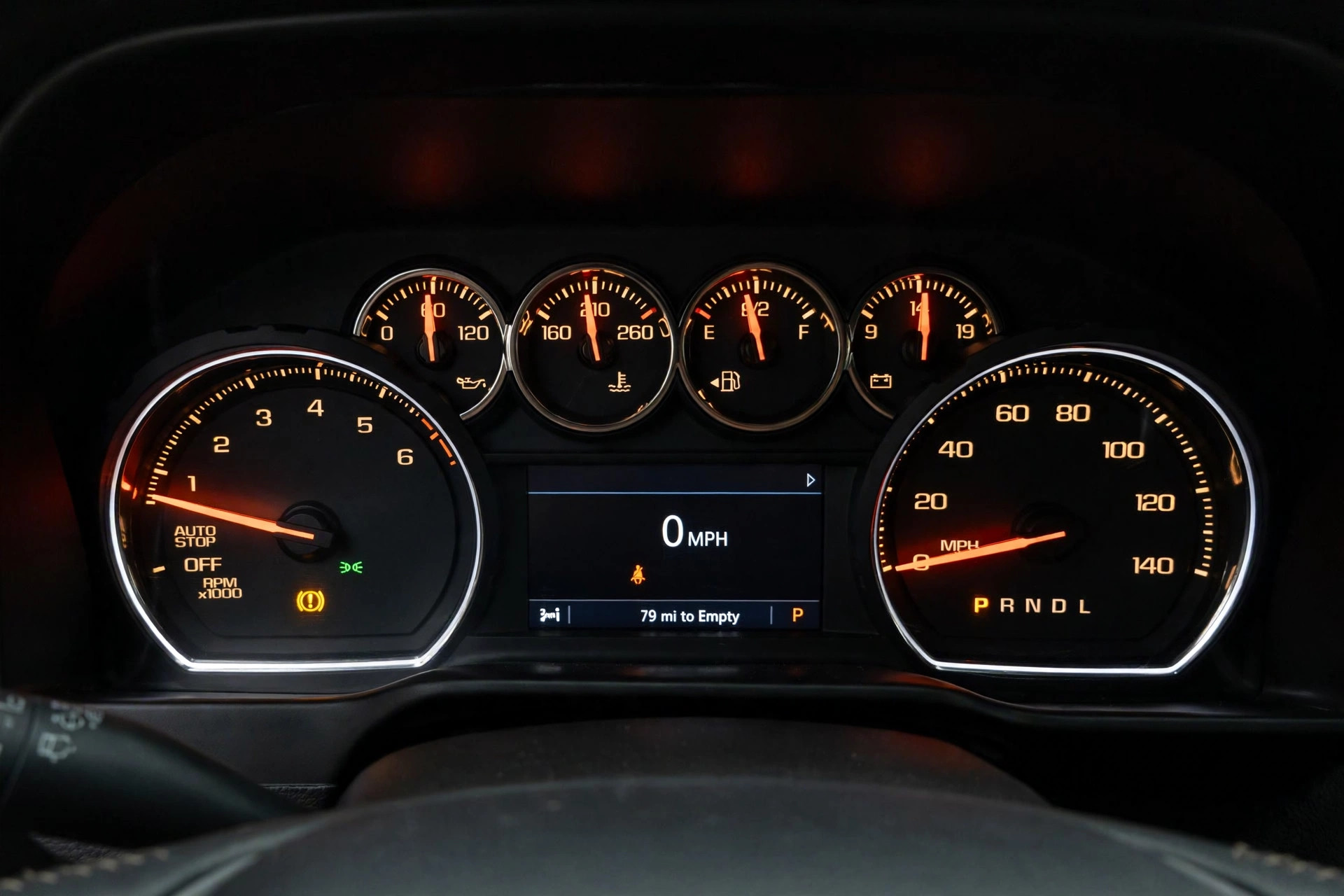
The photo above shows the amber brake warning symbol in the cluster. That symbol plus a DIC message means a stored brake fault is present, even if the pedal feels normal.
Parking Brake Not Recalibrated
The 2019 and newer Silverado rear calipers combine the standard brake and the electronic parking brake in one unit. After a pad or rotor change, the calipers must be recalibrated with a dealer-level scan tool, or the truck can stay in limp mode near 43 mph with multiple warning lights on.
This is a common DIY trap. The brake job itself looks finished while the module still thinks the calipers are out of position.
| Cause | Sign or Code | Verified Fix |
|---|---|---|
| BSCM software fault | P0606 and C0021, hard pedal | BSCM reprogram per PIT5730A and N202294820 |
| eBoost module fault | Loss of brake assist, Push-Thru mode | Reprogram the eBoost BSCM per TSB 20-NA-073 |
| Low brake fluid | Red BRAKE light, fluid below the MIN mark | Find and fix the leak, then top off and bleed |
| Wheel speed sensor fault | Brake failure plus Service ESC after brake work | Repair the sensor or connector, then clear codes |
| Parking brake not recalibrated | Speed limited near 43 mph after a pad change | Recalibrate calipers with a dealer-level scan tool |
With the cause identified, the reset itself is straightforward. The six steps below run in order, from driveway checks to steps that need a scan tool.
How to Reset the 2020 Silverado Brake System Failure in 6 Steps
Follow these steps in order and stop at the step that clears the warning. Never skip the code reading in step 1: it tells you whether a simple reset is safe or the truck needs a dealer visit.
- Park safely and read the codes. Park on level ground, set the parking brake, and plug an OBD-II scan tool into the port under the dash. Write down every code from the Brake System Control Module, not just engine codes; P0606 with C0021 points at the BSCM software fault in PIT5730A.
- Check the brake fluid level. Open the hood and find the brake fluid reservoir on the driver side firewall, where fluid should sit between MIN and MAX; if it is low, look for wet spots at the calipers, lines, and master cylinder before adding fluid. Our brake fluid flush cost guide covers shop and DIY prices.
- Inspect the wheel speed sensors. Check each connector for a loose plug, a bent pin, or corrosion, and look at the wiring where it flexes near the suspension. Clean the mounting surface so the sensor reads the tone ring cleanly.
- Do the battery disconnect reset. Turn the truck off, disconnect the negative terminal then the positive, and leave both off for about 15 minutes so the modules discharge. Reconnect positive first, then negative, and start the truck; if the warning returns at startup, the fault is still active and needs step 6.
- Reset the brake pad life system in the DIC. Display Brake Pad Life on the DIC, press the thumbwheel or the trip odometer reset stem, select the front or rear pads, and select YES. Repeat for the other axle if you changed those pads too; the 2020 Silverado owner’s manual gives this exact procedure and notes the system can also detect new pads and prompt the reset itself.
- Clear codes with a scan tool and recalibrate. Use a scan tool that can talk to the BSCM to clear the stored codes. If you changed rear pads or rotors, run the electronic parking brake recalibration and the brake pad life reset from the scan tool menu; a basic code reader cannot do these functions, so a shop visit is the right call, and returning codes P0606 and C0021 mean the truck needs the BSCM reprogram from PIT5730A.
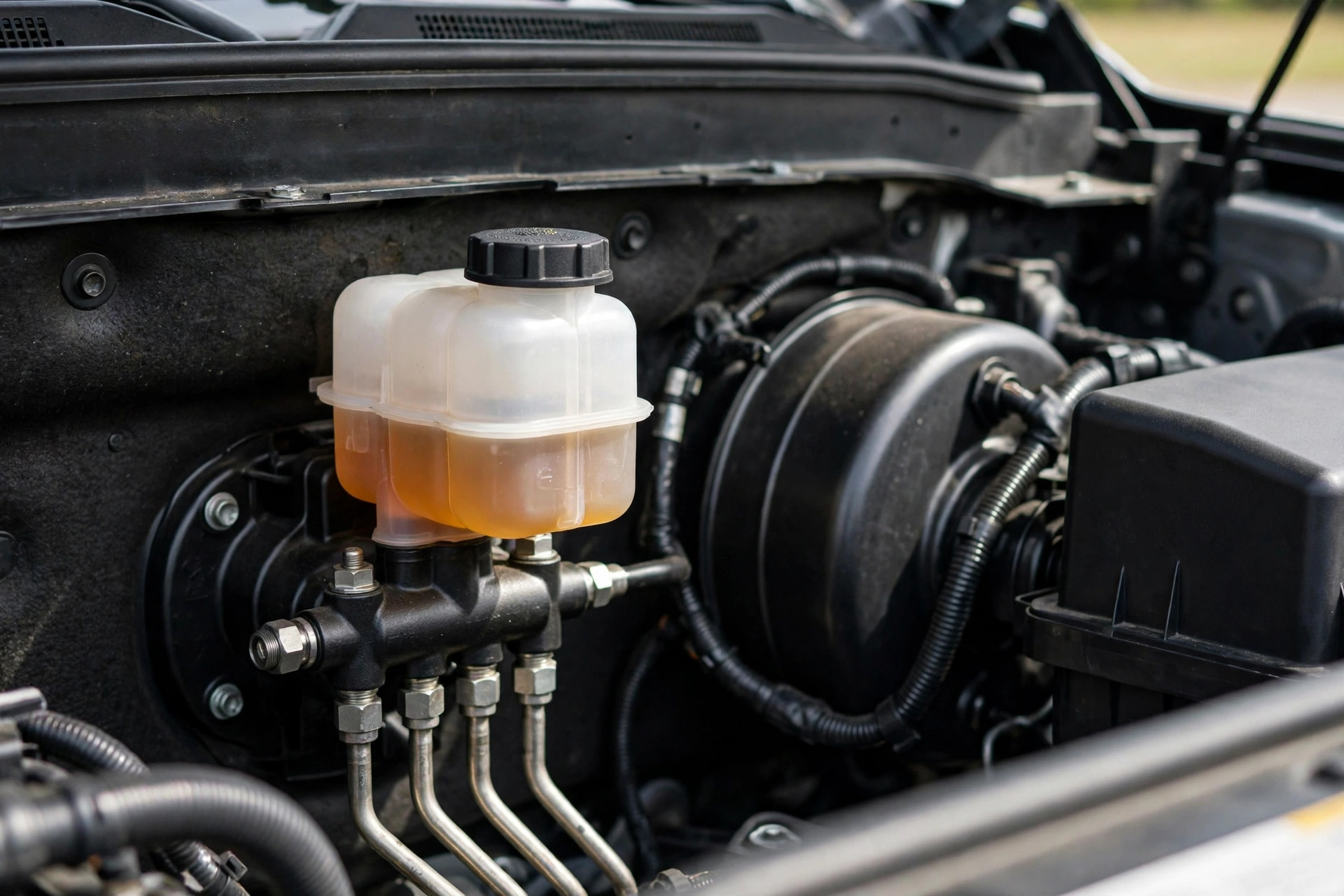
The photo above shows the brake fluid reservoir you check in step 2. Amber fluid at the correct level is normal, while dark fluid or a low level means the system needs attention first.
Silverado Brake Failure Reset at a Glance


Reset Steps in Order
- Read BSCM codes with a scan tool
- Check brake fluid level and look for leaks
- Inspect wheel speed sensors and connectors
- Disconnect the battery for 15 minutes
- Reset brake pad life in the DIC after a pad change
- Clear codes and recalibrate the parking brake with a scan tool
Applies To
2019-2020 Chevrolet Silverado 1500 and GMC Sierra 1500, all engines, with the eBoost brake system. DTCs P0606 and C0021 point to the BSCM software fix in GM bulletin PIT5730A.
When a Reset Is Not Enough
If the warning or codes P0606 and C0021 return after the battery reset, the BSCM needs a dealer reprogram under Customer Satisfaction Program N202294820.
The infographic above is the short version of this section, so keep it as a checklist. The next section covers the one decision that matters more than any reset: when to stop driving.
When the Brake Warning Means Stop Driving Now
Some brake warnings allow a careful drive to a shop. Others mean the truck should not move at all. Stop and call a tow truck if the red BRAKE light stays on, the pedal sinks toward the floor, or the pedal feels hard and stopping takes longer.
These signs mean the hydraulic system or the brake assist has failed. Service Brake Assist guidance agrees: stop and tow when the red BRAKE light is also on, and never pump the pedal.
Drive slowly to the nearest shop only if the pedal feels close to normal, no red BRAKE light is on, and only the amber service message shows. Leave extra space ahead, brake early, and press the pedal firmly once. If several warnings appear at once, have the truck towed instead of driving it.
What the 2020 Silverado Brake Recall History Covers
Many 2020 Silverado owners hear about a GM brake recall and assume it covers their truck. It does not.
The large vacuum pump recall, NHTSA campaign 19V645000 and GM number N192268490, covers 2014-2018 Silverado trucks and related SUVs, 3,456,719 vehicles in total. The remedy was a free Electronic Brake Control Module reprogram.
The 2020 Silverado 1500 uses the eBoost system, so this recall never applied to it. What does apply is Customer Satisfaction Program N202294820, which covers the BSCM reprogram for the PIT5730A fault. NHTSA recall data confirms the vacuum pump campaign years, so a VIN check will return nothing for a 2020 truck on that recall.
TSB 20-NA-073 adds that the eBoost BSCM reprogram is covered for 8 years or 80,000 miles in the US. Check your VIN with a GM dealer to confirm which programs are open.
The federal eBoost investigation is also worth a clear note. NHTSA Engineering Analysis EA26006, opened in August 2026, covers the 2023-2026 Chevrolet Colorado and GMC Canyon and the Cadillac Lyriq, but the Silverado 1500 is not named in it.
Our 2020 Silverado 1500 model year guide covers the early T1XX trucks and other faults to check.
2020 Silverado Brake System Failure Reset FAQs
Can I reset the 2020 Silverado brake system failure warning by disconnecting the battery?
Yes, a 15-minute battery disconnect can clear a temporary fault. Disconnect the negative terminal first, wait about 15 minutes, reconnect, and start the truck. If the warning returns, the fault is still active and needs a scan tool or dealer reprogram.
What do codes P0606 and C0021 mean on a 2020 Silverado?
They mean the Brake System Control Module found a processor performance fault during initialization. GM bulletin PIT5730A covers this code pair on the 2020 Silverado 1500. The verified fix is a BSCM reprogram under Customer Satisfaction Program N202294820.
Why does my 2020 Silverado say brake system failure after a brake job?
The most common cause is a wheel speed sensor that is unplugged, damaged, or not reading after the work. The rear electronic parking brake calipers also need recalibration with a scan tool after pad or rotor service, or the truck can stay limited near 42 mph.
Is it safe to drive a 2020 Silverado with the brake system failure message on?
It depends on the symptoms. Do not drive if the red BRAKE light is on, the pedal sinks, or the pedal feels hard with longer stopping distances. Drive slowly to a shop only if the pedal feels normal and only the amber message shows.
Does the 2019 vacuum pump recall cover the 2020 Silverado 1500?
No. Recall 19V645000 covers 2014-2018 Silverado trucks with the vacuum pump. The 2020 Silverado 1500 uses the eBoost system instead, and its brake software fix comes through Customer Satisfaction Program N202294820.
Your 2020 Silverado Brake Reset Checklist
A 2020 Chevy Silverado brake system failure reset starts with the codes, not with clearing the light. Read the BSCM codes, check the fluid and sensors, try the 15-minute battery disconnect, reset the brake pad life in the DIC after a pad change, and finish with a scan tool clear and recalibration.
If codes P0606 and C0021 return, the truck needs the BSCM reprogram GM documents in PIT5730A. Keep this guide in the truck for the next time the message appears. A warning you understand is a warning you can act on, and brakes are the one system that rewards acting early.