How to Reset GMC Sierra Radio in 2026 With 4 Methods

You can reset a GMC Sierra radio in under a minute in most cases. Hold the power and volume knob for 10 to 15 seconds until the screen goes black, then wait for the system to reboot.


That quick soft reset clears frozen screens, Bluetooth drops, and minor audio glitches on most Sierra trucks. The right method still depends on your system, so a 2016 Sierra and a 2024 Sierra do not reset the same way.
Below are four methods in order, from the gentlest soft reset to a battery disconnect. You will also learn which system your truck has and when a dealer visit is the right call.
4 Fast Ways to Reset Your Sierra Radio


Start with the gentlest method and move down only if the problem stays.
| Method | Best For | Data Loss | Time Needed |
|---|---|---|---|
| Soft reset | Frozen screen, Bluetooth drop | None in most cases | Under 1 minute |
| Factory reset in Settings | Repeated glitches, app errors | Presets if you erase data | About 5 minutes |
| Fuse pull | Dead screen, no sound | None in most cases | About 5 minutes |
| Battery disconnect | Stubborn faults | Presets and pairings | About 20 minutes |
Park the truck before you try any reset. Never work the touchscreen or pull fuses while you drive.
Which Sierra System Does Your Truck Have
GM identifies each infotainment system with an RPO code, short for Regular Production Option. The code names the exact hardware and software in your truck.
Find it on the Service Parts label in the glove box on older trucks, or on the QR code sticker on the driver side door jamb on newer trucks.
| RPO Code | System | Screen Size | Sierra Years |
|---|---|---|---|
| IO5 and IO6 | GMC IntelliLink | 8 inch | 2014 to 2018 |
| IOB | Infotainment 3 | 7 inch | 2017 to 2019 |
| IOR | Infotainment 3 | 7 or 8 inch | 2019 to 2022 |
| IOT | Infotainment 3 Premium | 8 or 13.4 inch | 2020 to present |
| IOK | Google Built-In | 10.2 or 13.4 inch | 2022 to present |
Year ranges overlap by trim and build date. Your RPO code is the final word.
The 2022 Sierra 1500 refresh brought the 13.4 inch touchscreen and Google built-in apps to most trims. If your home screen shows Google Maps and Google Assistant, you have the IOK system. Confirm your menu paths in your 2022 GMC Sierra owner manual from GMC.
How to Soft Reset a Frozen Sierra Screen
A soft reset restarts the infotainment computer without erasing presets, paired phones, or saved stations. Try it first for a frozen screen or Bluetooth that will not connect. Pick the method that matches your system.
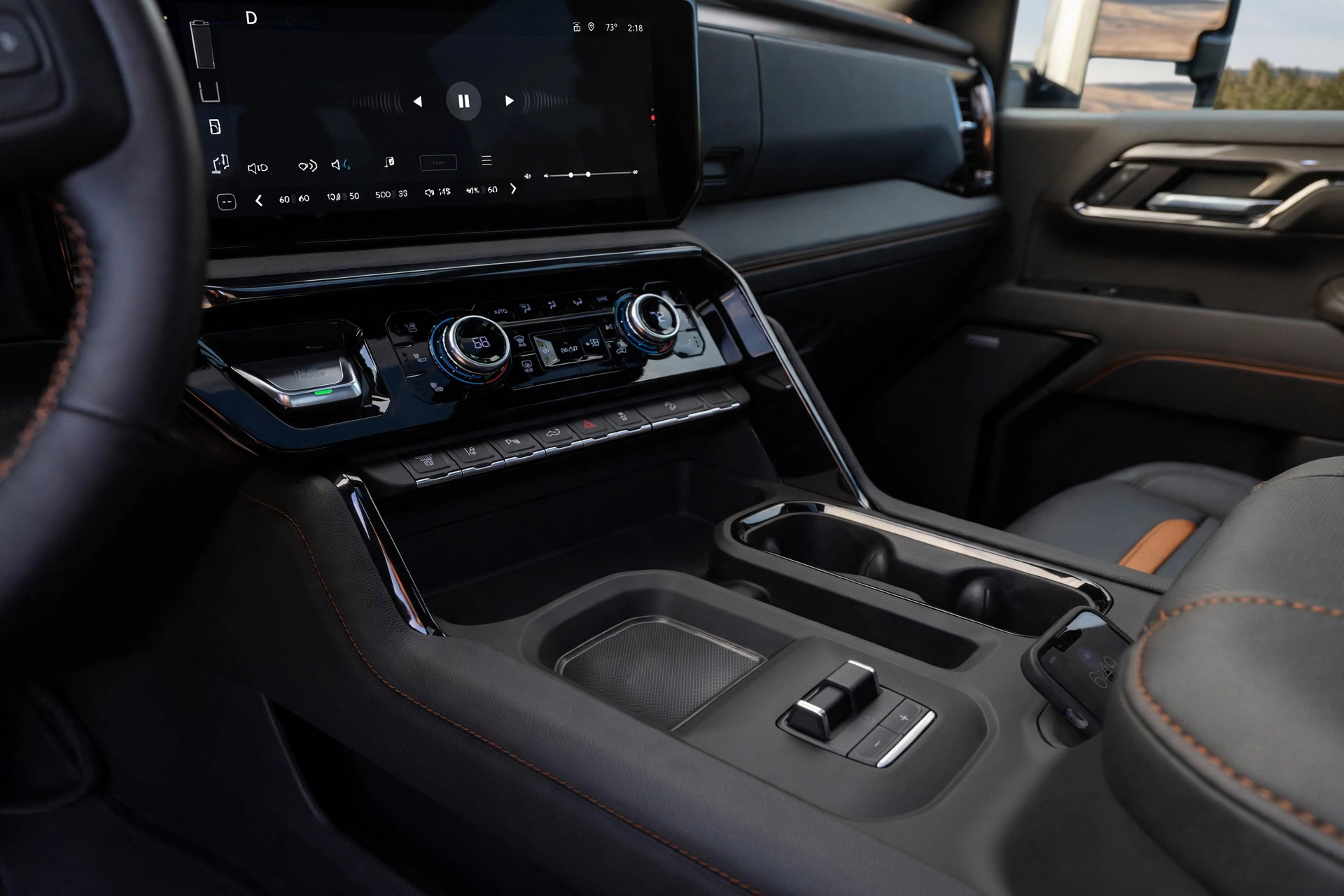
Hold the Power Volume Knob
This works on most Sierra trucks from 2014 through 2021. With the truck running, press and hold the radio power button, which is the volume knob, for 10 to 15 seconds.
Keep holding until the screen goes black, then wait 30 to 60 seconds for the GMC logo and the home screen to return.
Hold the End Call Button


Use this only on Sierra trucks with Google built-in, which covers most 2022 and newer models. Put the truck in Park first.
Press and hold the End Call button on the steering wheel for about 20 seconds. A service screen may pop up, and you do not need to select anything on it. Keep holding until the center display turns off.
The welcome screen appears after about 5 to 10 seconds, and the system reboots on its own. GMC explains the reboot steps on its Google built-in support page.
Press Home and Fast Forward
Older IntelliLink trucks from 2014 through 2016 respond to a two button combo when the screen is frozen. Press and hold the Home button and the Fast Forward button at the same time for 10 to 15 seconds, then release both when the screen goes dark.
The system restarts on its own within about a minute. Some 2017 through 2021 trucks also answer to this combo.
How to Factory Reset Through the Settings Menu
Use the Settings menu when the screen still responds to touch but the system keeps glitching. Read the options before you confirm anything.
With the truck in Park and the ignition on, tap Home, then Settings, then System, then Return to Factory Settings. GM owner manuals list three choices on this screen.
Reset Vehicle Settings restores vehicle settings for the current user. Erase Settings and Personal Data wipes app data, user profiles, navigation history, and paired phones. Clear Default Applications resets your preferred apps without erasing personal data.
For most radio glitches, Reset Vehicle Settings is the right pick. Choose Erase Settings and Personal Data only for a full wipe, such as before you sell the truck. Confirm your choice and wait a few minutes for the reboot.
How to Pull the Radio Fuse Safely
A fuse pull cuts power to the radio module and forces a hard power cycle. Use it when the screen stays black or the soft reset changed nothing.
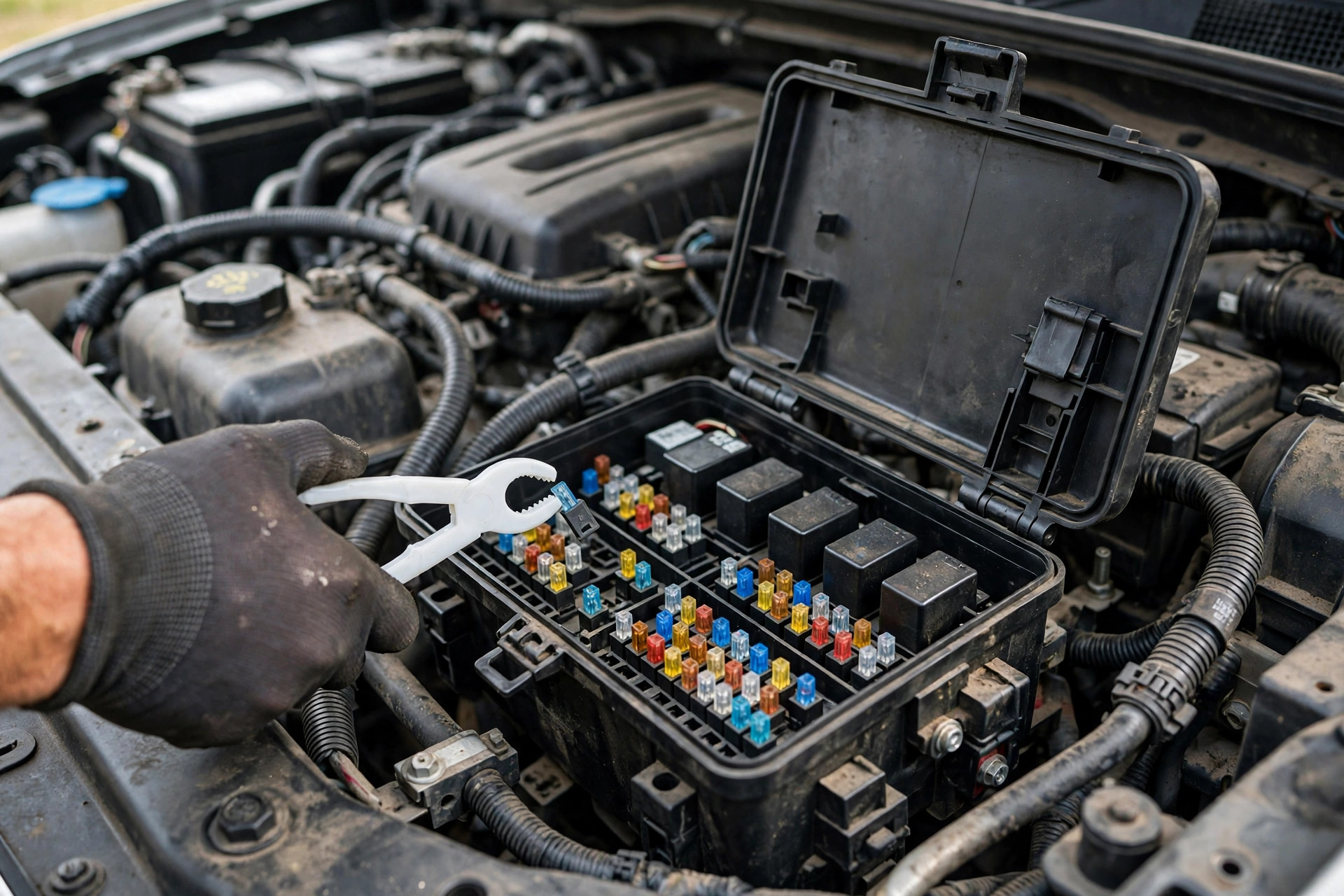
Turn the truck fully off first. Find the interior fuse box behind an access panel on the driver or passenger side of the dashboard. Open your owner manual and find the fuse box diagram for your exact year and trim.
Fuse numbers vary by year, so never guess from another model year. Repair guides for 2016 through 2019 Sierra and Silverado trucks point to fuses F18 and F36 for the radio and display. A 2015 Sierra 1500 uses a 20 amp fuse marked RDO, listed as fuse 18.
Pull the radio fuse with the fuse puller or needle nose pliers. Wait 60 seconds, then push the same fuse back into the same slot. Replace a blown fuse only with one of the same amperage.
Start the truck and test the radio. Go-Parts documents the fuse pull and soft reset steps for 2016 to 2019 Sierra trucks in its IOB radio failure guide. Older trucks use different fuse layouts, and the 2003 GMC Sierra radio wiring diagram shows how the early trucks were wired.
When Battery Disconnect Becomes Your Last Resort
Disconnect the battery only after the soft reset, the factory reset, and the fuse pull have all failed. This step cuts power to every module in the truck.
Park on level ground and turn everything off. Wear gloves and eye protection, then disconnect the negative terminal first with the correct wrench.
Leave it off for at least 15 minutes so every module fully powers down, then reconnect the terminal and tighten it firmly. Start the truck, test the radio, and check your presets and paired phones.
Expect to lose radio presets and some saved settings. The truck may need a short relearn drive before idle and shift behavior feel normal again.
Do not use this method as a weekly fix. If the same fault returns after every battery disconnect, the cause is a failing part or a software bug. Go-Parts covers the battery disconnect and related radio faults for 2018 to 2023 GM trucks in its radio problem guide.
5 Problems a Radio Reset Will Not Fix
A reset fixes software glitches. It cannot repair broken hardware, bad wiring, or a software bug that needs a dealer update.
1. No power at all. A radio that never lights up points to a blown fuse, a wiring fault, or a bad ground. GM bulletin 18-NA-161 links a poor frame ground to blank screens on 2014 through 2019 Silverado and Sierra trucks.
2. Failed HMI module. The Human Machine Interface module is the computer behind the screen. A failed module can show a blank screen or a stuck “Waiting for Update Media” message. A replacement locks to its donor VIN and needs dealer programming.
3. Cracked touchscreen digitizer. A spider webbed or bubbling screen means the touch layer has failed. The display may still show images while touch does nothing. No reset fixes a broken digitizer.
4. Software bug that needs an update. GM released radio software version Y172 for IOK systems under bulletin 24-NA-100, covering 2023 and 2024 Sierra 1500 trucks. The update fixes black screens, missing audio on startup, and frozen audio cards.
If the reset only helps for a day, ask your dealer about it. The bulletin lists the Y172 fixes for 2023 and 2024 Sierra trucks.
5. Silent speakers with a working screen. A radio that plays while the cabin stays quiet points to the amplifier or the speaker wiring. Check the amplifier fuse first, then let a dealer test the amp.
Trace wiring faults on older trucks with the 2006 GMC Sierra radio wiring diagram open beside the truck.
When to Book a Dealer Visit for Radio Trouble
Book a dealer visit when a reset fixes the fault for a day and it returns, or when two reset methods both fail.
Go straight to the dealer if the screen stays black after a fuse pull and a battery disconnect, or if you see a “Theft Locked” message that only dealer tools can clear.
Check for a software update before you book. On Google built-in trucks, open Settings, then System, then Vehicle Software, then Updates, and follow the prompts. Bring your RPO code, the exact symptom, and the resets you already tried.
6 GMC Sierra Radio Reset Questions Answered
Will a Reset Erase My Presets?
A soft reset keeps your presets and paired phones. A factory reset with Erase Settings and Personal Data wipes them, and a battery disconnect usually erases presets and seat memory too. Write down your favorite stations before a full wipe.
How Long Do I Hold the Button?
Hold the power and volume knob for 10 to 15 seconds on most 2014 through 2021 Sierra trucks. On Google built-in trucks from 2022 onward, hold the End Call button for about 20 seconds. Release when the screen goes black.
Which Fuse Controls the Radio?


It varies by year and trim, so check the fuse box diagram in your owner manual. Guides list fuses F18 and F36 for many 2016 through 2019 trucks, and a 20 amp RDO fuse at position 18 for the 2015 Sierra 1500. Never swap in a fuse with a different amperage.
Why Is My Screen Black?
A black screen can come from a software glitch, a blown fuse, a failed HMI module, or a bad battery ground. Try the soft reset first, then pull the radio fuse for 60 seconds. If the screen stays black after both, book a dealer visit.
Can a Reset Fix No Sound?
A reset fixes no sound when the cause is a software glitch, such as audio lost after a phone call. It will not fix a failed amplifier, a blown amp fuse, or damaged speaker wiring. If sound stays missing after a reset, the amp needs dealer testing.
Do I Need a Radio Code?
Most Sierra trucks do not ask for a radio code after a soft reset, a fuse pull, or a battery disconnect. A replacement radio module is different, since it locks to its donor VIN and needs dealer programming. A “Theft Locked” message means the truck needs that programming.
Your Sierra Radio Reset In 4 Steps
Start with the soft reset, then work down the list one method at a time. Most Sierra radio faults clear at the first step, and the rest point to a fuse, a ground, or a software update you can name at the dealer.
Match the method to your system before you press anything. A 2016 IntelliLink truck and a 2024 Google built-in truck reset in different ways, and your RPO code tells you which one you own.
Keep the order simple. Soft reset first, factory reset second, fuse pull third, and battery disconnect last. If the fault survives all four, the radio needs a part or an update, so book a dealer visit.
Once the sound is back, check the GMC Sierra 2500 towing capacity chart before your next tow.