How to Reset Uconnect on a Ram 1500: Full Guide Soft and Factory Reset 2026

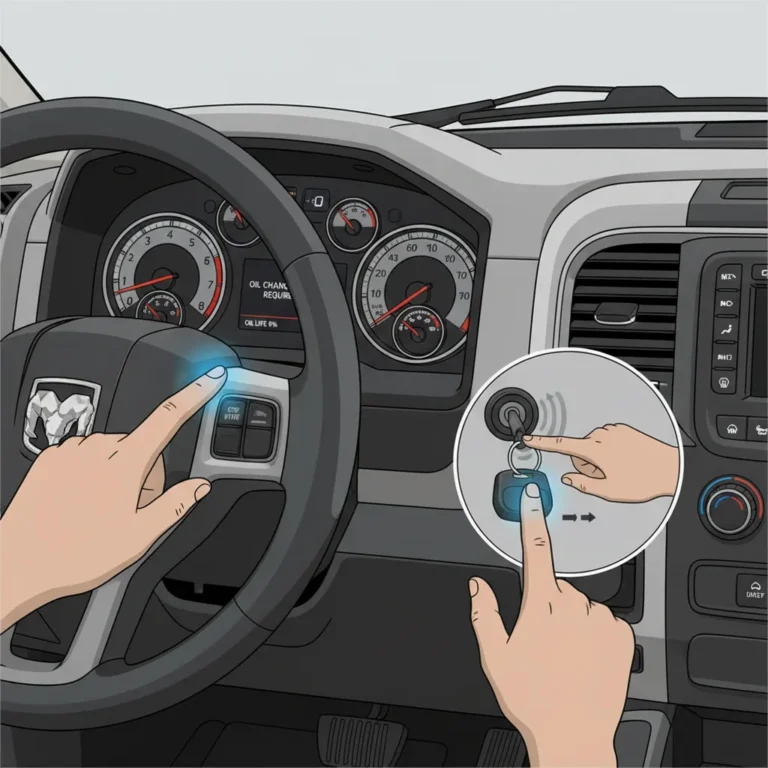
The fastest way to reset Uconnect on a Ram 1500 is to hold the radio’s power button until the screen restarts. Ram’s manuals say to hold the Volume & On/Off button for about 10 seconds on a Uconnect 3 radio, and to hold the Power button for at least 15 seconds on a Uconnect 5 radio.
If that does not clear the problem, the Settings menu has a Reset section with a restart option and several data-clearing options. This guide explains which one to use, what each one erases and what the Ram manuals do not say.


Which Uconnect Reset Do You Need?
Start with the mildest reset and move down the table only if the problem stays.
| Problem | Reset to try | Wipes your data? |
|---|---|---|
| Frozen, black or stuck screen | Hold the power button (10 to 15 seconds) | No data-clearing option is used |
| Radio glitch, but the screen responds | Settings, Reset, Restart Radio (if listed) | No |
| App icons moved or missing | Reset Apps Drawer to Default Order | Layout only |
| Settings changed and you want them back | Restore Settings to Default | Changed settings |
| Selling the truck or giving it away | Clear Personal Data, then Factory Reset (if listed) | Yes, including Bluetooth devices and presets |
| Navigation reboots after a map update | Dealer software fix, not a reset | Not applicable |
The menu names come from Ram’s 2021 Ram 1500, 2022 Ram 1500 Classic and 2026 Ram 1500 owner’s manuals. Not every truck shows every option, and Ram notes that feature settings vary with the vehicle’s options.
Uconnect Reset Cheat Sheet
Button holds, menu resets and update rules, taken from Ram’s manuals and FCA US bulletins.
Three levels of reset, mildest first
Not every truck lists every option. Factory Reset and Reset Wi-Fi Password For Projection appear in Ram’s 2022 Classic manual.
Software updates by model year
Which Uconnect System Does Your Ram 1500 Have?
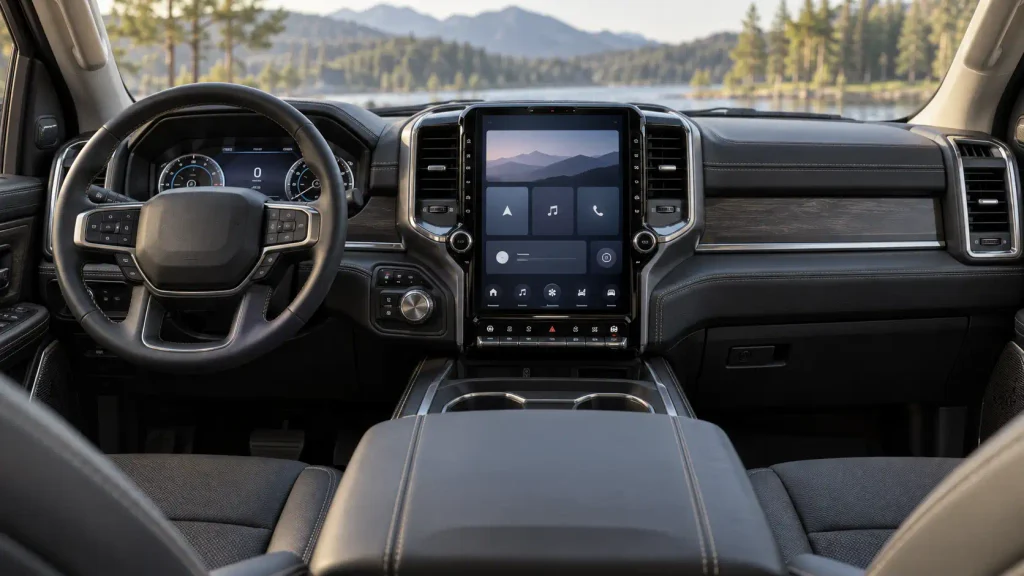
The reset button and the menu depend on the radio, so identify it first. Ram’s manuals list these systems:
| Manual | Uconnect systems it lists |
|---|---|
| 2021 Ram 1500 | Uconnect 3 with 5-inch display, Uconnect 4, 4C and 4C NAV with 8.4-inch display, and Uconnect 4C NAV with 12-inch display |
| 2022 Ram 1500 Classic | Uconnect 3 with 5-inch display, Uconnect 4C and 4C NAV with 8.4-inch display, and Uconnect 5 with 8.4-inch display |
| 2026 Ram 1500 | Uconnect 5 and 5 NAV with 8.4-inch display, with 12-inch display, and with 14.5-inch display |
Two quick checks. On a 2021 truck, Ram says that if you see the NAV icon on the bottom bar or in the Apps menu of an 8.4-inch touchscreen, you have 4C NAV; if not, you have 4C with the 8.4-inch display.
Ram’s 2026 manual says the Settings menu has a System Information section that shows the Uconnect system version. We did not read the 2022 to 2024 Ram 1500 (DT) manuals, so confirm your system on the screen rather than assuming it from the year.
Soft Reset: Hold the Power Button
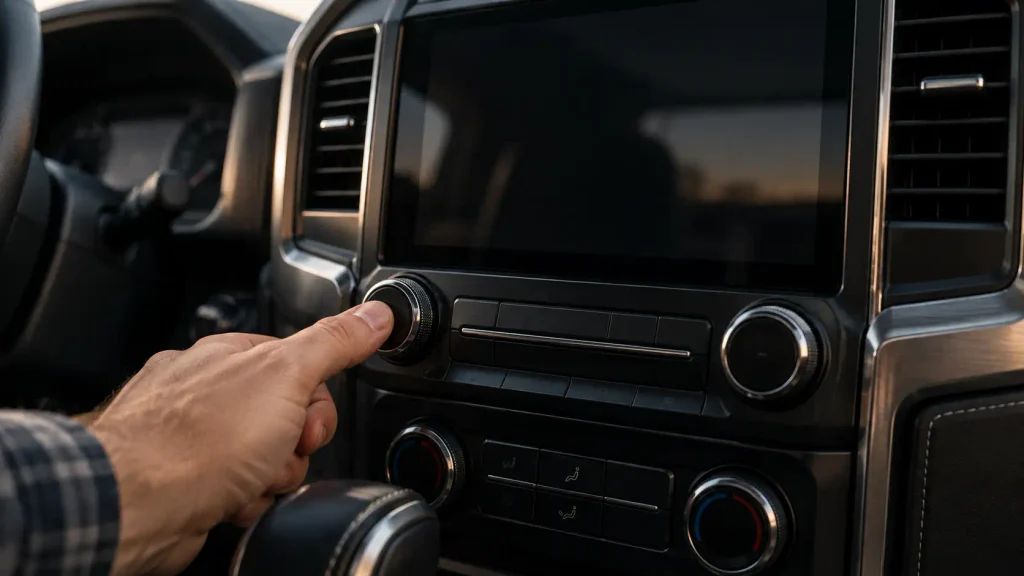
A button-hold reset restarts the radio without opening any menu, which makes it the right first move when the screen is frozen or black.


- Park the truck safely. Ram’s manuals do not give an ignition position for the button hold, so keep the ignition on while you try it.
- On a Uconnect 3 radio, push and hold the Volume & On/Off button for about 10 seconds. Ram’s 2021 manual says this resets the radio manually and can recover a screen that is frozen or stuck.
- On a Uconnect 5 radio, push and hold the Power button on the faceplate for at least 15 seconds. That wording is in Ram’s 2022 Ram 1500 Classic manual and in its online 2022 Ram 2500/3500 manual.
- Release the button when the screen restarts and wait for the radio to reload.
An FCA US service bulletin for Uconnect 5 uses a shorter hold. Bulletin S2108000029, version 4.3, dated January 29, 2021, covers an intermittent black screen, audio mute, unexpected reset or lock-up. It tells dealers to “press and hold the power button for 10 seconds to reset” and not to replace the radio for these symptoms. If 10 seconds does not work, use Ram’s 15 second figure.
Two gaps to know about. Ram’s 2021 manual gives the 10 second hold under the Uconnect 3 description only, and we found no Ram button-hold instruction for a 4C or 4C NAV radio. We also did not find one in the 2026 Ram 1500 manual, which lists Uconnect 5, so the 2022 manuals and the bulletin are our sources for that radio. If a hold does nothing, use the menu reset or call Uconnect support.
You may see advice to hold the Volume and Tune knobs together. Ram’s manuals do not list that method.
Restart the Radio From the Settings Menu
If the touchscreen still responds, use the menu instead. Settings are meant to be changed with the ignition in the ON/RUN position.
- Open Settings. On Uconnect 4, 4C and 4C NAV radios, Ram’s manuals say to press the Apps button, then the Settings button. On Uconnect 3, push the Settings button on the faceplate. On Uconnect 5, Ram’s 2022 Classic manual says to press the Vehicle button, then the Settings tab at the top of the touchscreen.
- Open the Reset section. The 2021 manual calls it Reset/Restore Settings To Default.
- Pick Restart Radio if your truck lists it. Ram’s 2022 Classic manual says this setting “will reboot the radio.” The 2026 manual says the Reset menu can restart the radio.
Hard Reset: What Each Reset Option Does
The Reset menu holds the options that change or erase data. Read the description before you tap, because the choices are not interchangeable.
| Setting | What Ram’s manual says it does | Listed in |
|---|---|---|
| Restart Radio | Reboots the radio | 2022 Classic, 2026 |
| Reset Apps Drawer To Default Order | Returns the app drawer to its default layout | 2021, 2022 Classic |
| Restore Settings to Default | Returns all previously changed settings to their factory defaults | 2021, 2022 Classic |
| Clear Personal Data | Opens a pop-up to clear all personal data, including Bluetooth devices and presets | 2021, 2022 Classic |
| Reset Wi-Fi Password For Projection | Resets the vehicle’s Wi-Fi password for smartphone projection | 2022 Classic |
| Factory Reset | Restores the radio to its factory default settings | 2022 Classic |
Ram’s manuals do not say whether saved navigation favorites or home addresses are cleared by each option, so write down anything you cannot easily re-enter before you use Clear Personal Data or Factory Reset.
After a data-clearing reset, plan to pair your phone again, rebuild your radio presets and reconnect Apple CarPlay or Android Auto. The 2026 manual notes that there may be a delay in features such as Android Auto and Apple CarPlay at vehicle start-up, so a short wait after the reload is not necessarily a fault.
Does Disconnecting the Battery Reset Uconnect?
Not according to Ram. None of the manuals we read lists a battery disconnect as a Uconnect reset method. Some guides say to leave the cable off for 30 minutes, and we found no Ram source for that number.
One thing in Ram’s manuals is worth knowing before you try it. If the Vehicle Security system is armed when the battery is disconnected, it stays armed when the battery is reconnected: the exterior lights flash and the horn sounds until you disarm it, for example with the unlock button on the key fob. Our 2020 Ram backup camera after battery replacement guide covers one example of a system that needed attention after a battery job.


Use the button hold or the menu reset first. If you do replace or disconnect a battery, our 2019 Ram 1500 battery replacement guide and 2021 Ram 1500 battery replacement guide cover the job, and a weak battery can trigger the battery saver mode that reduces power to the audio system.
Uconnect 5 Black Screen, Freezes and Navigation Reboots
Two FCA US bulletins explain problems that a reset only manages.
- Black screen, mute or lock-up (Uconnect 5). Bulletin S2108000029 says these faults can be intermittent and hard to reproduce at a dealership. It points owners to the 10 second power button reset and says a software enhancement was expected in late first quarter 2021.
- Navigation reboots after a map update. Bulletin 08-006-24 Rev. A, dated January 17, 2024, covers 2021 to 2024 Ram 1500 and 2500 trucks with Uconnect 5 NAV 8.4, 10.1 or 12-inch radios built on or before October 27, 2023. The listed cause is radio software, and the fix is a dealer USB map update that takes about 30 minutes, not a customer reset.
If either symptom keeps returning, ask a dealer whether the bulletin applies to your truck and build date.
Uconnect Software Updates
Updates are the other half of fixing a glitchy radio, and the rules depend on the model year. The Uconnect site says systems for model years 2020 to 2026 are updated over the air or at a certified dealership only, and that these years do not have USB updates available for customer download. Over-the-air updates need a password-protected Wi-Fi network, and only vehicles with connected service are eligible. Older trucks, model year 2019 and earlier, may have newer software at the dealer than the site offers.
On trucks that offer it, Ram’s 2022 Classic manual describes a Software Updates setting that allows updates over Wi-Fi. Ram’s manuals also tell owners to check DriveUconnect.com (US) or DriveUconnect.ca (Canada) for available updates. We did not find a Ram figure for how often to check.
When a Reset Will Not Fix It
If the screen stays black, the touch input misbehaves or the radio keeps rebooting after the steps above, the cause may be hardware or software that only a dealer can address. Ram’s 2021 manual gives Uconnect support at 1-877-855-8400, available 24 hours a day, 7 days a week, or at DriveUconnect.com. Check your warranty booklet before you pay for a repair. For a model-year view of known problems, see our 2019 Ram 1500 problems guide, 2020 Ram 1500 problems guide, 2022 Ram 1500 problems guide and 2023 Ram 1500 problems guide. Our 2018 Ram 1500 touch screen replacement guide covers a replacement on the older generation.
Ram 1500 Uconnect Reset FAQ
How do I soft reset the Uconnect screen on a Ram 1500?
Push and hold the radio’s power button. Ram’s manuals give about 10 seconds on the Volume & On/Off button for Uconnect 3 and at least 15 seconds on the Power button for Uconnect 5. Release when the screen restarts. A service bulletin for Uconnect 5 uses 10 seconds, so try that first if you are short on time.
How do I factory reset a Ram 1500 touchscreen?
Open Settings, then the Reset section, and choose Factory Reset if your truck lists it. Ram’s 2022 Classic manual says it restores the radio to its factory defaults. Other trucks list Restore Settings and Clear Personal Data instead, which return settings to default and clear Bluetooth devices and presets. Menu names vary by system and year.


Will resetting Uconnect delete my saved data?
A button-hold or Restart Radio is a restart, not a data-clearing option. Clear Personal Data removes personal data, including Bluetooth devices and presets, and Restore Settings returns changed settings to default. Ram’s manuals do not say whether saved navigation favorites are cleared, so note them first.
Does disconnecting the battery reset Uconnect?
Ram’s manuals do not list it as a reset method. Disconnecting an armed Vehicle Security system makes the horn sound and the lights flash on reconnection until you disarm it. Use the power button hold or the Reset menu first, and treat a battery disconnect as a last step you take carefully.
Why does my Ram navigation keep rebooting after a map update?
An FCA US bulletin dated January 2024 lists navigation reboots after a map update on 2021 to 2024 Ram 1500 and 2500 trucks with Uconnect 5 NAV, built on or before October 27, 2023. The cause is radio software, and the fix is a dealer USB map update, so contact your dealer.
Can I update Uconnect software myself with a USB drive?
For model years 2020 to 2026, the Uconnect site says updates come over the air or at a certified dealer and that USB updates are not available for customer download. You need a password-protected Wi-Fi network and a connected-service truck for over-the-air updates. Model year 2019 and earlier may have newer software at dealers than the site offers.
How do I tell Uconnect 4C from Uconnect 5?
In Ram’s 2026 manual, Settings, System Information shows the system version. Ram’s 2021 manual also says an 8.4-inch screen with a NAV icon on the bottom bar or in the Apps menu is 4C NAV, and an 8.4-inch screen without it is 4C. Ram’s 2026 manual lists Uconnect 5 for the newer truck.
Related Ram Guides
- 2019 Ram 1500 problems
- 2020 Ram 1500 problems
- 2022 Ram 1500 problems
- 2023 Ram 1500 problems
- Ram 1500 problems, 2013 to 2023
- 2018 Dodge Ram radio problems
- Ram 1500 years to avoid
- Battery saver mode on a Dodge Ram
![2003 Dodge Ram Dashboard Replacement: Causes & Fixes [2026]](https://truckguider.com/wp-content/uploads/2026/03/2003-dodge-ram-dashboard-replacement-featured.webp)
![U1424 Code Ram 1500: Causes, Symptoms, and AGS Solutions [2026]](https://truckguider.com/wp-content/uploads/2026/03/u1424-code-ram-1500-featured-768x403.webp)
![Best 2017 Ram 1500 Crew Cab Running Boards: Top Fit Guide [2026]](https://truckguider.com/wp-content/uploads/2026/03/2017-ram-1500-crew-cab-running-boards-featured.webp)